FluxGrowth is reader-supported. Some links in our guides are affiliate links — if you buy through one we may earn a commission, at no extra cost to you. It never changes which tools we recommend. How we test tools.
ChatGPT isn’t the problem. The problem is that you’re probably using it for everything, including the jobs it’s mediocre at.
I’ve tested most of the major AI assistants at FluxGrowth, and here’s what I keep running into: the “best” AI tool depends entirely on the task in front of you. ChatGPT is the best generalist. It is not the best researcher, the best long form writer, or the best fit for someone who lives inside Google Workspace all day. For those jobs, a more specialized tool will beat it.
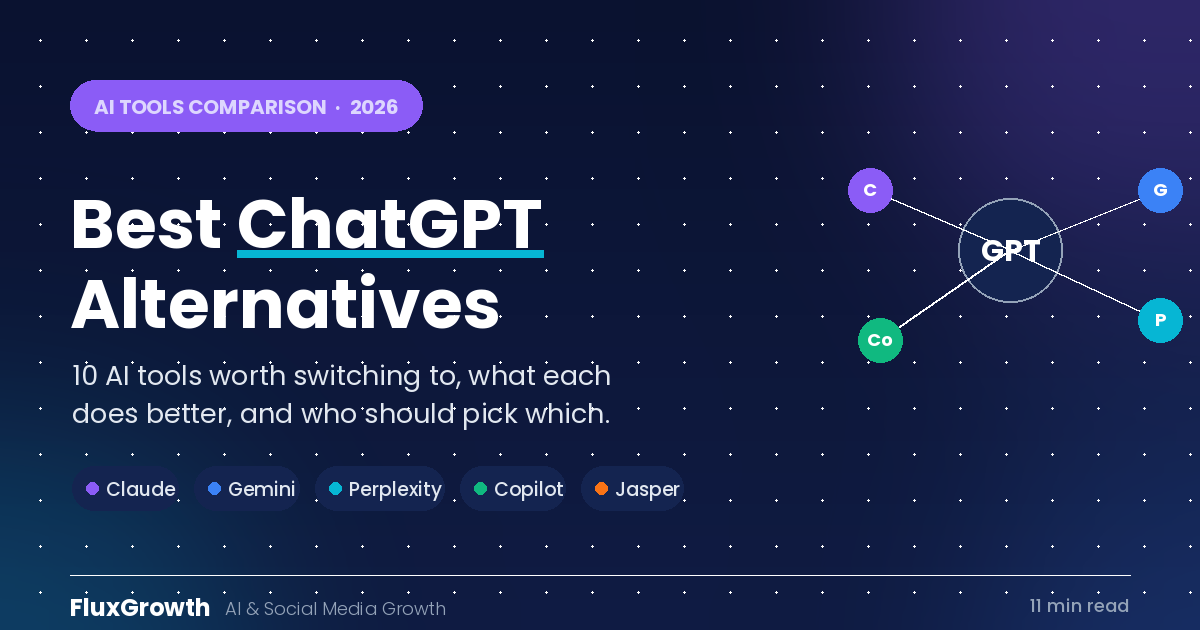
This guide walks through the 10 best ChatGPT alternatives in 2026, what each one actually does better, where each one falls short, and who should pick which. No checklist of green checkmarks. No “great for writing” slapped next to every single entry. Just where each tool earns its place.
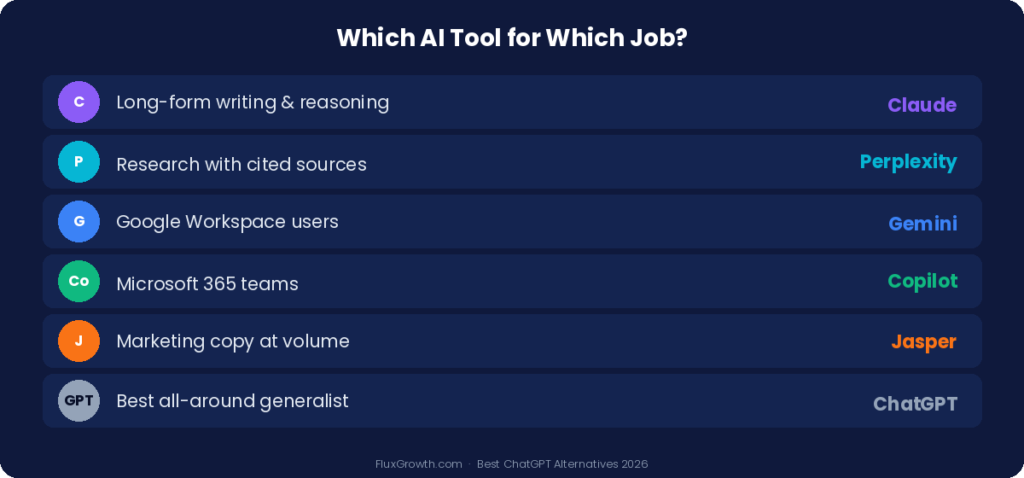
Quick Summary
- ChatGPT is the best all around tool, but specialized AI assistants beat it for specific jobs
- For long form writing and careful reasoning: Claude
- For research with cited sources: Perplexity
- For anyone deep in Google Workspace: Gemini
- For Microsoft 365 teams: Copilot
- Most of these have a genuinely useful free tier, so testing two or three costs you nothing but time
Why People Look for AI Tools Like ChatGPT
The switch usually isn’t about ChatGPT being bad. It’s about fit. Here’s what actually drives people to try something else.
Different tools are built for different jobs
A research assistant and a marketing copywriter are not the same product, even if both can hold a conversation. Perplexity is built to search the live web and cite sources. Jasper is built to produce brand marketing copy at volume. ChatGPT tries to do a bit of everything, which means it rarely wins the narrow contest against a tool designed for one thing.
Features ChatGPT doesn’t have
Some tools offer capabilities you simply can’t get in ChatGPT. Perplexity lets you point your search at academic papers only, or Reddit only, depending on what you need. Gemini plugs directly into Google Docs and Gmail. Claude handles very long documents without losing the thread. These aren’t minor extras. For the right person, they’re the whole reason to switch.
Pricing
Saving $20 a month is a real motivation, and it’s a fair one. The free tiers in 2026 are strong enough that a lot of people never need to pay. Free Claude, free Gemini, and free Perplexity each cover a surprising amount of ground before you hit a wall.
Workflow fit
Most people want their AI inside the software they already use, not in a separate browser tab. That single preference explains why Microsoft 365 users gravitate to Copilot and Google Workspace users gravitate to Gemini, almost by default.
What Makes a Good ChatGPT Alternative
Before the list, here’s the bar I’m measuring against. A tool earns a spot if it clearly beats ChatGPT at something specific, not if it merely matches it.
Response quality is the baseline. The answers need to be accurate, clear, and actually useful for the task. A tool that sounds confident while getting facts wrong is worse than no tool.
Ease of use matters more than feature lists. If the interface fights you, you won’t build it into your routine, and an AI tool you don’t use is worthless.
Research and sourcing is where ChatGPT historically lagged. Tools that search the live web and show you where the information came from let you verify claims instead of trusting a black box.
Content quality separates the writing tools from the rest. Some assistants produce copy you can ship with light edits. Others produce a first draft that needs a full rewrite.
Related: For writing specifically, see our tested picks for the best AI tool for content writing.
Integrations decide whether the tool fits your day. The best AI in the world loses to a slightly worse one that lives inside the apps you already have open.
Security and privacy is non-negotiable for business use. Most major providers say they don’t train on your conversations by default, but the details vary, so read the terms for anything you’ll feed sensitive data.
The 10 Best AI Tools Like ChatGPT in 2026
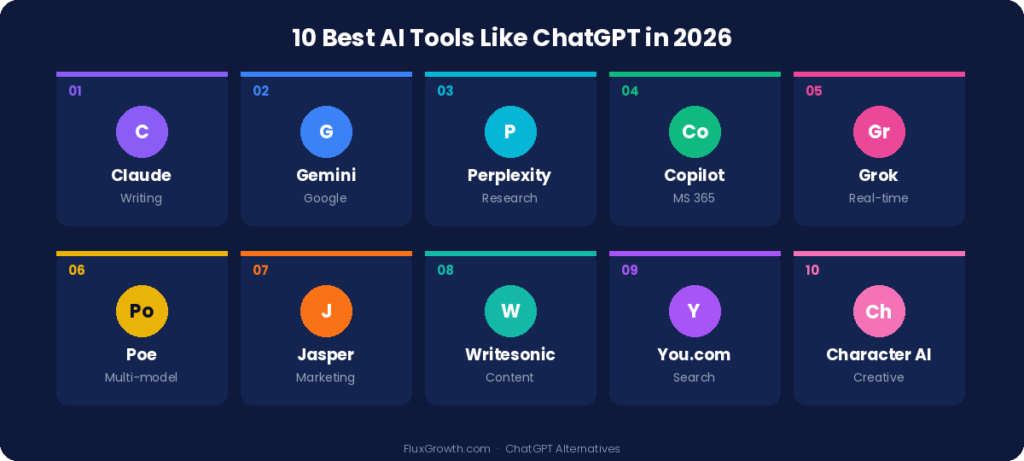
1. Claude
Overview Claude, built by Anthropic, is a conversational AI assistant known for long form writing, careful reasoning, and handling very large documents. Across the testing I’ve done and the comparisons published this year, it’s the tool most often named as the best overall ChatGPT replacement, largely because it writes well and hallucinates less than most competitors.
Key features Strong writing and editing, large document analysis, solid coding help, and a conversational style that tends to sound more human than robotic.
Where it falls short, Claude isn’t integrated across as many third party platforms as ChatGPT, so if you want an AI baked into dozens of other apps, this can feel limiting.
Best for Writers, researchers, professionals, and developers who care about output quality over breadth of integrations.
2. Gemini
Overview Gemini is Google’s AI assistant, and its real advantage is that it lives inside the Google ecosystem. If your work already runs through Docs, Gmail, and Drive, Gemini is the most logical home for AI in your day.
Key features: Multimodal abilities, deep Google Workspace integration, real time search, and strong support for learning and research.
Where it falls short Outside the Google ecosystem, its advantage shrinks. The integration is the selling point, so if you don’t use Workspace, you lose most of the benefit.
Best for Students, Google Workspace users, and anyone who wants AI embedded in the apps they already use daily.
3. Perplexity
Overview Perplexity is less a chatbot and more an AI search engine. It searches the live web, summarizes what it finds, and shows you the sources behind every answer. For research, that transparency is the entire point.
Related: best AI tools, ranked for 2026
Key features: Source citations on every response, control over which sources it searches (the whole web, academic papers, or social sites like Reddit), and access to multiple underlying models including the latest GPT, Gemini, and Claude.
Where it falls short It’s a research specialist. It can write emails and answer general questions, but that’s not where it shines, so it won’t replace a dedicated writing tool.
Best for Researchers, students, journalists, and knowledge workers who need to verify where information comes from.
4. Microsoft Copilot
Overview Copilot brings AI into Microsoft 365, which means Word, Excel, PowerPoint, Outlook, and Teams. For teams that already run on Microsoft, it slots into existing workflows without adding a new tool to learn.
Key features: Document drafting, spreadsheet help, meeting summaries in Teams, and enterprise grade administrative controls.
Where it falls short is that the value is tied to the Microsoft ecosystem. If your company doesn’t run on 365, there’s little reason to choose it.
Best for Businesses, corporate teams, and anyone whose workday happens inside Microsoft apps.
5. Grok
Overview Grok, from xAI, is built into the X platform and leans into real time, unfiltered responses. Its niche is keeping up with what’s happening right now, especially on social media.
Key features Real time information, conversational style, and tight integration with X.
Where it falls short Some reviewers have pulled it from their recommended lists over concerns about reliability and tone. Its strength is the real time social angle, not general purpose work.
Best for People who want an AI tied to live social media discussions and breaking news.
6. Poe
Overview Poe, from Quora, gives you access to many AI models through one interface. Instead of signing up for several services, you can compare Claude, GPT, Gemini, and others side by side in a single app.
Key features Multiple models in one place, side by side comparison, and a friendly interface with daily free credits.
Where it falls short: The free credits are limited, and you’re getting access through a middle layer rather than each tool’s full native experience.
Best for People who want to sample different AI systems before committing to one.
7. Jasper
Overview Jasper is built specifically for marketing. Where general assistants treat marketing copy as one task among many, Jasper is designed around brand voice, campaigns, and content workflows.
Key features Marketing focused templates, brand voice controls, campaign content generation, and workflow management for teams.
Where it falls short It’s a specialist with specialist pricing. For general writing or non marketing work, a cheaper general tool will do the job.
Best for Marketing teams, agencies, and brand content creators who produce copy at volume.
8. Writesonic
Overview Writesonic offers AI writing tools aimed at blogs, marketing copy, and business communication. It sits in a similar space to Jasper but tends to appeal to smaller operations.
Key features: Blog content generation, marketing copy help, and writing workflows built for speed.
Where it falls short Like most volume focused writing tools, raw output still needs a human editing pass before it’s published ready.
Best for Content creators, freelancers, and small businesses producing regular written content.
9. You.com
Overview You.com blends AI powered search with productivity features, aiming to be a smarter search experience rather than a pure chatbot.
Key features Search focused AI, information retrieval, and productivity tools in one place.
Where it falls short It competes directly with Perplexity on research and with ChatGPT on general use, and it’s less established than either, so it can feel like a jack of all trades.
Best for Users who want an AI enhanced search experience over a traditional chatbot.
10. Character AI
Overview Character AI is the outlier on this list. It focuses on conversational, character based experiences rather than productivity, which makes it useful for entertainment and creative work.
Key features Character based conversations, creative storytelling, and personalized interactions.
Where it falls short This isn’t a work tool. If you need research, analysis, or business writing, look elsewhere.
Best for Entertainment, creative writing, and roleplay.
Free vs Paid AI Tools
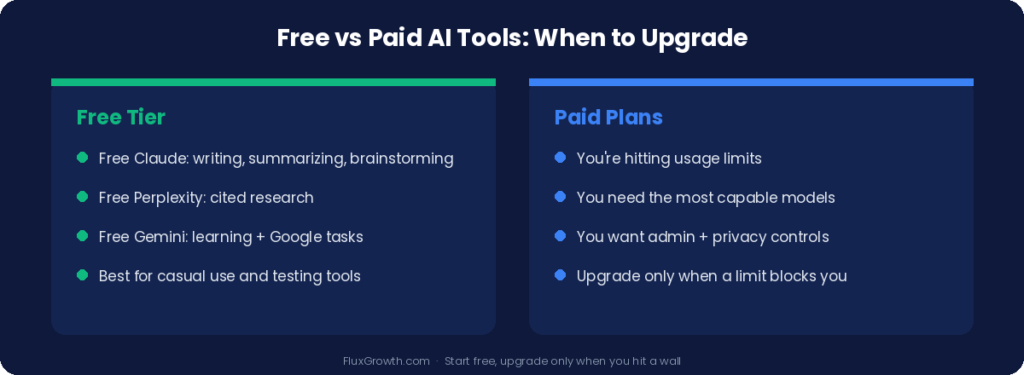
You don’t have to spend a dollar to find out whether an alternative fits you.
Free tiers in 2026 are genuinely capable. Free Claude handles writing, summarizing, and brainstorming. Free Perplexity gives you cited research. Free Gemini covers learning and everyday tasks inside Google. For casual users and people just testing the water, these cover most needs.
Paid plans earn their cost in three situations: you’re hitting usage limits, you need the most capable models for hard tasks, or you want business features like admin controls and stronger privacy guarantees. If none of those apply to you yet, stay on the free tier.
The honest answer on which to choose: start free, use the tool for real work for a week, and only upgrade when you feel a specific limit getting in your way. Paying before you hit that wall is just guessing.
Which AI Tool Is Best for Content Creators?
There’s no single answer here, because a blogger, a video creator, and a paid ads marketer have different needs. Match the tool to the type of content.
For long form writing, use Claude. It’s strong at drafting, editing, summarizing, and organizing big ideas into readable structure. For blog posts, articles, research summaries, and content planning, it’s my default. The writing needs fewer fixes than most tools, which is the whole game when you’re producing regularly.
For research and fact checking, use Perplexity. When an article needs to be accurate and you want to cite real sources, Perplexity’s citations let you verify everything before you publish. It’s built for research based articles, industry analysis, and educational content where getting facts wrong costs you credibility.
For marketing copy at volume, use Jasper. If you’re producing ad copy, product descriptions, and campaign materials on brand and at scale, a marketing specialist beats a generalist. For solo creators or small budgets, Writesonic covers similar ground at a lower entry point.
Which AI Tool Is Best for Businesses?
Business needs split along the lines of which ecosystem you already live in and what you’re trying to do.
For Microsoft 365 teams, use Copilot. It drafts documents in Word, analyzes data in Excel, and summarizes meetings in Teams, all inside tools your team already knows. The lack of a learning curve is itself a feature.
For business writing and communication, use Claude. Reports, document summaries, professional communication, and processing large amounts of information are where it’s strongest. Teams use it to turn dense material into clear writing fast.
For research and competitive analysis, use Perplexity. Source backed answers matter more when you’re making decisions on the information. For market research, industry trends, and competitive analysis, the citations turn a guess into something you can stand behind.
For marketing departments, use Jasper. Built around marketing workflows, brand voice, and campaign content, it fits teams producing advertising, email campaigns, and landing pages day in and day out.
Can Businesses Safely Use AI Tools?
Yes, but security, privacy, and compliance deserve a real look before you adopt anything, especially for sensitive data.
The simplest safety rule is behavioral: don’t paste passwords, financial details, or confidential business information into any AI chatbot, regardless of the provider. Most major tools (Claude, Gemini, ChatGPT, Copilot) say they don’t use your conversations for training by default, but defaults can change and terms differ, so read them for any tool handling private data.
For organizations, the features worth checking are data encryption, access controls, single sign on, multi factor authentication, and audit logs. Enterprise and business plans from the major providers usually include these. If a tool can’t tell you clearly how it handles your data, that silence is your answer.
What I’d Do If I Were Choosing Today
If I were picking an AI stack from scratch right now, I wouldn’t pick one tool. I’d pick a small set that covers my real jobs.
I’d keep ChatGPT or Claude as my main writing and thinking tool, learning Claude if writing quality is the priority. I’d add Perplexity for every research task, because once you get used to cited answers, going back to a tool that can’t show its sources feels careless.
Then I’d match the third tool to my environment. Google Workspace all day means Gemini. A Microsoft 365 team means Copilot. There’s no need to fight your existing software.
And I’d test all of this on the free tiers first. The cost of trying three tools for a week is zero. The cost of committing to the wrong one for a year is real.
Frequently Asked Questions
What are AI tools like ChatGPT? They’re conversational AI assistants that help with writing, research, coding, productivity, and problem solving. The major ones include Claude, Gemini, Perplexity, and Copilot, each with a different strength.
Which AI tool is the best alternative to ChatGPT? It depends on the job. For long form writing and reasoning, Claude. For cited research, Perplexity. For Google Workspace users, Gemini. For Microsoft 365 teams, Copilot. No single tool wins at everything.
Are there free AI tools like ChatGPT? Yes. Claude, Gemini, and Perplexity all offer capable free tiers. They have usage limits and fewer features than paid plans, but they handle writing, research, and everyday tasks well enough for most people.
Which AI tool is best for research? Perplexity, because it searches the live web and cites its sources, so you can verify claims. Claude is the better pick when the research means analyzing long documents and reports. Gemini suits students working inside Google’s ecosystem.
Can businesses safely use AI tools? Yes, with care. Avoid entering sensitive data, choose business or enterprise plans for stronger security controls, and read each provider’s data and privacy terms before adopting it widely.
Closing Thought
Stop looking for the one AI tool that does everything. It doesn’t exist, and chasing it is why most people stay frustrated with whatever they’re using.
The better move is to match the tool to the task. Claude for writing. Perplexity for research. Gemini or Copilot for whichever ecosystem you already live in. Test them free, keep the two or three that fit, and ignore the rest. The best AI setup isn’t the most powerful single tool. It’s the smallest set that covers what you actually do.
So which job are you trying to get done first?
Explore more AI tool breakdowns and workflow guides on FluxGrowth.