FluxGrowth is reader-supported. Some links in our guides are affiliate links — if you buy through one we may earn a commission, at no extra cost to you. It never changes which tools we recommend. How we test tools.
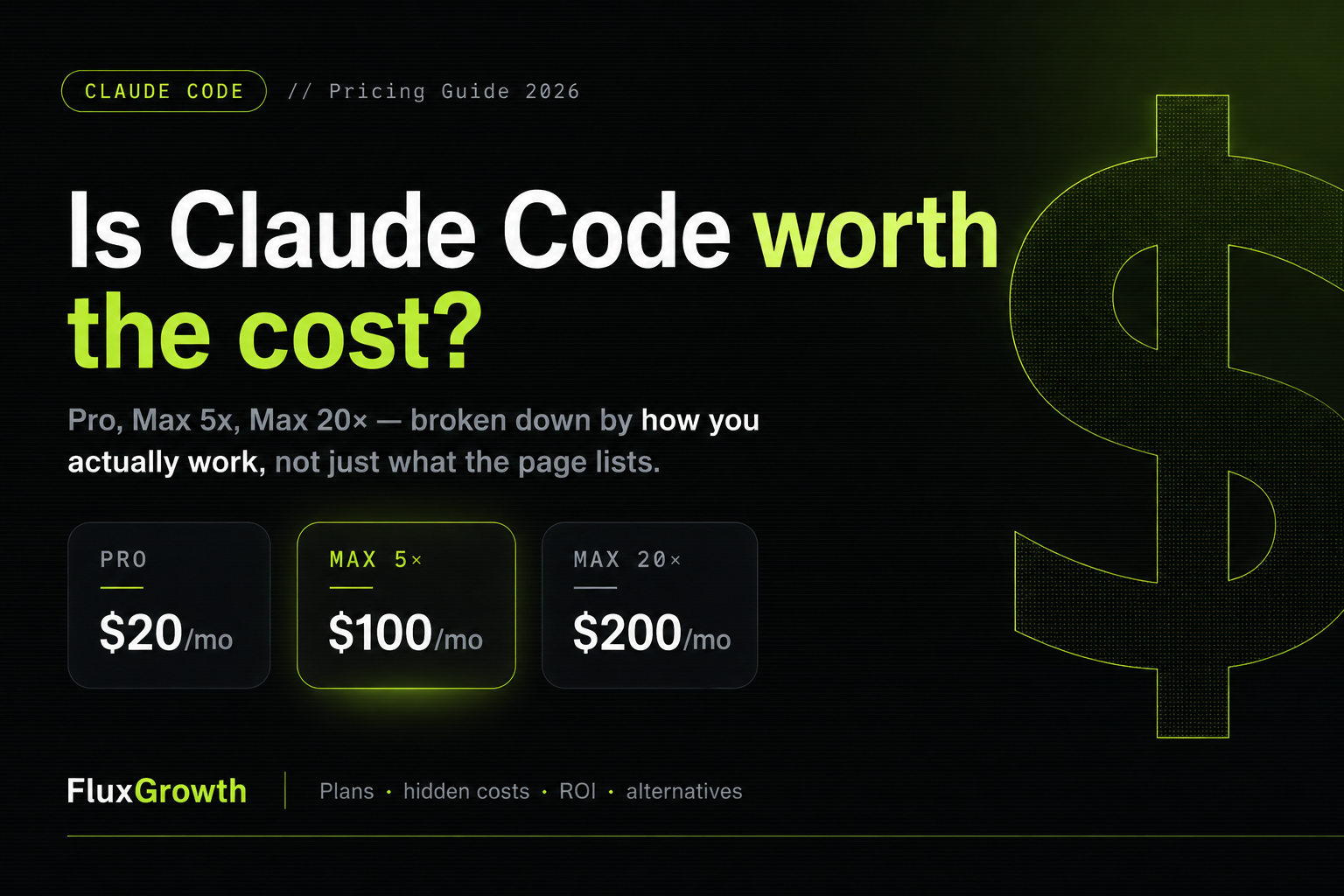
You’ve seen the pricing page. $20. $100. $200. You close the tab thinking you’ll figure it out later. Then later arrives and you still don’t know which plan makes sense for how you actually work.
That’s the real problem with most Claude Code pricing guides; they describe the tiers but skip the question developers actually care about: am I going to get my money back?
I run FluxGrowth, and I test AI tools for a living. The mistake I see over and over is people picking a plan off the price, not off how they work. Two hours of coding a day and five agents running on a monorepo are not the same purchase, not even close.
Here’s what you’ll get: a clear breakdown of every plan, who each one fits, an honest comparison against GitHub Copilot, ChatGPT, and Gemini, and a straight answer on whether the upgrade math works.
Quick Summary
Claude Code pricing starts at $20/month on the Pro plan and goes up to $200/month on Max 20x. Developers can also pay per token through the Anthropic API with no monthly fee. There is no free tier for Claude Code unlike GitHub Copilot or Gemini CLI, you’re paying from day one.
| Plan | Monthly Price | Best For |
| Pro | $20/mo ($17 annual) | Part-time developers, freelancers |
| Max 5x | $100/mo | Active developers, indie hackers |
| Max 20x | $200/mo | Full-time power users, startup teams |
| API Pay-as-you-go | $0.80–$75/M tokens | Automation, variable workloads |
| Team Premium | $100–$125/seat/mo | Multi-developer teams (5-seat min) |
| Enterprise | Custom | Compliance, large orgs |
What Is Claude Code?
Claude Code isn’t a chatbot with a code mode bolted on. It runs in your terminal, reads your whole codebase, executes shell commands, writes files, runs tests, commits changes. On its own.
Claude Code’s agentic architecture and 200K default context window (up to 1M tokens on Opus) make it the strongest tool for senior engineers and teams working on monorepos or framework migrations. That context window is a bigger deal than most pricing comparisons acknowledge. It means Claude Code can hold your entire project in its working memory, not just the file you’re editing.
According to a Pragmatic Engineer Survey of 15,000 developers from February 2026, 73% of engineering teams now use AI coding tools daily (up from 41% in 2025), and Claude Code is rated as the “most loved” tool by 46% of respondents more than double Cursor at 19% and five times GitHub Copilot at 9%.
That number matters more than it looks. A tool people love is a tool people open every morning which is the whole game when you’re deciding whether a subscription earns its place. The expensive plan isn’t the $200 one. It’s the $20 one you forgot you were paying for.
Claude Code Pricing Overview
Free Plan
Claude Code has no free tier. The minimum is $20/month for the Pro plan. The free Claude tier covers chat only; you can ask Claude questions in the web interface, but you don’t get terminal access or agentic coding capabilities.
If you want to test Claude Code before paying, Anthropic offers a trial through the API where you get a small free credit balance on signup. It’s enough to run a few sessions. Not enough for real evaluation.
Pro Plan $20/month
Pro costs $20/month billed monthly, or $17/month billed annually ($204 upfront). The annual option saves you $36 per year.
You get access to Claude Sonnet 4.6 as the primary model, Projects, Memory, web search, and agentic Claude Code capabilities. The catch is usage limits. Pro’s token budget refreshes on a rolling window, and heavy users think 3+ hours of active agent sessions daily will hit the ceiling.
What the plan page doesn’t tell you: Anthropic added an “extra usage” toggle to every paid plan in 2026. Hit your limit and instead of stopping cold, you can keep going at standard API rates up to a monthly cap you set yourself.
That quietly changes the whole Pro question. It’s no longer “a plan with a hard ceiling.” It’s a baseline with an overflow valve you control.
Max Plan $100 or $200/month
Claude Code Max 5x at $100/month gives 5x the Pro usage capacity. Claude Code Max 20x at $200/month gives 20x. Both tiers use the same rolling window mechanic, just with larger budgets.
Max 20x is also where you get access to Claude Opus, the most capable model in the lineup. If you’re doing architectural analysis, complex refactors, or framework migrations, Opus is meaningfully better than Sonnet for those tasks. That’s not a marketing copy; it shows up on benchmarks. Claude Opus 4.7 scores 87.6% on SWE-bench Verified as of May 2026.
The honest caveat on Max: users reported 3–50x faster rate limit consumption starting with Claude Code v2.1.89 in March 2026. Max 20x plans were exhausted within 70 minutes of reset during that period. Usage spikes like that are rare but they happen usually tied to model releases or extended thinking running at high volumes. Worth knowing before you assume $200/month means truly unlimited.
Enterprise Options
Enterprise unlocks a 500K context window, HIPAA readiness, SSO, custom data retention, and custom pricing through Anthropic sales. If compliance is in the room healthcare, finance, legal this is the only tier that addresses it.
For team deployments short of Enterprise, Team Premium seats run $100/seat/month (monthly billing) or $125/seat/month (annual), with a minimum of 5 seats. You can mix Standard and Premium seats on the same team.
What Do You Actually Get With Each Plan?
The pricing page lists features. Here’s what those features mean in practice.
Context window: Pro and Max give you 200K tokens by default. That’s roughly 150,000 words, enough to load most mid-size codebases in full. You won’t need to manually manage which files Claude sees on typical projects.
Model access: Pro gives you Sonnet 4.6. Max 5x gives you the same, with room to use Opus on demanding tasks. Max 20x makes Opus your default. The productivity difference between Sonnet and Opus is real on complex reasoning tasks but marginal on straightforward CRUD work.
Agent autonomy: All paid plans support full Claude Code agentic workflows. You can run agents overnight on long-running tasks, set up parallel agents on different parts of a codebase, and integrate with external tools via MCP servers.
Rolling window limits. Here’s where the plans actually split. Verdent’s 2026 usage data pegs a developer running 3–5 hours of Claude Code a day at roughly $100–200/month in equivalent token cost on Sonnet 4.6. So if that’s you full days, real features you’re a Max 5x user who hasn’t admitted it yet, not a Pro user.
Claude Code Pricing Comparison Table
| Feature | Pro ($20) | Max 5x ($100) | Max 20x ($200) | API (pay-as-you-go) |
| Claude Code access | ✓ | ✓ | ✓ | ✓ |
| Sonnet 4.6 | ✓ | ✓ | ✓ | ✓ |
| Opus 4.7 | Limited | Occasional | Default | Per token |
| Context window | 200K | 200K | 1M (Opus) | Up to 1M |
| Usage limits | Standard | 5x Pro | 20x Pro | None |
| Extra usage toggle | ✓ | ✓ | ✓ | N/A |
| Annual billing savings | $36/yr | Not listed | Not listed | N/A |
| Projects + Memory | ✓ | ✓ | ✓ | — |
Who Should Use the Free Plan?
Nobody, because there isn’t one for Claude Code.
If you’re cost-sensitive and want to test before committing, start with a $5 API credit to run a few real sessions. Or sign up for Pro for one month and track your actual session hours. The annual plan doesn’t make sense until you’ve confirmed you’re using it consistently.
What you shouldn’t do is judge Claude Code based on the free Claude chat experience. It’s a fundamentally different product.
Who Should Upgrade to Pro?
Pro makes sense if you’re using Claude Code a few hours per week not daily, not as your primary coding environment. Think:
- Freelancers taking on one or two client projects at a time
- Technical content creators who need Claude to build and debug demo projects
- Part-time indie hackers shipping side projects evenings and weekends
- Small business owners who write code but aren’t full-time developers
The mental model I use: if you’re running fewer than 15–20 active agent sessions per week, Pro’s baseline is probably enough. Combine it with the extra usage toggle at a reasonable cap and you’re covered for the occasional heavy week without paying Max rates every month.
The trap to avoid: don’t pick Pro because it sounds reasonable and tell yourself you’ll upgrade later. Check your real session count in week one. People always underestimate how much they’ll use a tool they actually like. Always.
Who Should Consider Max?
Max 5x ($100/month)
The recommended profile is 3–5 hours of active Claude Code per day, working on multi-file features and refactors, with a mix of Sonnet and occasional Opus use. At this level, the subscription is 2–2.5x cheaper than API billing, and you avoid mid-session rate limits.
That’s the freelancer or indie hacker who ships code full-time. If Claude Code is your primary development environment not a supplement, but the main tool Max 5x pays for itself quickly.
The math is almost embarrassing. If one PR saves two hours at $75/hour, that’s $150 of value. A $100 plan pays for itself before you’ve finished a single PR for the month. Anyone doing real work clears that bar in the first week.
Max 20x ($200/month)
The recommended profile is Claude Code as your primary tool for most of the workday, with Agent Teams for complex tasks, significant Opus usage, and multiple concurrent sessions.
This is the SaaS builder running five agents simultaneously on a large codebase. The startup founder who’s essentially using Claude Code as a second engineering hire. At that usage level, the cost calculus becomes: what would I pay a junior developer for 20 hours of work? $200/month is not a serious number in that comparison.
One honest caveat: a developer reported waking up to a $47,000 invoice from API usage spikes. That’s an extreme case, but it illustrates why the subscription tiers exist. Set spending caps on the extra usage toggle.
Claude Code vs ChatGPT Pricing

ChatGPT Plus is $20/month and ChatGPT Pro is $200/month. OpenAI Codex, their coding agent, is included with ChatGPT plans, but Codex credits moved to token-based pricing in April 2026.
At the $20 tier, they’re priced identically. The question is capability. For coding tasks specifically, Claude holds a consistent edge on benchmarks. Claude Code scored 80.8% on SWE-bench Verified, a standardized benchmark measuring real GitHub issue resolution before the Opus 4.7 jump to 87.6%.
Here’s the thing: ChatGPT is the better generalist, and it’s not close. Claude Code is better at one specific thing: reading and rewriting code across a lot of files at once. So the choice is really about what you’re buying. Need a writing assistant and a coding agent in one place? ChatGPT Pro at $200 bundles more. Coding is the job? Claude Code Max at $200 gives you more of it for the same money.
Claude Code vs GitHub Copilot
This is the comparison that matters most for working developers.
GitHub Copilot Individual starts at $10/month half the price of Claude Code Pro. It offers unlimited completions, inline suggestions, and native PR review capabilities, making it the most accessible option for the broadest range of developers.
But they’re built for different jobs. Copilot lives in your editor and finishes your lines as you type. Claude Code lives in your terminal and takes the whole task: the monorepo refactor, the framework migration, the stuff you’d normally block out a Tuesday for.
Here’s how I’d put it: Copilot makes you faster at writing code. Claude Code can replace writing code entirely on certain task types. For a large refactor, framework migration, or test suite generation across 50 files Claude Code is doing in an afternoon what Copilot would assist you with over several days.
GitHub’s own research shows developers using Copilot complete coding tasks 55% faster. Boris Cherny, head of Claude Code at Anthropic, shipped 300 pull requests in December 2025 running five or more AI agents simultaneously. Those are two different value propositions.
The setup many senior developers are landing on: both. The suggested optimal setup for many developers is GitHub Copilot Pro at $10/month for always-on code completion, combined with Claude Code for the tasks where autonomous agents make the most sense. Total spend: $30/month for a very capable stack.
Claude Code vs Gemini
Gemini CLI’s free tier gives you 1,000 requests per day with a personal Google account, no credit card required. For pure price comparison, Gemini CLI wins on entry cost: it’s free for most usage levels.
But there are meaningful trade-offs. As of late March 2026, free Gemini CLI users are limited to Flash models, with Pro models behind a paid subscription. And Google announced at I/O 2026 that Gemini CLI is being replaced by Antigravity CLI, a product transition that introduces real uncertainty for developers building workflows around it.
On SWE-bench, Claude models consistently score higher than Gemini for code generation. Claude Code also provides a terminal-based autonomous coding agent that Gemini doesn’t currently match for professional development work.
The pricing picture: at the API level, Gemini is dramatically cheaper at the fast tier Gemini 2.5 Flash runs $0.15 per million input tokens versus Claude Sonnet 4.6 at $3. That’s a 20x gap.
If you’re building an app that pushes large volumes of code through an API, Gemini Flash’s economics are hard to argue with. If you want the best autonomous coding agent sitting in your terminal, that’s Claude Code, and the price gap buys you a real capability difference — not just a logo.
Real Developer Use Cases

Freelancers
A freelancer billing 30 hours a week across two client projects. Claude Code on Pro at $20/month is viable if you’re doing light work updating styles, writing utility functions, adding API integrations to existing systems.
Once you’re doing full feature builds from scratch or refactoring legacy code, Pro’s limits will surface mid-project. Max 5x at $100/month is the right call. At typical freelance billing rates, one saved hour per week pays for the upgrade.
Indie Hackers
This is where Claude Code’s value proposition is clearest. You’re building solo, you need to move fast, and you can’t afford to spend three days debugging a complex migration.
One developer building single-page apps reported typical costs under $1 per app, with multiple full websites coming in around $50 total across several iterations. At that efficiency, the subscription cost becomes irrelevant if you’re paying for speed to market.
Max 5x or Max 20x depending on whether you’re building full-time. If Claude Code is your co-founder stand-in, pay for it like one.
Startup Teams
For teams, Team Premium at $100/seat unlocks shared Projects, collaborative agent workflows, and admin controls. The Claude Code Teams seat itself runs $25/month, or $20 on annual, and caps at 150 seats.
For a team under 20 developers, that holds up well against GitHub Copilot Enterprise at $39/user and gives you more per seat. But the honest read for a startup: the seat fee isn’t your real number. Most engineering teams now spend $200–$600 per engineer per month on AI tools all in, once you add token costs on top of subscriptions. Budget for that, not the sticker.
Content Creators Using Code
If you build demo apps, tutorials, or technical content that requires working code YouTube channels covering developer tools, newsletters, technical blog posts Claude Code on Pro is a strong investment. You’re not running it 8 hours a day, but when you need to build a polished demo in two hours instead of eight, the $20/month earns its place.
How Much Time Can Claude Code Save?

According to Larridin’s 2026 Developer Productivity Benchmarks, developers using Claude Code save a median of 3–5 hours per week on coding tasks, with the top quartile saving 5–8 hours. Time savings concentrate in debugging, refactoring, and code review.
Atleast Solutions’ April 2026 write-up puts the speedup at 30–60% on real development work, with most of it coming from less time lost to debugging and context-switching. That last part is the quiet one. The cost of stopping to remember where you were is real, and it’s the thing Claude Code clips most.
Here’s how to think about your own ROI. Take your hourly rate (or implied hourly value if you’re salaried). Multiply by 3 hours per week saved at the low end. That’s 12 hours per month. If your hourly value is $50, you’re looking at $600 in recovered time against a $100 subscription cost. The math is rarely close.
The important caveat: healthy ROI on AI coding tools is 2.5–3.5x for average organizations, with top-quartile teams reaching 4–6x. ROI is highly sensitive to how much you reduce rework organizations that skip quality measurement routinely overstate it by 20–40%. Claude Code saves time on generation. It doesn’t save you from shipping bad code if you don’t review what it produces.
When Claude Code Is Not Worth Paying For
Let’s be direct about the cases where upgrading doesn’t make sense.
You write fewer than 5 hours of code per week. At that usage level, Pro’s limits are more than enough, and the API trial credits might cover you entirely for a month.
You primarily write front-end markup. Claude Code’s biggest advantages show up in large-scale refactors, complex debugging, and multi-file architectural changes. If most of your coding is HTML, CSS, and simple JavaScript updates, GitHub Copilot at $10/month delivers comparable value for less money.
You haven’t built the habit yet. Paying $200/month for a tool you use twice a week is expensive discipline. Start at Pro, validate your usage, then upgrade. The $200 tier is worth it when you’re already maxing out Pro, not as an aspirational purchase.
Your codebase is tiny. Claude Code’s context window advantage only matters when there’s enough context to load. Single-file scripts and small utility projects don’t expose what separates Claude Code from cheaper tools.
Common Pricing Mistakes
Choosing a plan based on features, not hours. The features are similar across tiers. What changes is how long you can use them before hitting a limit. Audit your actual coding hours first.
Ignoring the extra usage toggle. That toggle means Pro isn’t a hard ceiling anymore. You can stay on Pro with a $30/month overflow cap and cover 95% of your use cases for $50/month total.
Running extended thinking on every task. Extended thinking is enabled by default because it improves performance on hard problems. But thinking tokens are billed as output tokens at 5x input pricing — on Opus 4.7, that’s $25/million tokens. For simple tasks, this is pure waste. Turn it off for routine tasks, on for complex ones.
Not tracking session length. Long, meandering Claude Code sessions consume tokens faster than short, focused ones. Start new conversations for new tasks. Don’t let context from a previous feature bleed into the next one.
Comparing sticker price across tools without accounting for capability difference. The $10 gap between Copilot Pro and Claude Code Pro matters a lot less than what each tool can actually do with those 3 hours you have each day.
What I’d Do If I Were Starting Today
Start with Claude Code Pro for one month. Set the extra usage toggle at $30 overflow cap. Track your actual session hours in a simple spreadsheet date, time started, time finished, what you were working on.
After four weeks, you’ll know exactly which plan you need. If you burned through Pro in week two, upgrade to Max 5x. If you used it for 5 hours total, keep Pro. If you hit the overflow cap more than twice, skip to Max 20x.
Don’t pick a plan based on what you think you’ll use. Pick based on what your first month shows you actually use. This is the same logic I apply to any AI tool I’m evaluating at FluxGrowth — commit to honest usage data, not aspirational plans.
One other thing worth testing: pair Claude Code with GitHub Copilot Pro at $10/month. The combined cost of $30/month for both Pro tiers is a fraction of the productivity gain for developers who learn to use both well. Copilot for inline completions while you’re writing. Claude Code for the tasks where you need an agent to own a problem.

Frequently Asked Questions
Is there a free trial for Claude Code?
There’s no official free trial, but new Anthropic API accounts receive a small credit balance that’s enough for a handful of sessions. You can also start with one month of Pro and cancel if it doesn’t fit.
Can I use Claude Code without a subscription?
Yes. You can use the Anthropic API on a pay-per-token basis with no monthly fee. API billing only beats a subscription plan if you’re running fewer than roughly 50 sessions per month. Above that, Pro is cheaper.
Does Claude Code work with VS Code or other IDEs?
Claude Code is terminal-first. It runs in your command line, not inside an IDE. You can run it alongside VS Code, but it doesn’t integrate as a native extension the way GitHub Copilot does.
What happens when I hit my usage limit on Pro?
With the extra usage toggle enabled, you continue at standard API rates until you hit your personal spend cap. Without it, Claude Code pauses until the rolling window resets.
Is Claude Code worth it for non-developers?
If you’re comfortable in the terminal and can describe what you want to build clearly, yes. Claude Code has a learning curve but it’s not steep. The bigger question is frequency if you’re coding two hours a month, $20/month is a steep per-use cost.
How does Claude Code compare for solo developers vs. teams?
Solo developers on Pro or Max get the best per-dollar value. Teams need Team Premium at $100/seat minimum, which is a bigger jump. For teams under 5 developers, have everyone on individual Max plans before evaluating Team Premium.
Final Verdict
Claude Code’s pricing makes sense when you treat it as a productivity investment, not a software subscription. The question isn’t whether $100 or $200 is a lot of money, it’s whether that money returns more value than you put in.
Developers in the top quartile of Claude Code usage save 5–8 hours per week. At any professional rate, that’s not a close calculation. For part-time users, Pro at $20 covers most use cases with the overflow toggle doing the rest.
The mistake isn’t paying too much for the wrong plan. It’s paying for any plan without tracking whether you’re actually using it. Run your first month with honest usage data, and the right plan will be obvious.
Explore more AI tools, automation workflows, and developer productivity guides on FluxGrowth.