FluxGrowth is reader-supported. Some links in our guides are affiliate links — if you buy through one we may earn a commission, at no extra cost to you. It never changes which tools we recommend. How we test tools.
On June 1, 2026, GitHub quietly reset the math for millions of developers. According to GitHub’s own announcement, every Copilot plan moved to usage-based billing; the flat $10 you used to pay is now a credit allotment you can burn through. If you chose your AI coding tool on price alone, your assumptions just expired.
That’s the trouble with most roundups. They list features, stack up sticker prices, and call it a day. None of them tell you the part that actually matters: who each tool is for, and whether it earns back what you pay.
So here’s the deal. I ranked the seven tools worth your time in 2026, with real pricing verified this month, where each one shines, and where it falls apart. If you want the best AI coding assistant for your workflow, not the one with the loudest marketing, start here.
A quick honesty note before we dig in: these tools change tiers constantly. Every number below was current in June 2026, but check the official pricing page before you buy.
How I ranked these
I didn’t rank on hype or model benchmarks alone. Five things decided the order.
Code quality comes first. Does the output need heavy fixing, or can you trust it? Then IDE fit: a tool you have to fight to install loses before it starts. Agentic ability mattered next, because in 2026 the line between “autocomplete” and “junior teammate who runs tests for you” is the whole game.
The last two are where this guide splits from the pack. I weighed the pricing value, not the sticker. A $20 tool that saves you five hours beats a free one that saves you ten minutes. And I weighed privacy, because where your code goes is a real decision, not a footnote.
One housekeeping change from older lists: Sourcegraph Cody is gone for individuals, discontinued in 2025. If a 2026 article still recommends it to solo devs, it’s stale.
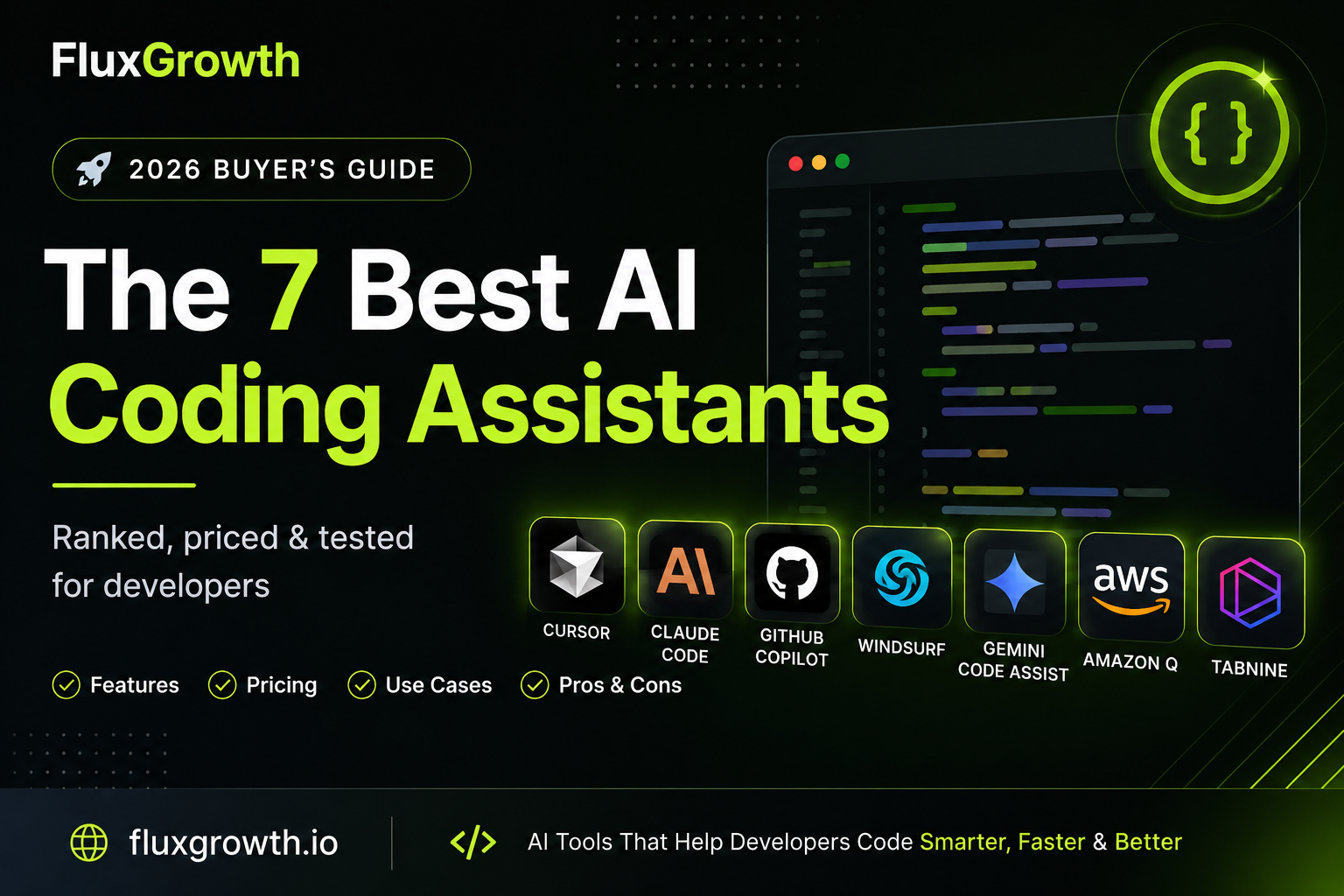
The 7 best AI coding assistants in 2026 (ranked)
1. Cursor
Cursor is a standalone AI-first editor, a VS Code fork built around an agent that edits across your whole project, not just the open file. It went from unknown to category leader fast. By early 2026 it had crossed $1 billion in annualized revenue with over a million paying developers, according to its own reporting.
Best for: full-time developers who want one window that does everything completion, chat, and multi-file agent work.
Pricing: free Hobby tier, Pro at $20/month, Pro+ at $60, Ultra at $200, and Teams at $40/user. Since June 2025 it runs on credits; each paid plan gives you a dollar-denominated pool ($20 of usage on Pro), and Auto mode doesn’t draw from it.
What’s strong: Composer-style edits that touch multiple files at once, fast Tab completion, and model choice (Claude, GPT, Gemini) without leaving the app.
Where it breaks down: that 2025 credit switch cut effective usage enough that the CEO publicly apologized, and some developers jumped ship to Windsurf. At $20 it’s double Copilot’s individual price, and the free tier runs dry after two or three hours of real coding.
2. Claude Code
Claude Code is Anthropic’s terminal-based agent. It lives in your command line, reads and edits across your repo, runs tests, and iterates on a task. Think less “autocomplete” and more “a junior dev you hand a ticket to.”
Best for: backend work, large or unfamiliar codebases, and anyone who’d rather describe a task than babysit a cursor.
Pricing is the part people misread, so let’s be exact. Claude Code isn’t sold on its own. You get it inside Claude Pro ($20/month, or $17 billed annually), Max ($100 for 5x usage or $200 for 20x), or Team Premium ($100/seat with a five-seat minimum and Claude Code only comes on Premium seats, not Standard). You can also skip subscriptions and pay per token through the Anthropic API. Usage runs on a five-hour rolling window plus a weekly cap, and it’s not available on the free plan.
Here’s what I’ve seen running FluxGrowth and testing these tools myself: the mistake people make with Claude Code isn’t the price, it’s fixating on the monthly number instead of how much time the thing saves. Most folks pick a plan before they have any idea how often they’ll actually reach for it. one concrete moment, a project where it saved you a chunk of time, or a Pro-vs-Max realization to strengthen E-E-A-T.
Where it breaks down: terminal-first is a real learning curve if you live in a GUI, and the weekly cap can stop you mid-sprint if you front-load usage early in the window. Lean on the API without a subscription and heavy days add up quickly.
3. GitHub Copilot
Copilot is the original, and still the most-used over 20 million users, and GitHub says 90% of the Fortune 100 are on it. It runs inside the editor you already use (VS Code, JetBrains, Neovim) as completion, chat, and now an agent mode.
The thing you need to know in 2026: on June 1, GitHub moved every plan to usage-based billing. Instead of counting premium requests, each plan now includes a monthly pool of AI Credits, and paid plans can buy more. The practical effect leaning on the priciest models drains your allotment faster than the old flat plan did.
Pricing: Free (2,000 completions a month), Pro $10, Pro+ $39, Business $19/user, Enterprise $39/user.
Best for: developers who don’t want to switch editors and just want a dependable assistant in the background and teams already living inside GitHub.
Where it breaks down: the credit model makes your real monthly cost harder to predict than it used to be, and some users report the in-editor experience feels less sharp than the dedicated AI IDEs. “feels less sharp” is community sentiment from forums, not a hard metric to soften or cite a specific thread if you want it in.
4. Windsurf (formerly Codeium)
Windsurf is an AI IDE, another VS Code fork built around Cascade, its agent mode. It rebranded from Codeium in 2025 and is now owned by Cognition after a turbulent year of acquisition headlines.
Best for: budget-minded developers who want serious agent features plus the most generous free tier in the category. Tab completion stays unlimited even on the free plan.
Now the honest part: pricing is moving. Free tier; Pro has been listed at both $15 and, after a March 2026 overhaul, $20; higher tiers reach roughly $200; Teams run around $25–40/user. confirm the current Windsurf Pro price on their official pricing page before publishing sources conflict between $15 and $20.
What’s strong: Cascade handles multi-file work cleanly, and the free tier is usable for more than a demo.
Where it breaks down: the rebrand and ownership churn raise fair questions about long-term stability, and that March price move erased what used to be its clearest edge being cheaper than Cursor.
5. Gemini Code Assist
Gemini Code Assist is Google’s entry, working in VS Code, JetBrains, and Android Studio, and wired deep into Google Cloud.
Best for: teams building on Google Cloud, and anyone who wants a massive free allowance. The free plan includes 6,000 code requests a day and a 1-million-token context window.
Pricing: free for individuals; Standard around $19–22/user; Enterprise higher with custom terms.
What’s strong: that free tier is hard to beat, and if your infrastructure lives on Google Cloud, the integration pays off in ways a generic assistant can’t.
Where it breaks down: the value drops sharply once you’re off Google Cloud. It’s an authoring assistant first; it doesn’t run your whole repo like Cursor or Claude Code do.
6. Amazon Q Developer
Amazon Q is AWS’s assistant in VS Code, JetBrains, Visual Studio, and the AWS Console itself.
Best for: teams deep in AWS. It understands CloudFormation, Lambda, and IAM, and handles chores like upgrading Java 8/11/17 codebases to 21.
Pricing: a real free tier with monthly limits, and Pro at $19/user.
What’s strong: AWS-native knowledge that general tools only pretend to have, plus a free tier more usable over the long haul than Copilot’s.
Where it breaks down: outside AWS work, it’s middle-of-the-pack. The payoff is the cloud integration, not general-purpose coding.
7. Tabnine
Tabnine is the privacy-first veteran. It offers self-hosted and air-gapped deployment so your code never leaves your network, plus agent modes and chat across VS Code, JetBrains, and Vim.
Best for: finance, healthcare, and government anywhere compliance and procurement drive the buying decision.
Pricing: free tier; Pro around $9/month; Enterprise roughly $39–59/user.
What’s strong: deployment control and privacy that none of the leaders match at this level.
Where it breaks down: raw code quality and agent polish trail the top of this list. You’re paying for control, not the flashiest output.
Quick comparison table

| Tool | Free tier | Paid (individual) | Best for |
| Cursor | Yes (Hobby) | $20 Pro → $200 Ultra | All-in-one AI IDE |
| Claude Code | No | $20 Pro → $200 Max | Backend, large repos, agentic work |
| GitHub Copilot | Yes (2,000/mo) | $10 Pro → $39 Pro+ | In-editor assist, GitHub teams |
| Windsurf | Yes (generous) | ~$15–20 Pro | Free-tier value, agent features |
| Gemini Code Assist | Yes (6,000/day) | ~$19–22 Standard | Google Cloud stacks |
| Amazon Q Developer | Yes | $19 Pro | AWS-heavy teams |
| Tabnine | Yes | ~$9 Pro | Privacy, self-hosting, compliance |
Pricing verified June 2026. Confirm on each tool’s official page before purchase.
How to actually pick (by role and budget)

Most guides stop at the table. That’s the part that helps nobody, because the right tool depends entirely on how you work.
If you’re learning or building side projects, don’t pay yet. Copilot Free or Gemini’s free tier will carry you for weeks. Spend the money once the limits start getting in your way during real work not before.
If you’re a solo developer or indie hacker shipping real products, this is the $20 decision. Cursor Pro if you want one editor that does everything; Claude Code on Pro if you’re backend-heavy or happy in the terminal. Plenty of people run both Cursor for editing, Claude Code for the heavy reasoning and at $20 each that’s still less than one Cursor Ultra seat.
Freelancers billing by the hour have the easiest math of anyone. If a $20 tool saves you two hours a month, it pays for itself twice over. Track the time it gives back, not the price on the invoice.
For a small team, Copilot Business ($19/user) is the safe default admin controls, a no-training guarantee, and an editor everyone already knows. Step up to Cursor Teams ($40) only if you’ve standardized on it. AWS shop? Amazon Q. Google Cloud? Gemini. Compliance in the room? Tabnine.
The value question is never “$10 or $20.” It’s how many hours the tool returns. At 30–50% faster on routine work like CRUD and boilerplate, even a $200 tier pencils out for someone coding full-time and is pure waste for someone who codes six hours a week.
Mistakes I see people make with AI coding tools
The first one is everywhere: picking on sticker price instead of usage. The cheapest plan you’ll outgrow in a month isn’t cheap, and the $200 plan you use 5% of isn’t a deal.
The second is trusting the output without reading it. code. I’ve caught logic errors and security holes in all of them. Speed without review is just a faster way to ship bugs.
Then there’s the review tax nobody budgets for. The time you save writing, you partly spend verifying. The net gain is real, but it’s smaller than the demos suggest, closer to 10–20% on genuinely complex work than the 50% you see in a polished video.
The last one is the quiet one: letting the tool think for you. These assistants execute direction well. They don’t replace understanding your own architecture. The developers getting the most out of AI are the ones who’d still be dangerous without it.
What I’d do if I were starting today
Start free, and stay free longer than feels comfortable. Copilot Free or Gemini’s free tier for a week or two of real work. The moment the limits get in your way mid-task that’s your buy signal, not a pricing page.
Then pick one paid tool, not three. For most solo builders I’d start with Cursor Pro or Claude Code on Pro at $20, run it hard for two weeks, and watch the usage. Hitting caps every few days? Step up to Max or Ultra. Barely touching it? You were right to start small.
The pattern I keep seeing is people buying the $200 plan on day one because it’s “the best,” then using a sliver of it. Buy for how you actually work. Let the tool tell you when to upgrade, not the marketing.
Pick the tool that disappears into your workflow. Then make it prove it earns its price in hours, not features.
Frequently asked questions
What’s the best AI coding assistant in 2026?
There’s no single winner, it depends on your workflow. Cursor is the strongest all-in-one editor, Claude Code leads on reasoning and large codebases, and GitHub Copilot offers the best value if you want to stay in your current editor.
Is GitHub Copilot still worth it after the billing change?
For most developers, yes Pro is still $10 and works everywhere. But with the June 2026 move to credit-based billing, watch your usage on the expensive models so you don’t get surprised.
Cursor vs GitHub Copilot — which should I pick?
Cursor if you want a full AI IDE with strong multi-file agent editing. Copilot if you’d rather keep your existing editor and pay half the price.
Which AI coding assistant has the best free tier?
Gemini Code Assist (6,000 requests a day) and GitHub Copilot Free (2,000 completions a month) lead. Windsurf keeps Tab completion unlimited even for free.
Can AI write a complete app?
It can scaffold projects and build large chunks, but production-grade software still needs you reviewing and directing it. Never ship code you haven’t read.
Is my code safe with these tools?
Paid Copilot tiers and Tabnine offer no-training guarantees, and Tabnine can run self-hosted so code never leaves your network. Check each tool’s data policy and opt out of training where it’s offered.