FluxGrowth is reader-supported. Some links in our guides are affiliate links — if you buy through one we may earn a commission, at no extra cost to you. It never changes which tools we recommend. How we test tools.
Here’s a number that should bother you: 92% of UK undergraduates used an AI tool in 2026, up from 66% a year earlier (HEPI’s 2025 Student Generative AI Survey). Meanwhile, most companies are still stuck running pilots. The Federal Reserve reported in April 2026 that about 78% of the US labor force works at a firm that’s adopted AI but adopting it and actually using it well are two very different things.
That gap is the whole problem. Access isn’t the bottleneck anymore. Knowing what to do with the blinking cursor is.
So this guide is how to use artificial intelligence as a normal person with real work to do, not a developer, not a futurist. You’ll get specific tools named for what they’re actually good at, real workflows you can copy today, and the honest trade-offs nobody mentions when they’re trying to sell you a subscription. No hype. Let’s get into it.
What Artificial Intelligence Actually Is (Skip the Hype)?
Strip away the marketing and artificial intelligence is just software that does tasks we used to think needed a human brain recognizing a face, writing a paragraph, answering a question in plain English.
The kind you’ll actually touch day to day is called generative AI. ChatGPT, Claude, Gemini all run on large language models. Here’s the part most explainers skip: these models don’t “know” things. They predict the most likely next word based on patterns in enormous amounts of text. That’s it.
Sounds underwhelming. It isn’t that one trick is enough to draft an email, summarize a 40-page PDF, or explain calculus to a 12-year-old. But it’s also why they sometimes make things up with total confidence. (More on that later. It matters.)
You’ll bump into three flavors. Chat assistants are the typing-back-and-forth tools, and where most people start. Image and video generators Midjourney, DALL·E, Canva’s AI, Runway turns a description into a picture or clip. And then there’s AI baked into tools you already pay for: the “help me write” button in Gmail, Notion AI, the auto-edit in Canva. You’re probably already using AI there without calling it that.
Don’t overthink the categories. The chat assistant is 80% of the value for 90% of people. Start there.
Why Are People Actually Using AI?
The honest answer? Time. Not magic minutes and hours back in the day.
The numbers hold up. CoSchedule’s 2025 State of AI in Marketing report found marketers save more than five hours a week using AI. Content-specific research puts it around three hours saved per piece of content. For general office work, surveys through 2025 land near an hour a day.
An hour a day is a workweek a month. That’s the actual pitch.
But speed is only part of it. The uses that stick tend to fall into a few buckets. There’s drafting from a blank page, because the hardest part of any writing is the first ugly version, and AI does ugly first drafts fast. There’s thinking out loud, pasting a messy problem, asking for three angles, and reacting to what comes back. There’s making sense of information, like summarizing a report or pulling action items from a meeting transcript. And there’s automating the boring stuff: sorting emails, generating variations, reformatting data.
The pattern across all of these: AI is fastest at the parts of work you’d happily hand to a sharp intern. The judgment stays with you.
How to Use AI in Daily Life?
You don’t need a work reason to start. Daily life is the lowest-stakes place to get fluent.
Planning is the obvious win. Dump everything rattling around your head appointments, errands, that thing you keep forgetting into ChatGPT or Claude and ask it to turn the mess into a realistic weekly plan. Give it your constraints (“I work 9 to 5, gym Tuesday and Thursday”). You’ll get a structured schedule in seconds, then argue with it until it fits.
Learning is where it quietly shines. Stuck on a concept? Ask it to explain like you’re 12, then like you’re a grad student, and notice which version clicks. Want to practice Spanish? Tell it to reply only in Spanish and correct your mistakes as you go.
Organizing scattered information is the third everyday use. Recipes, travel ideas, a reading list, paste the chaos, ask for a clean table.
Here’s a quick example. Say you’re planning a weekend in Austin. Instead of opening 15 tabs, you type: “Plan a relaxed two-day Austin trip for someone who likes live music and good coffee, no chain restaurants, walking distance where possible.” What comes back is a draft itinerary you can refine not gospel, but a 20-minute head start on a task that used to eat in the evening.
The trick with daily-life use is exactly that low stakes. If the AI’s wrong about a taco spot, you lose nothing. Which is why it’s the right place to practice before anything matters.
How to Use AI for Work?
At work the stakes go up, so the rule changes: AI drafts, you decide.
Email is the easiest entry point. Paste the message you got, tell the AI the outcome you want (“politely decline, leave the door open”), and you’ll have a draft in your tone within two edits. The “Help me write” tools now built into Gmail and Outlook do a lighter version without leaving your inbox.
Documents and reports are next. Feed it your bullet points, ask for a first-draft memo, then rewrite the parts that sound like a robot wrote them (because one did). A screenshot works well here: a rough bullet list on the left, the expanded draft on the right so readers get the “oh, that’s the workflow” click instantly.
Scheduling and task triage work too. Paste a wall of to-dos and ask it to group them by urgency and effort.
Light data analysis is the sleeper. Upload a CSV to ChatGPT or Claude and ask plain-English questions “which region dropped the most quarter over quarter?” and it’ll calculate and chart it.
Customer support is where small teams gain the most ground. AI can draft replies to common questions that a human then approves before they go out.
The trade-off worth saying out loud: anything client-facing or financial needs human review before it ships. AI is confidently wrong often enough that “trust but verify” isn’t a cliché here. It’s the job.
How to Use AI as a Student?
Students adopted AI faster than anyone and not always in ways their schools love. Gallup’s 2026 State of Higher Education study found 64% of college students use AI daily or weekly to get help with coursework they don’t understand, even though more than half say their school discourages or outright bans it.
So let’s be clear about the line. AI is brilliant for understanding. It becomes a problem when you use it to submit.
For research, Perplexity is built for exactly this: every answer comes with citations you can click and check, which beats a plain chatbot that might invent a source.
For study planning, hand it your syllabus and exam dates and ask for a week-by-week revision schedule.
Summarizing is the most-used feature for a reason. Paste a dense journal article, ask for the key argument in five bullets, then read the original section it points you to.
Language learning gets you a free tutor that’s available at 2 a.m. and never judges your grammar. Exam prep gets you a quizmaster: “Give me ten practice questions on the French Revolution, then grade my answers.” That’s active recall, on demand.
One honest caution. AI is wrong often enough that using it as your only source on a graded assignment is a real risk to your grade and to your learning. Use it to understand the material faster, then prove you understand it yourself.
How to Use AI for Content Creation?
This is my home turf, so I’ll be blunt about what works and what doesn’t.
AI is a first-draft machine, not a final-draft machine. Treat it that way and it’s the most useful tool you own. Expect it to write a publish-ready copy and you’ll ship bland work that readers can smell.
For idea generation, it’s genuinely great. Stuck on what to post? “Give me 20 LinkedIn hooks about pricing for freelancers, no emojis, punchy.” You’ll throw out 17 and keep 3 and those 3 saved you a blank-page hour.
For drafting, give it your angle, your audience, and a few real specifics only you know. The more you bring, the less generic it sounds.
Social content is a volume game, so AI helps you keep up one blog post becomes a thread, five captions, and a newsletter blurb in minutes. Repurposing is the underrated one: paste a podcast transcript, ask for the ten most quotable lines, turn each into a graphic. Video scripts work the same way. Give it the beats, let it draft the dialogue, then cut everything that sounds scripted.
Here’s the thing: AI can help you create content faster, but speed isn’t the same as quality. Readers can tell when an article lacks real experience, examples, or unique perspectives. The best content usually combines AI efficiency with human editing, expertise, and fact-checking.
So the workflow that actually wins: AI for the raw material, you for the taste. The voice, the specific story, the contrarian take, that’s the part no model can fake. And it’s exactly the part that makes someone hit follow.
How to Use AI for Digital Marketing?
Marketing is where AI adoption runs highest. A 2025 content-marketing report put global marketer use around 67%, and US use at roughly 75%. Here’s where it actually pays off.
Keyword and topic research used to mean hours in Ahrefs or Semrush. Now you can ask an AI to cluster a seed keyword into topic groups and search intent in minutes then validate the volume in a real SEO tool. AI for the ideas, the tool for the data.
On-page SEO gets faster too. Paste your draft and ask whether you’ve answered the obvious follow-up questions a reader (and Google) would expect.
For social, AI handles the grind: caption variations, hashtag sets, repurposing one idea across five platforms. Buffer and Hootsuite have built this directly.
Email marketing is a natural fit subject-line variations for A/B tests, segment-specific rewrites of the same offer, drip-sequence first drafts. Marketing automation is the deeper end: tools like Zapier and Make now use AI to route leads, summarize form responses, and trigger workflows from plain-English instructions.
The catch is the one that bites everywhere. AI-written marketing copy trends toward the average, because that’s literally what a prediction model produces. The brands winning with it use AI to move faster on the 80% that’s commodity work, then spend the saved time making the 20% that matters genuinely good. Speed on the boring stuff, humans on the stuff that sells.
How to Use AI in a Small Business?
You don’t need a tech team to put AI to work in a small business. You need a few hours to set it up once.
Customer service is the highest-impact start. A simple AI chatbot on your site or even canned AI-drafted replies can handle the repetitive “what are your hours” questions so you answer the ones that need a human.
Lead generation gets easier when AI writes your outreach variations and qualifies inquiries. Paste a contact-form response, ask “is this a real lead or a pitch?”, and triage faster.
Workflow automation is where the hours add up. Connect your apps through Zapier or Make and let AI handle the handoffs, new order in, confirmation drafted, logged in your sheet, no clicks from you.
Market research that used to need an agency is now a long afternoon. Ask an AI to summarize your top competitors’ positioning from their websites, then pressure-test your own.
For planning, treat it as a thinking partner. “Here’s my situation and my goal to poke holes in this plan” gets you a far more useful answer than asking it to write the plan from scratch.
The honest limit: AI gives you a competent starting point, not a strategy. It doesn’t know your customers, your margins, or why your best client actually buys from you. You do. Use it to do the legwork faster, then make the calls yourself. That’s where a small business actually out-runs a big one.
The Best AI Tools for Beginners (and What Each Is Actually Good At)

The biggest beginner mistake is tool-hopping, collecting five subscriptions and mastering none. Here’s the truth most comparison posts won’t say: you need one, maybe two. The market has split into specialists, so pick by the job.
1.ChatGPT
Best for: A first AI, and general everything. Its real strength is range writing, brainstorming, coding, image generation, file uploads, web browsing, all in one place. It’s the safe default if you only want one tool.
The catch: US users started seeing ads in the free tier as of February 2026 (per a 2026 free-tier review), and the most capable model sits behind the $20/month Plus plan. The free tier is still genuinely usable.
2.Claude
Best for: Writing and long documents. Made by Anthropic, Claude tends to produce the most natural-sounding prose of the major assistants and handles very long inputs well, paste a whole report and it keeps the thread. The current flagship, Claude Opus 4.8, landed in May 2026.
The catch: No native image generation, and if you live inside Google or Microsoft apps it won’t plug in as neatly. Reviewers in 2026 consistently flag it as the biggest jump in quality from free to paid.
3.Gemini
Best for: anyone already in Google Workspace. It sits right inside Gmail, Docs, and Sheets, and its free tier is the most generous of the major models.
The catch: answer quality can be a little uneven next to ChatGPT and Claude, and it’s most worth it if you’re already a Google household.
4.Perplexity
Best for: Research you need to trust. Every answer comes with inline citations you can click and verify, which makes it the one I reach for when “sounds right” isn’t good enough.
The catch: it’s an answer engine, not a writing partner; it won’t draft your newsletter, and the free tier limits how many deeper “Pro” searches you get per day.
5.Canva AI
Best for: Non-designers who need a graphic now. Canva’s AI features Magic Write, text-to-image, background removal, auto-resize lets you produce a social graphic or thumbnail without opening Photoshop.
The catch: it’s a generalist design tool, not a precision one, so brand-strict work still needs a designer.
Common Mistakes Beginners Make
Most AI frustration traces back to five avoidable mistakes.
Trusting it without checking. AI states wrong facts with the same confidence it states right ones. Treat every factual claim as a lead to verify, not a finding.
Lazy prompts. “Write a blog post about marketing” gets you much. The quality of what you get out tracks the detail you put in audience, goal, tone, constraints.
Pasting sensitive information. Don’t drop client data, passwords, or anything confidential into a public AI tool. Assume it could be stored or seen.
Over-relying on it. If you can’t do the task yourself at a basic level, you can’t catch the AI when it’s wrong. That’s how bad work ships are.
Skipping the human pass. The people who get burned copy-paste AI output straight into a client email or a published post. The people who win read it, cut it, and fix it first.
None of these are about the technology being bad. They’re about using a confident-but-flawed assistant as if it were an infallible expert. It isn’t. It’s a fast junior who needs a manager and that’s you.
How to Actually Get Good Results (Best Practices)?

Getting good output isn’t luck. It’s a handful of habits.
Write clear prompts. This is 80% of it. Compare these two:
- Weak: “Write me a LinkedIn post about productivity.”
- Strong: “Write a 120-word LinkedIn post for freelance designers about how time-blocking cut my admin time. First person, no emojis, end with a question. Punchy, short sentences.”
The second one gives the model something to aim at. The first gives it permission to be generic.
Verify what matters. For anything factual, public, or important, check it against a primary source. Perplexity’s citations help; so does a 30-second search.
Combine AI with your own judgment. The model handles volume and speed. You handle taste, accuracy, and the call on what’s actually good. Neither replaces the other.
Protect your privacy. Use the settings most tools let you turn off training on your chats. Keep anything confidential out of public tools entirely.
Treat it as an assistant, not a replacement. The people getting the most from AI in 2026 aren’t the ones who handed their job to it. They’re the ones who handed it the grunt work and kept the thinking. That distinction is the whole game.
One more, quietly underrated: keep a notes file of prompts that worked. The third time you need a good outreach email, you’ll be glad you saved the one that nailed it the first time.
Where This Is Heading?
Two shifts are worth watching, minus the sci-fi.
First, agents. The newest tools don’t just answer, they do. You give a goal (“research these five competitors and put it in a doc”) and the AI takes the steps itself. In 2026 this moved from demo to daily-usable for simple tasks. Still clumsy, but improving fast.
Second, AI quietly disappears into everything. The “AI button” is becoming as normal as spellcheck in your email, your design tool, your spreadsheet. Soon “using AI” won’t be a separate skill; it’ll just be how the software works.
In business, expect more small teams doing what used to need big ones. In education, the open question isn’t whether students use AI that ship sailed at 92% it’s how schools teach with it instead of against it. In healthcare, AI is moving into diagnostics support and admin, with humans firmly in the loop.
The thread through all of it: AI keeps getting better at tasks and no better at deciding which tasks matter. That part stays yours. Which is good news, actually.
What I’d Do If I Were Starting Today?

If I were starting from zero this week, here’s the exact path I’d take.
Day one: pick one tool. Make it ChatGPT or Claude. Don’t research for three days just open it and use it.
Week one: use it on low-stakes real tasks. Plan your week, summarize an article you were going to skim anyway, draft a reply to an annoying email. Build the reflex of reaching for it.
Week two: learn to prompt properly. Spend 20 minutes studying how to write a detailed prompt audience, goal, tone, length. This single skill separates the people who think AI is “meh” from the people who swear by it.
Week three: add one specialist, but only if you feel a clear gap. Doing research? Add Perplexity’s free tier. Making graphics? Add Canva. Not before.
Then: build your prompt library and your verification habit. Save what works. Check what matters.
What I would not do: subscribe to five tools, watch 40 YouTube tutorials, or wait until I “understand AI” to start. You learn this by using it on real work, not by studying it. The fastest path to compete is reps and the only way to get reps is to start today. Clumsily is fine.
Frequently Asked Questions
What is the easiest way to start using artificial intelligence?
Open a free chat assistant like ChatGPT or Claude and use it for one real task today: drafting an email or planning your week. You’ll learn far faster by using it than by reading about it. Keep the first tries low-stakes.
Is artificial intelligence free to use?
Yes. ChatGPT, Claude, Gemini, and Perplexity all have genuinely usable free tiers. Paid plans (around $20/month) give you the most capable models and higher limits, but you don’t need to pay to start and Gemini’s free tier is the most generous of the bunch as of 2026.
Which AI tool is best for beginners?
ChatGPT is the best default because of its range and large free tier. If your main job is writing or working with long documents, Claude is the better pick. Don’t add a second tool until you feel a clear reason to.
How can students use AI?
For understanding, not submitting explaining hard concepts, summarizing readings, building study schedules, and quizzing yourself before exams. Perplexity is useful for research because it cites its sources. Always check your school’s policy first, since many restrict it.
How do businesses use AI?
Common uses are customer-service replies, lead triage, workflow automation through tools like Zapier, market research, and first-draft planning. Small businesses gain the most because AI handles the work they’d otherwise have no time or budget for. Just remember it’s a starting point, not a strategy.
Can AI improve productivity?
Yes, measurably. CoSchedule’s 2025 report found marketers save more than five hours a week, and general office surveys land nearly an hour a day. The gains are real, but they come from handing AI the repetitive work not your judgment.
Is AI safe to use?
For everyday tasks, yes, with two habits: don’t paste confidential or personal data into public tools, and verify anything factual before you rely on it. Check each tool’s privacy settings and turn off training on your chats if you’d rather.
What are the limitations of artificial intelligence?
It makes confident mistakes (often called hallucinations), it has no real understanding of your specific context, and its writing trends toward the average. It’s a fast assistant, not an expert. Human review is non-negotiable for anything that matters.
Can AI replace human workers?
It’s replacing tasks, not most whole jobs, the boring, repetitive parts. The people who do best treat it as a tool that makes them faster, not a threat. Judgment, taste, and relationships still need a human.
What are the best AI tools available today?
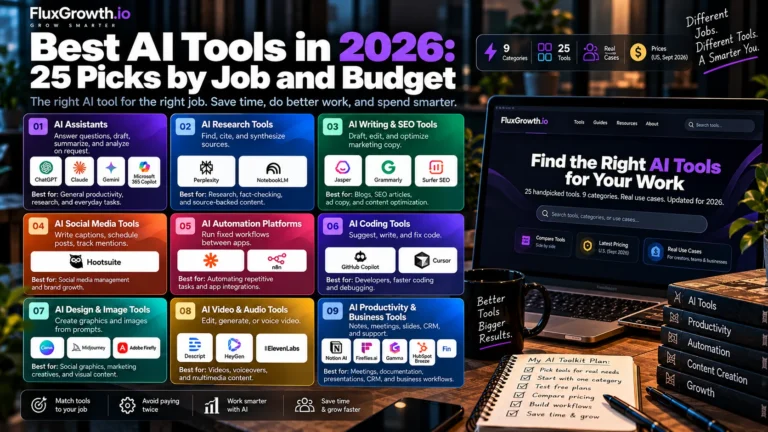
For most people in 2026: ChatGPT (all-rounder), Claude (writing and long documents), Perplexity (cited research), Gemini (Google users), and Canva AI (quick graphics). Pick by the job you actually need done, not by the hype.
The One Habit That Matters
Knowing how to use artificial intelligence in 2026 isn’t about understanding the technology. It’s one habit: reach for the tool on the boring, repetitive parts of your work, and keep the thinking, the taste, and the final call for yourself.
Pick one tool. Use it on something real today. Get it wrong, fix it, do it again. That’s the entire learning curve and it’s shorter than you think.
So here’s the only question that matters: what’s the one task you keep dreading that you could hand to an AI before lunch tomorrow?