FluxGrowth is reader-supported. Some links in our guides are affiliate links — if you buy through one we may earn a commission, at no extra cost to you. It never changes which tools we recommend. How we test tools.
Last updated: July 2026
This guide is part of our AI Automation hub – everything we have published on automating a small business with AI, in one place.
If you’ve been putting off building an AI agent because you’re not a developer, here’s the good news: you don’t need to be one anymore. The tools have caught up. You can build an AI agent without coding using nothing but a visual interface, a plain-language description of what you want it to do, and about an hour of your afternoon.
This guide walks through exactly how, which no-code platforms are worth your time in 2026, and where creators and solopreneurs tend to trip up on their first build. If you’re still comparing automation platforms before building an AI agent, check out our guide to the 5 Best Zapier Alternatives for Small Business in 2026 to find the right workflow automation tool for your needs. No framework required. No engineering degree. Just a clear process.
What Is an AI Agent, Really?
An AI agent is software that can understand a goal, make decisions about how to reach it, and take actions on its own without you clicking through each step manually.
A chatbot just answers questions in a conversation. A basic automation, a Zap, a Make scenario follows a fixed if-this-then-that path with zero judgment involved. An agent does neither. It looks at the situation, decides what to do, and acts: pulls the data, sends the message, updates the spreadsheet. No script required.
In one sentence: an AI agent is a system that reasons through a task and acts on it, instead of just responding to you or following a fixed sequence.
What You Need Before You Start
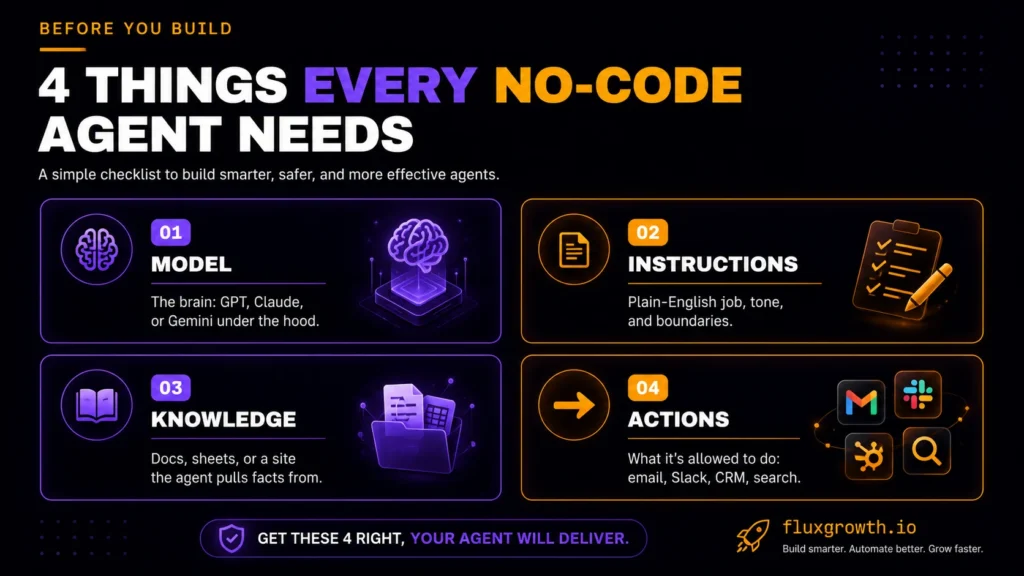
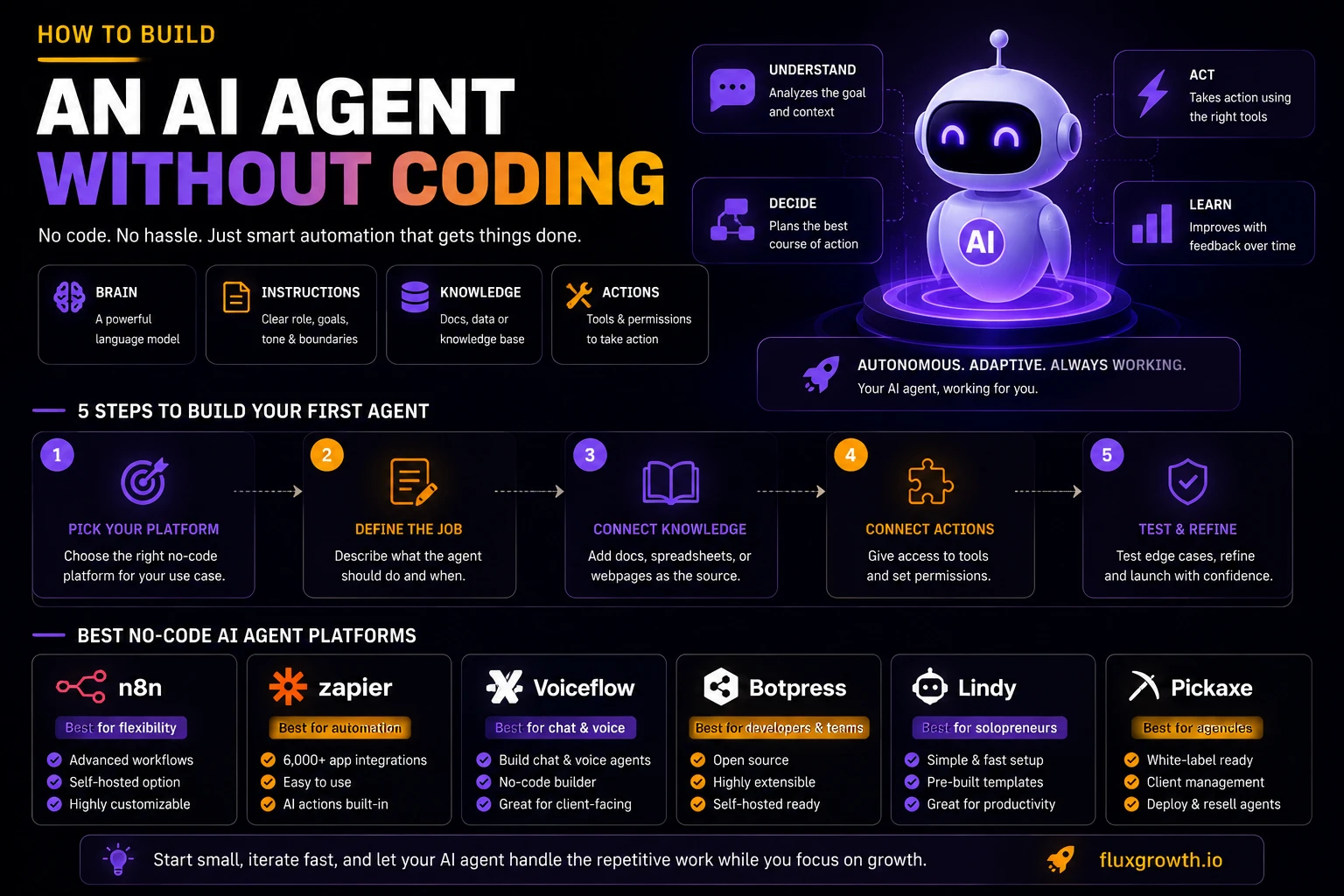
Every no-code AI agent needs four things, whatever platform you build it on. Skip the prep and you’ll spend an hour fighting the tool instead of building the agent. Sort these first, and the actual build takes maybe twenty minutes.
- A language model — the “brain.” Most no-code platforms let you pick from GPT, Claude, or Gemini, or they default to one and hide the choice from you.
- Instructions — a plain-English description of the agent’s job, its tone, and its boundaries (what it should never do).
- A knowledge source — documents, a spreadsheet, your website, or a database the agent can pull facts from so it’s not just guessing.
- Tool or action access — the specific things it’s allowed to do: send an email, post to Slack, update a CRM record, search the web.
Skip any one of these and the agent either hallucinates answers or sits there unable to act. Here’s the thing: most first-time builders nail the instructions and forget the boundaries, which is exactly how you end up with an agent that “helpfully” emails your entire list instead of one person.
Step-by-Step: Build Your First No-Code AI Agent
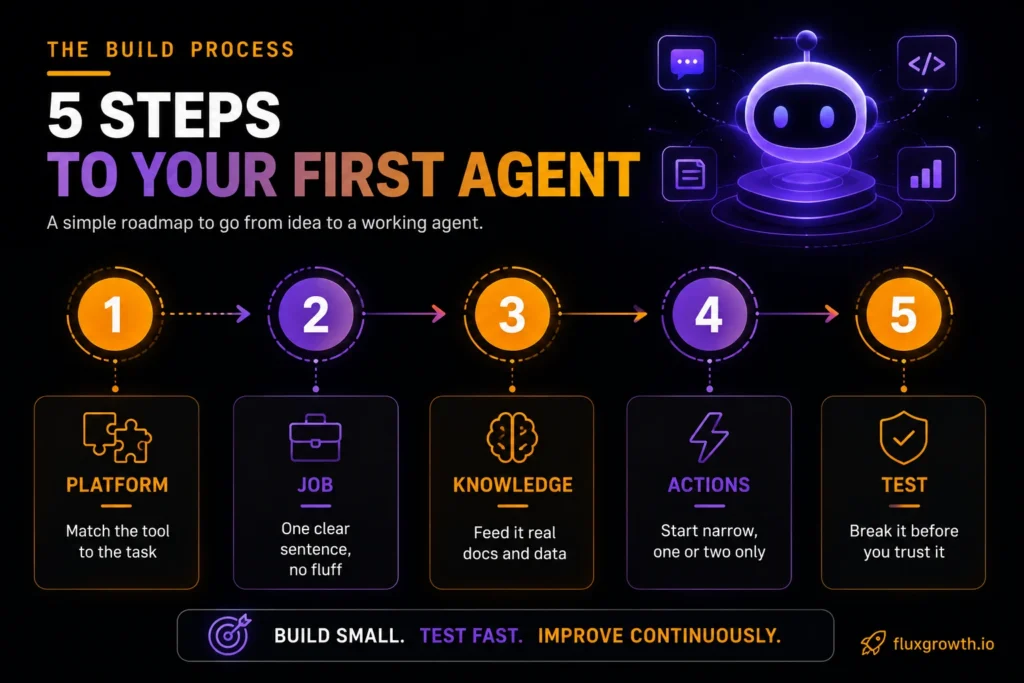
Step 1: Pick Your Platform
Match the platform to the job. Not the hype.
Already running your business through Zapier’s 9,000+ app integrations? Stay there an AI agent built on a platform you already know is often more valuable than switching to a new tool. Zapier AI Agents let you connect company knowledge and automate work across thousands of apps without writing code. n8n bends around odd, real-world requirements better than most (it’s the one reviewers keep reaching for once a workflow gets weird). Building something that talks to customers directly, chat or voice? That’s Voiceflow or Botpress territory. (Full comparison below.)
Step 2: Define the Agent’s Job in Plain Language
Write out, in a sentence or two, exactly what the agent should do and when it should do it. “Reply to new Instagram DMs asking about pricing, using our current rate sheet, and flag anything about refunds for me to handle personally” is a real job description. “Help with customer service” is not, it’s too vague for the agent to act on reliably.
Step 3: Connect Its Knowledge Base
Upload the documents, spreadsheet, or FAQ page the agent should pull facts from. This step is what separates an agent that gives correct answers from one that makes things up. Most platforms let you drag in a PDF or connect a Google Doc directly.
Related: the best AI automation software tools for 2026
Step 4: Connect the Actions It’s Allowed to Take
This is where you grant permissions: which inbox it can reply from, which spreadsheet it can update, which Slack channel it can post to. Start narrow. Give it one or two actions, not ten, until you’ve watched it work.
Step 5: Test It on Edge Cases Before You Turn It Loose
Don’t just test the happy path. Throw it a rude message, a question it has no knowledge base answer for, a request outside its scope. Watch what it does. A good agent knows when to say “I’m not sure, let me get a person” instead of guessing.
Quick recap: pick a platform that fits the job, write a specific instruction, connect real knowledge, grant narrow permissions, then stress-test before launch.
If we were building our first no-code AI agent today, we’d start with a single repetitive task instead of trying to automate an entire business process. We’d use n8n or Zapier, connect a trusted knowledge base, limit the agent to one or two actions, and monitor every response during the first week. Once the workflow consistently performs as expected, we’d gradually expand its responsibilities. This staged approach reduces errors and makes troubleshooting much easier than launching a fully autonomous agent from day one.
The Best No-Code AI Agent Platforms for Creators & Solopreneurs
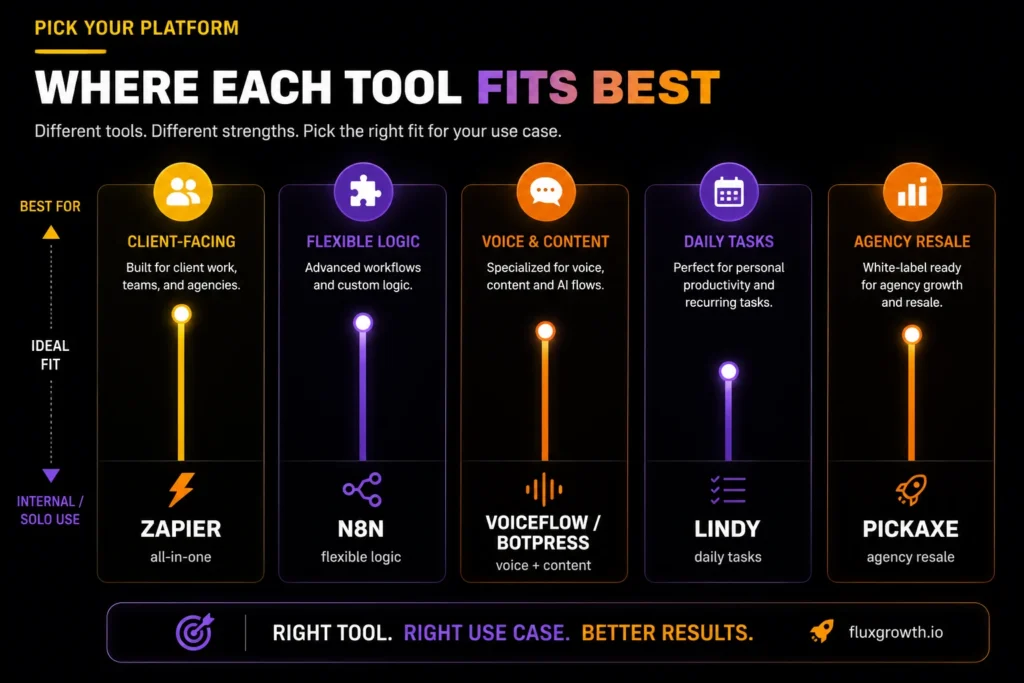
The no-code agent space got crowded fast in 2026. Most creators only need to know a handful of names.
n8n earned its reputation the hard way reviewers who’ve stress-tested it against messy, edge-case-heavy workflows keep coming back to it, mostly because it doesn’t box you into rigid preset paths. Zapier is still the easiest on-ramp if you’re already automating other parts of your business there; it now bolts AI agent actions onto the same app catalog you’re already using.
Voiceflow and Botpress lean toward client-facing work chat or voice agents built for someone else’s website, not just your own back office. Lindy and Pickaxe both go after non-technical solopreneurs and small agencies directly. Pickaxe, in particular, is built for agencies that want to package an agent and resell it under their own brand (a detail that matters if client delivery is the actual business model, not just internal automation).
Comparison Table
| Platform | Best For | Coding Needed | Starting Price | Standout Feature |
| Zapier (AI Agents) | Creators already using app integrations | None | Free; Pro from $33.33/month (annual billing) | Largest connected-app ecosystem |
| n8n | Builders who want flexible logic | None (visual) | Free (self-hosted); Cloud from ~$24/month | Handles odd, real-world edge cases well |
| Voiceflow / Botpress | Client-facing chat or voice agents | None | Voiceflow from ~$60/month; Botpress from $89/month + AI usage | Production-grade conversation design |
| Lindy | Solopreneurs automating daily tasks | None | From $49.99/month | Broad, task-based use-case range |
| Pickaxe | Agencies reselling agents to clients | None | Free plan available; paid plans from ~$24/month | Built for white-labeling and client delivery |
Takeaway: If you already rely on Zapier, its AI Agents are the fastest way to add AI to your existing workflows. If you need more flexibility and lower costs at scale, n8n is one of the strongest options. Voiceflow and Botpress are better suited for customer-facing chat and voice experiences, while Lindy excels at automating everyday business tasks. If you’re building AI agents for clients or planning to resell them, Pickaxe offers one of the most straightforward white-label solutions. Always verify pricing on each platform’s official website before making a purchase, as AI platform pricing changes frequently.
Common Mistakes Creators Make Building Their First Agent
Over-scoping the first build. Trying to make one agent handle five different jobs at once is the fastest way to end up with something that does all five badly. Build one narrow agent, get it right, then expand.
Skipping edge-case testing. It’s tempting to build it, watch it work once, and ship it. But the one message that breaks it is usually the one that matters most: an angry customer, a question with no good answer, a request slightly outside its scope.
No fallback to a human. Every agent needs an escape hatch: a clear point where it stops and says “let me get someone” instead of guessing its way through a situation it wasn’t built for.
What I’d Do If I Were Starting Today
If we were starting from scratch today, we’d choose n8n as our first platform because it offers an excellent balance of flexibility, scalability, and cost. We’d begin by automating a single repetitive task such as qualifying new leads, organizing support requests, or summarizing meeting notes rather than trying to automate an entire business at once. After confirming that the workflow runs reliably, we’d gradually connect additional tools like a CRM, email platform, or Slack to expand the automation. Starting small makes troubleshooting easier, reduces mistakes, and helps you understand how AI agents fit into your workflow before adding more complexity.
Frequently Asked Questions
Can I really build an AI agent without knowing how to code?
Yes. Platforms like Zapier, n8n, Voiceflow, and Lindy let you configure the model, instructions, knowledge base, and actions entirely through visual interfaces. No programming language is required for a standard agent build.
What’s the difference between an AI agent and a chatbot?
A chatbot mostly answers questions in a conversation. An AI agent reasons through a goal and takes independent action updating records, sending messages, triggering workflows based on judgment rather than a fixed script.
How much does it cost to build a no-code AI agent?
Building a no-code AI agent can cost anywhere from free to $50+ per month, depending on the platform and usage. Tools like n8n offer a free self-hosted option, while platforms such as Zapier AI Agents, Lindy, and Voiceflow start with paid plans that scale as your usage grows. Because pricing changes frequently, always check the platform’s official pricing page before subscribing.
What’s the easiest no-code AI agent builder for beginners?
Most reviewers point to Zapier for beginners already using automation tools, since it builds AI agent actions on top of an interface many creators already know. n8n suits builders who want more flexibility once they’re past the basics.
Can a no-code AI agent connect to tools like Gmail or Notion?
Yes. Most no-code platforms connect to thousands of common apps, including Gmail, Notion, Slack, and CRM tools, through the same integration systems used for regular automations.
Do no-code AI agents work for client work, or just internal use?
Both. Platforms like Voiceflow, Botpress, and Pickaxe are specifically built for client-facing delivery, while tools like n8n and Zapier are commonly used for internal, back-office agents.
How long does it take to build your first no-code AI agent?
A narrow, single-purpose agent can often be built and tested within an hour or two. Complexity, multiple actions, a large knowledge base, multi-step logic adds time, but the barrier is planning, not coding.
The Bottom Line
You don’t need to learn to code to put a working AI agent to use in your business, you need a clear job description, the right platform for that job, and the discipline to test it before you trust it. Pick one narrow task your agent could handle this week, build it on the platform that fits, and watch how it performs before you hand it anything bigger.