FluxGrowth is reader-supported. Some links in our guides are affiliate links — if you buy through one we may earn a commission, at no extra cost to you. It never changes which tools we recommend. How we test tools.
Works with public profiles. Private accounts cannot be viewed by any tool — that is an Instagram restriction, not a limit of this one. And Instagram never tells anyone who viewed their profile.
Last updated: August 2026
This guide is part of our Social Growth hub – everything we have published on growing on social with AI, in one place.
If it is Reels you want rather than profiles, our free Instagram Reels viewer plays any public Reel from a link, with no account needed.
You typed “Instagram Profile Viewer” into Google for one of three reasons: a competitor, a potential client, or a creator you’re scoping out. Fair enough.
Here’s the short version: it’s a way to look at public Instagram info username, bio, posts, Reels through a browser or a simple tool, no login required. What it won’t do is get you into a private account. No legitimate tool does that.
If a site claims otherwise, it’s not a viewer. It’s a trap for your password.
This guide covers what these tools actually show, what stays locked behind Instagram’s privacy settings, and how to check a public profile without handing anyone your login.
What Is an Instagram Profile Viewer?
An Instagram Profile Viewer is a tool or method for looking at the public parts of an Instagram profile username, name, photo, bio, and public posts usually without logging into your own account. That’s it. Not a backdoor. Not a hack. Not a workaround for Instagram’s security.
People search for these tools for pretty ordinary reasons: checking a business account before working with them, researching a competitor’s content strategy, looking up a creator’s public posts for inspiration. None of that requires following the account or sending a request.
The distinction that actually matters is public versus private. If an account is public, anyone with the link sees the same content Instagram shows in the app; a viewer tool is just a different window onto that same data. If it’s private, a viewer tool sees exactly what you’d see: a locked profile, a photo, a bio, a follower count. Nothing more.
Related: planning your own posts next? The free Instagram Reels script generator turns a one-line topic into three scripts with hooks, timing and captions.
How Does an Instagram Profile Viewer Work?
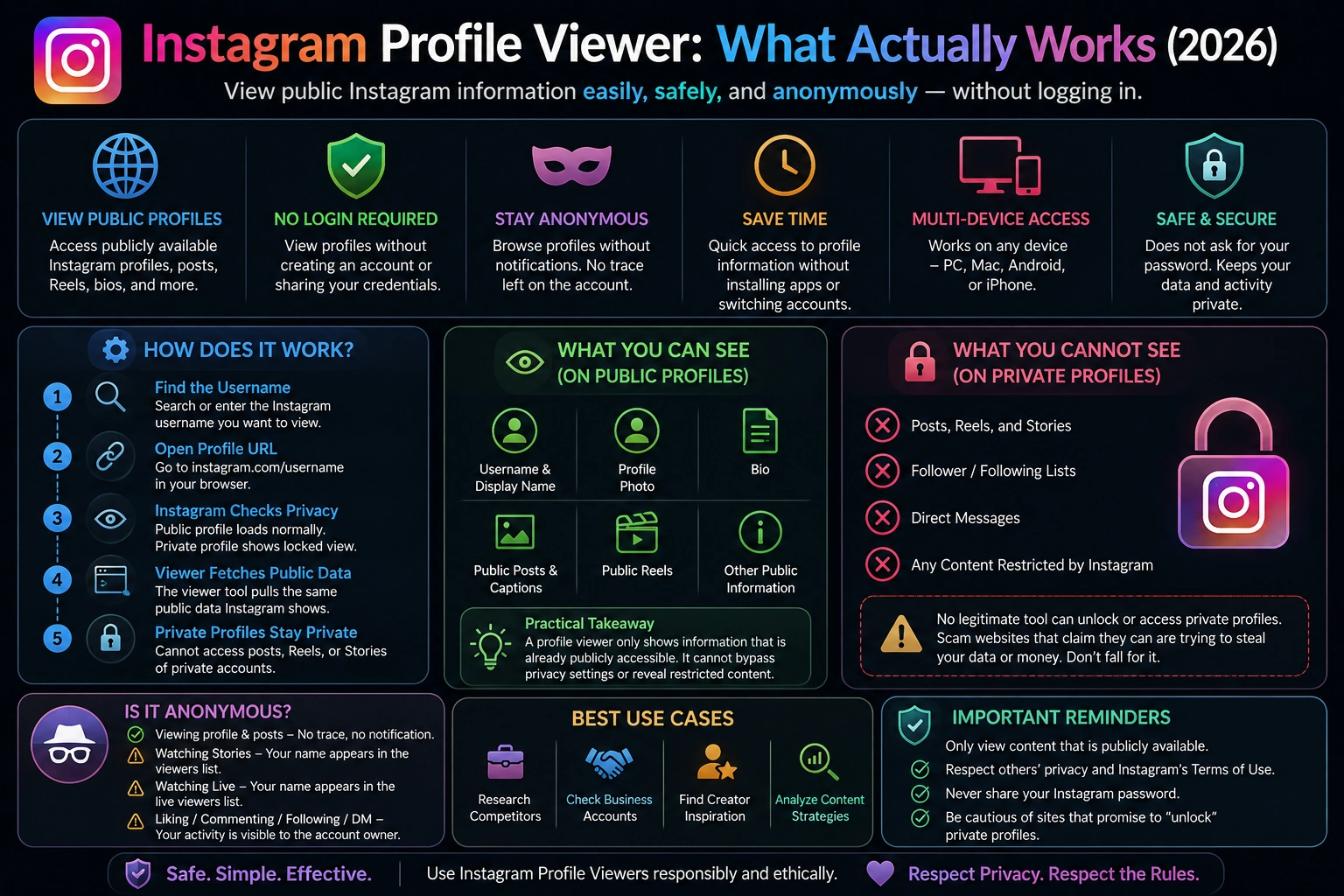
The mechanics are simpler than the marketing on some of these sites suggests. Here’s the actual process:
- You find the username. Either you already know it, or you search for it.
- You open the profile URL. Every public Instagram profile lives at instagram.com/username type that directly into a browser.
- Instagram checks the account’s privacy setting. Public, the page loads normally. Private, and you’re not an approved follower, Instagram shows a locked version.
- A third-party “viewer” does the same lookup on your behalf pulling the same public page data, sometimes without requiring you to be logged into Instagram at all.
- If the profile is private, the tool hits the same wall you would. It can’t pull posts, Reels, or Stories that Instagram restricts from non-followers, because that data isn’t exposed publicly for any browser or app to grab.
That last point matters. A profile viewer isn’t intercepting anything. It’s reading the same public page Instagram already serves to anyone who visits it.
What Can You See With an Instagram Profile Viewer?
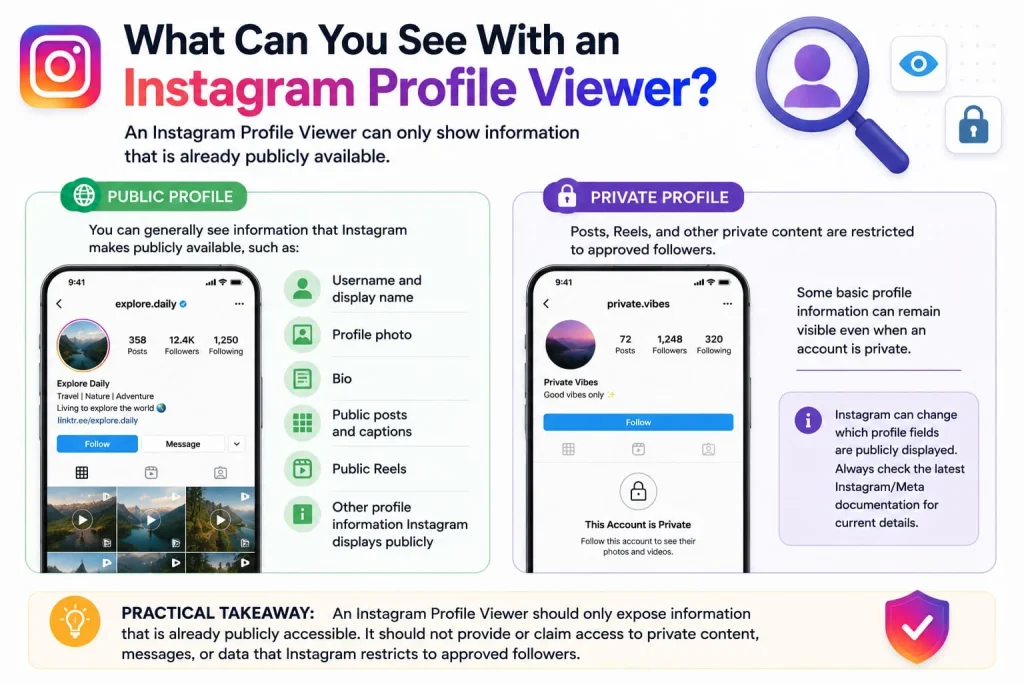
On a public Instagram profile, you can generally see information that Instagram makes publicly available, such as:
- Username and display name
- Profile photo
- Bio
- Public posts and captions
- Public Reels
- Other profile information Instagram displays publicly
On a private profile, posts, Reels, and other private content are restricted to approved followers. However, some basic profile information can remain visible even when an account is private. Because Instagram can change which profile fields are publicly displayed, avoid claiming an exact list of visible fields without checking the current Instagram/Meta documentation.
Practical takeaway: An Instagram Profile Viewer should only expose information that is already publicly accessible. It should not be presented as a way to bypass a private account or reveal restricted content.
Want to learn more about safely viewing Instagram content? Read our Instagram Reels viewer guide for no-download viewing options.
Can You View a Private Instagram Profile?
No. A legitimate Instagram Profile Viewer cannot show you the posts, Reels, or Stories on a private account. Be skeptical of any tool that claims it can.
Instagram’s own Help Center is direct about this: private content posts, Stories, Reels, follower lists are visible only to approved followers. No technical workaround exists, because Instagram never publishes that data in the first place. There’s nothing to hack. A follow request and an approval are the only doors in.
This is exactly where scam sites operate. You’ll find pages promising to “unlock” or “access” any private profile in minutes. The pattern is always the same: enter the target username, sit through a fake “scanning” animation, then complete a survey or download before the promised content appears.
Here’s the thing: the content never appears, because there’s nothing to reveal. Some of these sites go a step further and ask for your Instagram login “to verify you’re not a bot.” Don’t do it. Handing your password to an unknown site is how accounts get hijacked, not how you see someone else’s private posts.
Is Instagram Profile Viewing Anonymous?
Mostly, yes but it depends what you do once you’re there. Simply opening a public profile and scrolling the grid doesn’t notify the account owner or leave any record they can see.
That changes the moment you interact:
- Viewing the profile itself — no trace, no notification.
- Watching a Story — your name shows up in that account’s Story viewer list.
- Watching a Reel — no notification, same as a regular post.
- Liking, commenting, following, or messaging — all visible to the account owner (that’s kind of the point of those features).
So “anonymous” is accurate for plain browsing. It stops being accurate the second you tap like.
Does Instagram Notify Someone When You View Their Profile?
No. Instagram does not provide a named list of people who viewed a profile or send a notification for ordinary profile visits. Instagram Insights can provide aggregate metrics for eligible professional accounts, but it does not identify individual profile visitors.
Stories are different: when you view someone’s Instagram Story, your account can appear in the Story viewer list. Avoid stating a specific 24- or 48-hour window unless you verify the current Instagram documentation, because that detail can change.
The same principle applies to ordinary profile browsing and public posts: simply viewing a profile or post does not normally identify you to the account owner. Likes, comments, follows, messages, and Story views are different because they are visible interactions.
How to Use an Instagram Profile Viewer Safely
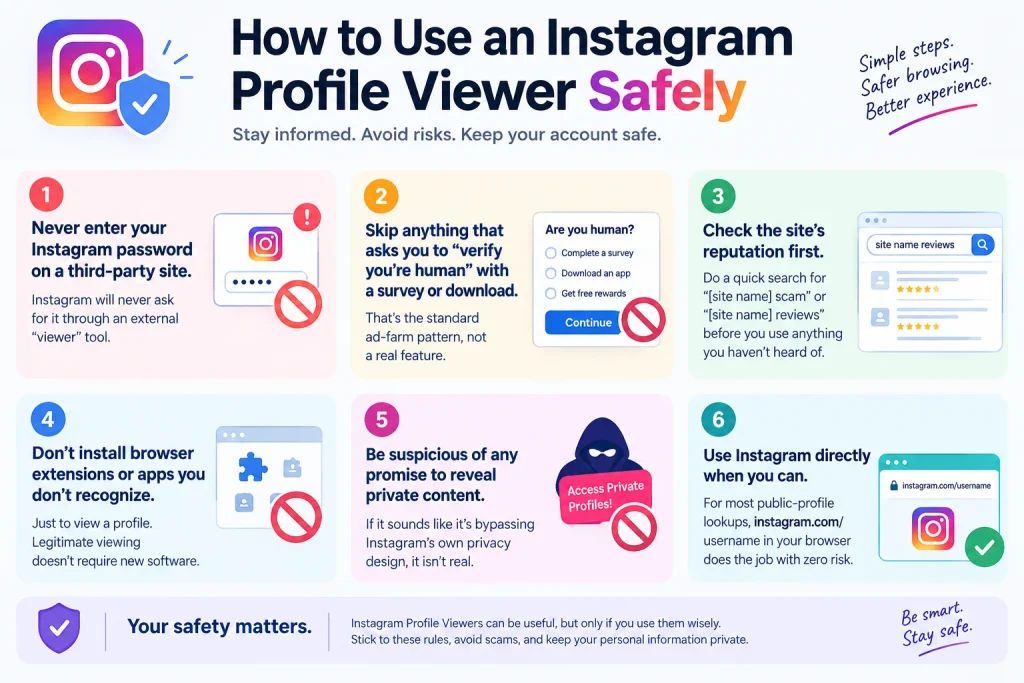
A few ground rules keep this simple:
- Never enter your Instagram password on a third-party site. Instagram will never ask for it through an external “viewer” tool.
- Skip anything that asks you to “verify you’re human” with a survey or download. That’s the standard ad-farm pattern, not a real feature.
- Check the site’s reputation first — a quick search for “[site name] scam” or “[site name] reviews” before you use anything you haven’t heard of.
- Don’t install browser extensions or apps you don’t recognize just to view a profile. Legitimate viewing doesn’t require new software.
- Be suspicious of any promise to reveal private content. If it sounds like it’s bypassing Instagram’s own privacy design, it isn’t real.
- Use Instagram directly when you can. For most public-profile lookups, instagram.com/username in your browser does the job with zero risk.
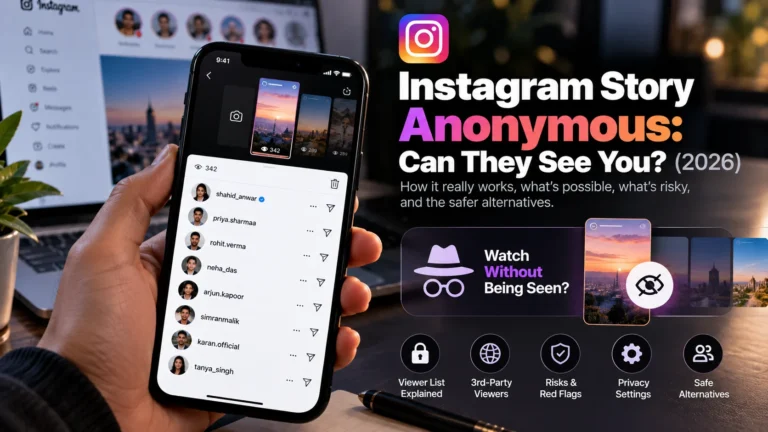
Related: Whether people can see you view their Instagram Story
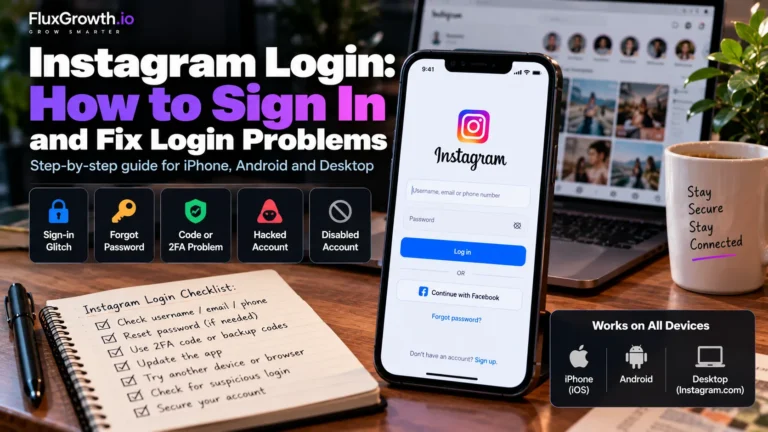
Related: How to sign in to Instagram and fix login problems
Instagram Profile Viewer vs. Other Instagram Tools
These terms get used interchangeably, but they’re not the same thing:
- Instagram Profile Viewer — looks at public profile info: bio, posts, follower counts.
- Instagram Story Viewer — lets you watch public Stories, sometimes without appearing in the poster’s viewer list, depending on the tool.
- Instagram Reels Viewer — a way to browse public Reels, often used for content research.
- Instagram Video down-loader — saves a copy of a public video or Reel to your device; a separate function from just viewing.
- Instagram Search — Instagram’s built-in tool for finding accounts, hashtags, and locations, available to anyone with an account.
- Instagram’s native app — the full experience: viewing, posting, messaging, everything, but it requires an account and login.
Need to check a public bio or a few recent posts? A profile viewer or the native app both get you there. down loaders and Story viewers solve narrower, specific problems, not the same job.
Best Use Cases for an Instagram Profile Viewer
This kind of tool earns its place for a handful of legitimate, everyday reasons:
- Competitor research — checking a competing brand’s public content strategy, posting frequency, and engagement.
- Vetting before you follow or engage — looking at a business account’s public posts before you reach out or buy.
- Content research — scanning what’s working in your niche for inspiration.
- Creator or influencer lookup — checking public follower counts and content before a potential collaboration.
- Quick reference without an account — if you don’t personally use Instagram but need to check a public business profile.
What it’s not for: stalking someone, harassing an ex, impersonating a brand, or getting around a block. Those uses aren’t just against Instagram’s terms. They’re the exact behavior that gives the “profile viewer” category its sketchy reputation in the first place.
Instagram Profile Viewer Limitations
Worth knowing going in:
- Private accounts stay private. No tool changes that.
- Deleted or removed content won’t show up, even if it was public before.
- Content the owner has restricted or archived won’t appear either.
- Third-party tools break often. Instagram changes its site structure regularly, and unofficial tools that scrape public pages can stop working with no warning.
- Results vary by tool. Some are just a clean interface on public data; others are unreliable or, worse, are collecting your browsing activity while you use them.
Comparison: Instagram Viewing Methods
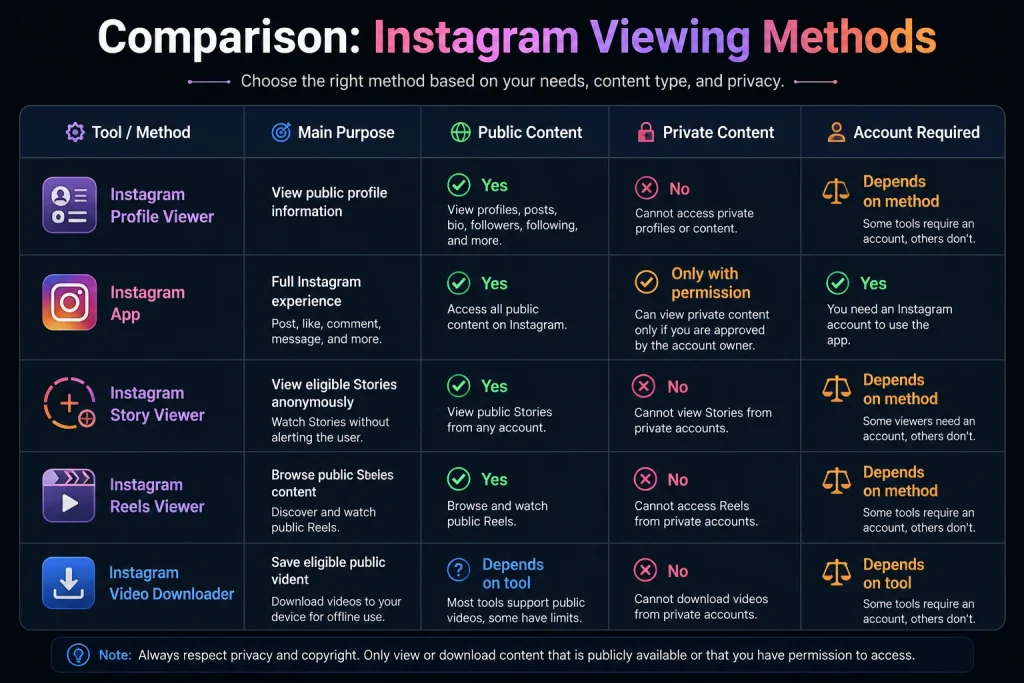
| Tool/Method | Main Purpose | Public Content | Private Content | Account Required |
| Instagram Profile Viewer | View public profile information | Yes | No | Depends on method |
| Instagram App | Full Instagram experience | Yes | Only with permission | Yes |
| Instagram Story Viewer | View eligible Stories | Yes | No | Depends on method |
| Instagram Reels Viewer | Browse public Reels | Yes | No | Depends on method |
| Instagram Video Downloader | Save eligible public videos | Depends on tool | No | Depends on tool |
Takeaway: every method on this list runs into the same wall: private content stays private, full stop. The only real variable is whether you need an Instagram account to use the tool at all.
How to View an Instagram Profile Safely
- Find the public Instagram username you’re looking for.
- Open the profile directly at instagram.com/username, or use a reputable viewer if you’d rather not log in.
- Confirm the profile shows as public (no lock icon) before expecting to see posts.
- Review only the publicly available information bio, posts, Reels.
- Never enter your Instagram login credentials on a third-party site.
- Leave immediately if a site asks for unusual permissions, personal details, or payment info to “unlock” more.
Privacy and Safety
The key distinction is public vs. private. Instagram controls access to private content through the account’s privacy settings, and legitimate Instagram Profile Viewer tools should not be presented as a way to bypass those controls.
The bigger risk comes from entrusted third-party websites and browser extensions. Fake Instagram login pages can be used for phishing, while some extensions may request permissions beyond what is necessary for viewing public content. These are general security risks, not claims about any specific tool.
For safer browsing:
- Never enter your Instagram password on an unfamiliar viewer website.
- Avoid tools claiming they can reveal private profiles.
- Check the site’s reputation before using it.
- Review browser-extension permissions carefully.
- Don’t grant unnecessary access to your account or browser.
- Use a unique Instagram password and enable two-factor authentication.
Practical takeaway: If a tool asks for your Instagram credentials or promises access to private profiles, treat it as a major security warning.
Who Should Use an Instagram Profile Viewer?
- Casual users checking a public account out of curiosity.
- Creators and influencers scoping potential collaborators or competitors.
- Marketers and social media managers doing quick competitive checks without switching between client accounts.
- Researchers and brand teams compiling public content for analysis.
- Small businesses vetting a supplier, partner, or customer’s public presence.
Quick gut check: if you already have an Instagram account and you’re checking one profile, just use the app. It’s faster, and there’s nothing extra to trust. A separate viewer earns its keep when you’d rather not log in at all, or you’re running these checks often enough, say, five or six competitor profiles a week that a dedicated tool actually saves time.
FAQ
What is an Instagram Profile Viewer?
An Instagram Profile Viewer is a tool or method for looking at the public parts of an Instagram profile username, bio, photo, and public posts often without logging into your own account. It only shows information Instagram already makes public.
Can you view an Instagram profile without an account?
Yes, for public profiles. Open instagram.com/username in a browser and you’ll see public content without logging in. Private profiles still require an approved follow request regardless of whether you’re logged in.
Can you view a private Instagram profile?
No, not through a profile viewer or any similar tool. Private account content is only visible to followers the account owner has approved. There’s no legitimate way around that, and sites claiming otherwise are typically scams or phishing attempts.
Does Instagram notify someone when you view their profile?
No. Instagram doesn’t notify accounts when someone views their profile, and there’s no feature showing who visited. The one exception is Stories, where viewers appear on a time-limited list visible to the poster.
Can someone see who viewed their Instagram profile?
No, not for regular profile browsing. Business accounts can see an aggregate profile-visit count in Insights, but never the identities of individual visitors. Story views are the only exception where names are shown.
Are Instagram Profile Viewer websites safe?
It depends on the site. Reputable ones simply display public data, but some ask for your Instagram password or push you through surveys and downloads; those are red flags. Never enter your login credentials on a third-party viewer site.
Is an Instagram Profile Viewer free?
Many Instagram Profile Viewer websites are available for free because they display publicly available Instagram information. However, pricing and features vary by service, so check the specific tool’s current terms before assuming it is free. Avoid tools that require payment or login credentials for access to private profiles.
The Bottom Line
An Instagram Profile Viewer checks public information without a login. That’s the whole job.
It won’t get you past a private account. No legitimate one asks for your password. The second a site promises either, close the tab.
For everyday research competitors, creators, potential clients public data through Instagram or a reputable viewer covers it. Next time a site offers more than that, ask what it’s actually asking you to hand over in return.
More free tools
Instagram Reels Script Generator
Three shootable 30-second scripts from any topic — hook, beat timing, on-screen text and CTA.
Instagram Caption Generator
Five ready-to-paste captions with a first line built to survive the “… more” cut.