FluxGrowth is reader-supported. Some links in our guides are affiliate links — if you buy through one we may earn a commission, at no extra cost to you. It never changes which tools we recommend. How we test tools.
Last updated: August 2026 · By Arzoo, AI and SaaS tools writer at FluxGrowth, where we research, compare, and review AI and SaaS tools to help small businesses choose the right software.
This guide is part of our AI Automation hub – everything we have published on automating a small business with AI, in one place.
You priced three CRMs last week. The numbers looked close enough. Then you got to checkout and the real bill was 40% higher than the page said.
That gap is the whole problem. Almost every “best CRM for small business” roundup ranks tools by their sticker price and stops there. Nobody prices the seat minimums, the AI credit meters, the per-minute calling charges, or the moment your plan jumps from $20 a seat to four figures a month with nothing in between.
So that’s what this comparison does. Seven CRM platforms, every price pulled from the vendor’s own pricing page in August 2026, with the specific thing that will inflate your invoice named for each one.
What Is a CRM?
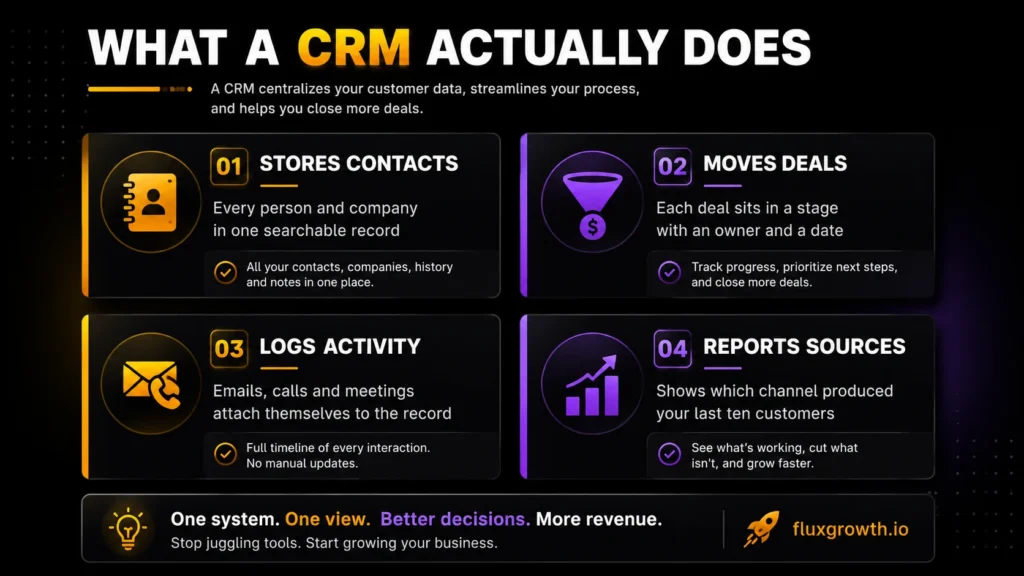
A CRM (customer relationship management system) is software that stores every contact, deal, and conversation your business has in one place, so nothing depends on someone remembering to follow up.
That’s the whole job. CRM software takes the leads currently scattered across your inbox, your phone, and a spreadsheet called and turns them into records you can sort and assign. Each contact gets a timeline. Each deal gets a stage and a close date. Follow-ups get an owner, which is the part that actually stops things going cold.
Four things every CRM does: stores contacts and companies, moves deals through pipeline stages, logs emails and calls automatically, and reports on which lead sources convert.
What a CRM Is Not
A CRM is not an email marketing platform, and it’s not a project manager. Some bolt those on. But if your main need is sending newsletters or tracking client deliverables, you’re shopping in the wrong category. Buying a CRM to solve a project management problem is the most expensive mistake small teams make in this category.
Why Small Businesses Need a CRM in 2026
CRM adoption is nearly universal among larger businesses, but many small businesses still operate without one. Recent industry data indicates that about 91% of companies with 10 or more employees use a CRM, while only around half of businesses with fewer than 10 employees have adopted one. That gap isn’t just about software it’s about whether your sales process can scale without leads slipping through the cracks
That gap isn’t a technology problem. It’s a math problem.
A solo consultant with 30 open conversations can hold them in their head. At 80, they can’t and the leads that go cold are invisible, because you never find out which ones you lost.
Four failure modes a CRM actually fixes:
- Leads living in an inbox. If a lead only exists as an email thread, it disappears the moment the thread scrolls off screen.
- No follow-up cadence. Most deals need several touches. Without a system, most people stop after one.
- No handoff record. When a second person joins the conversation, they start from zero.
- No channel data. You can’t double down on what’s working if you don’t know which source produced the last ten customers.
What Changed in 2026
AI stopped being a bonus feature and became the thing that decides which tier you buy. If you’re comparing the latest AI sales tools, understanding how each platform bundles AI features, credits, and automation is just as important as comparing CRM pricing.
Zoho gates its deeper Zia capabilities behind Enterprise. Freshsales sells its Freddy AI Agent as a separate $49-per-100-sessions add-on. Salesforce meters Agentforce on consumption. Close includes its Chloe agent on every plan but bills the credits she burns.
Here’s the thing about that shift: two CRMs with the same seat price can now differ by hundreds of dollars a month once AI usage is real, and none of it shows up on the pricing page you’re comparing.
The ROI Number You Should Ignore
You’ll see “$8.71 returned for every $1 spent” quoted in almost every CRM article. It traces back to a 2014 Nucleus Research study, and the same research firm later updated its findings. Based on a review of more recent CRM case studies, Nucleus Research reported an average return of about $3.10 for every $1 invested in 2023. The lesson isn’t that CRM delivers a fixed ROI, it’s that results depend on implementation, user adoption, and business processes, not just the software.
A more useful takeaway is this: the best CRM is the one your team actually uses consistently. Even the most feature-rich platform won’t improve sales if follow-ups, customer data, and pipeline updates never make it into the system. Successful CRM projects depend as much on training, clean data, and adoption as they do on choosing the right software.
How These CRM Platforms Were Evaluated
I evaluated all seven against the same nine criteria, working from vendor documentation and pricing pages rather than months of daily use. Saying that up front costs me nothing and tells you exactly how much weight to put on the ease-of-use notes below.
The criteria: ease of use, pricing transparency, AI features, automation depth, integrations, reporting, customer support, scalability, and overall value.
Every price was pulled from each vendor’s official pricing page on August 1, 2026, in USD at US rates. (I checked all seven the same morning, which is the only way a comparison like this stays honest for more than a month.) Where a figure couldn’t be confirmed on the vendor’s own page, it’s flagged rather than repeated from a third party.
That last rule mattered more than expected. Third-party pricing guides were wrong on Pipedrive, Freshsales, and Close in a few cases by more than double.
The 7 Best CRMs for Small Business
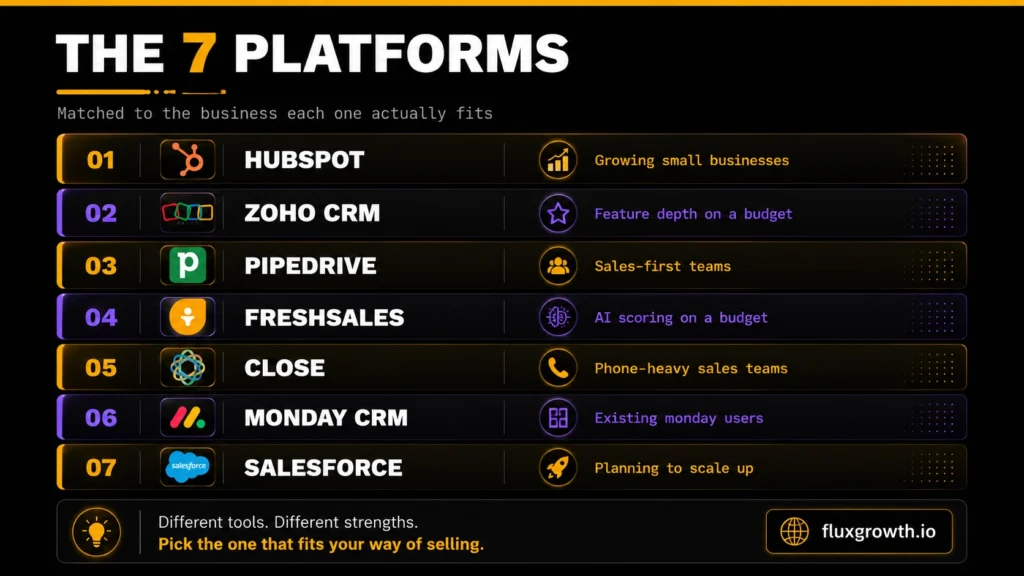
1. HubSpot CRM — Best Overall for Growing Small Businesses
Overview: HubSpot bundles marketing, sales, service, content, and data tools on top of one shared CRM database. It’s the default recommendation for small businesses because the free tier is a real product, not a disguised trial.
Key features: Contact and deal management, shared inbox, meeting scheduler, forms, live chat, quotes and payments, and 2,000+ marketplace integrations.
AI features: Breeze Assistant for content and task help, an AI prospecting agent, and an AI data agent. All of it runs on metered HubSpot Credits.
Pricing: HubSpot offers a free CRM with no expiration. Starter begins at $7/seat/month when billed annually (promotional price) or $20/seat/month on monthly billing. Professional starts at $90/seat/month (annual billing) or $100/seat/month (monthly billing), plus a required one-time $1,500 onboarding fee. Enterprise starts at $150/seat/month with a $3,500 onboarding fee. Unlike older pricing models, Professional is now sold on a per-seat basis rather than as a bundled plan with included seats.
Pros: The free tier is real. One Starter seat opens every hub. And HubSpot states it doesn’t charge overage fees that exceed your limits and it moves you up to Professional instead.
Cons and limitations: That policy is also the risk. The Starter-to-Professional step is the steepest jump in this comparison, and there’s no tier between them.
Credit-metered AI makes a busy month hard to forecast. Onboarding is required at Professional and above.
Best for: Small businesses that want marketing and sales in one system and expect to grow into it.
Why it made this list: No other platform takes a one-person business from $0 to a full go-to-market stack without changing tools.
2.Zoho CRM — Best Value for Feature Depth
Overview: Zoho gives you inventory management, CPQ, and blueprint process automation at prices where competitors are still selling you contact storage. The catch is that its value climbs the more of the other 45+ Zoho apps you adopt, which is a commitment dressed up as a discount.
Key features: Workflows and assignment rules, multiple pipelines, built-in calling, sales forecasting, inventory management, CPQ, blueprint automation, and customer portals.
AI features: Zia. Zoho’s current pricing page lists AI agents from the Standard tier and predictive intelligence at Professional, with extended Zia at Enterprise — a change from older guides that put all AI at Enterprise. [VERIFY: confirm AI feature placement per tier on Zoho’s US pricing page]
Pricing: Zoho CRM offers a Free plan for up to 3 users. U.S. pricing (annual billing) currently starts at Standard – $14/user/month, Professional – $23/user/month, Enterprise – $40/user/month, and Ultimate – $52/user/month. Monthly billing is available at higher rates. Verify current U.S. pricing on Zoho’s official pricing page, as regional pricing may vary.
Pros: Best feature-to-price ratio here. Free tier for three users with no clock on it. No contracts pay monthly or yearly and change whenever.
Cons and limitations: Everyone on the account shares one edition. One person needing an Enterprise feature moves every seat to the Enterprise rate, which is the budgeting surprise Zoho buyers hit most often.
The interface is dense, and setup takes noticeably longer than Pipedrive or Close.
Best for: Cost-conscious teams that want depth and can spend a week configuring it.
Why it made this list: It delivers capability that costs three or four times as much elsewhere.
3.Pipedrive — Best for Sales-First Teams
Overview: Pipedrive is a sales CRM and nothing else. The visual pipeline is the product, and reps adopt it faster than almost anything on this list.
Key features: Unlimited pipelines, lead inbox, two-way email sync, workflow automation, nurturing sequences, subscription and forecast reports, meeting scheduler, contracts with e-signatures, 500+ integrations.
AI features: AI report creation from text prompts on every tier. AI email writing, summarizing, and replies at Premium and above.
Pricing : According to Pipedrive’s official pricing page, Lite starts at $14/user/month, Growth at $39/user/month, Premium at $59/user/month, and Ultimate at $79/user/month when billed annually (approximately $168–$948 per user/year). Pipedrive does not offer a permanent free plan but includes a 14-day free trial for new users. Link “Pipedrive’s official pricing page” to
Pros: The cleanest pricing page in this comparison. Four tiers, no seat minimums, no bucket rounding, and free implementation on plans over $400 a year.
Cons and limitations: Add-ons are where the bill grows. LeadBooster starts at $32.50, Smart Docs at $32.50, Web Visitors at $41, Projects at $16, Campaigns at $13.33.
Those are per company rather than per seat, which helps. Stack four of them on a small team and you’ve roughly doubled your cost anyway. Every time.
Lite has no workflow automation, so most teams need Growth minimum. Marketing tools are thin.
Best for: Sales teams of 3 to 50 who want pipeline management without a marketing platform attached.
Why it made this list: It does one job better than anyone, and it tells you what it costs.
4.Freshsales — Best AI Features Under $40 a Seat
Overview: Freshsales competes on value. You get a built-in phone and email at the entry tier, and AI contact scoring at a price where HubSpot and Salesforce are charging triple.
Key features: Kanban pipeline, contact lifecycle stages, chat, phone and email in one product, email templates, custom fields, basic workflows, sales sequences, territory management.
AI features: Freddy AI. Contact scoring and deal insights arrive at Pro. The autonomous Freddy AI Agent is a paid add-on at $49 per 100 sessions on every plan — the detail most comparisons miss entirely.
Pricing : According to Freshworks’ pricing page, Growth starts at $9/user/month, Pro at $39/user/month, and Enterprise at $59/user/month, all based on annual billing. Always check the official pricing page for the latest plans and promotional offers.
Pros: A built-in dialer at $9 a seat undercuts everyone here. No seat minimum, so you can buy exactly one.
Cons and limitations: Although Freshsales is affordable, several advanced AI capabilities require paid add-ons, and the official pricing page no longer lists a permanent free plan. Businesses looking for a free CRM should verify current availability before choosing Freshsales, as plan offerings may change.
Growth to Pro is a 4.3x jump, and scoring, sequences, and territory management all sit above it. The integration library is narrower than HubSpot’s.
Best for: Small sales teams that make calls and want AI scoring without an enterprise contract.
Why it made this list: Nothing else puts a dialer and a CRM together at $9.
5.Close — Best for Phone-Heavy Sales Teams
Overview: Close is built for teams that sell on the phone. Calling, SMS, and email share one inbox, and Chloe, its AI sales agent, is included on every plan.
Key features: Multi-channel inbox, global calling and SMS, Smart Views, unlimited contacts, native forms, power dialer, predictive dialer, workflow automation, call coaching.
AI features: Chloe calls new leads, qualifies them in live conversation, books meetings, and writes the record back to the CRM. Every plan includes monthly AI credits 500, 1,000, 1,500, or 2,000 per user by tier. They don’t roll over.
Pricing : According to the Close pricing page, Solo starts at $9/user/month, Essentials at $35/user/month, Growth at $99/user/month, and Scale at $139/user/month, all based on annual billing. Always verify the latest pricing on the official website, as plans and promotional offers may change.
Pros: Chloe on the $9 tier is the most generous AI access here by a wide margin. Calling and SMS are passed through at cost around $0.02 a minute, with numbers from about $1 a month.
Cons and limitations: The seat price is a floor, not a ceiling. Call Assistant costs $50/month per organization plus $0.02 per minute, and premium phone numbers run $19 per line per month.
Workflow automation doesn’t appear until Growth at $99, which is a hard cliff from $35.
Close also does no marketing at all. No newsletters, no nurture drips, no landing pages.
Best for: Inside sales teams of 1 to 20 whose primary channel is the phone.
Why it made this list: It’s the only CRM here where an AI agent will dial your leads on an entry-level plan.
6.monday CRM — Best for Teams Already Running monday
Overview: monday CRM applies the same board-and-column interface to a sales pipeline. If your team already lives on Monday, that familiarity is worth real money, because adoption is what kills most CRM rollouts.
Key features: Customizable pipelines, contact and account boards, email sync, lead management, activity tracking, dashboards, forecasting, and email sequences at the top tier.
AI features: AI Sidekick and AI credits ship with paid plans. Credits get consumed by AI blocks, agents, and the notetaker, and overage bills per credit.
Pricing: monday CRM offers an 18% discount for annual billing and requires a minimum of three seats on all paid plans, according to monday’s support documentation. These requirements are also reflected on the official monday CRM pricing page.
Pros: The most visually approachable CRM here, and customizable without touching code.
Cons and limitations: Three things inflate the bill. Seats sell in fixed buckets, so a 4-person team pays for 5. The 3-seat minimum means a solo operator pays for three.
And Monday CRM is a separate product from Monday Work Management needing both means two subscriptions, not one.
Email sync requires Standard. Forecasting and sequences require Pro.
Best for: Teams already standardized on monday who want their pipeline in the same interface.
Why it made this list: Familiarity solves the adoption problem that sinks most CRM rollouts.
7.Salesforce Starter Suite — Best for Businesses Planning to Scale Into Enterprise
Overview: Salesforce Starter Suite is the entry point to the largest CRM ecosystem in the world. You’re buying the migration path more than the features.
Key features: Account, contact, and opportunity management, basic pipeline, email integration, light service and marketing tools, and Slack at no extra cost.
AI features: Salesforce includes Einstein AI capabilities across the platform, while more advanced Agentforce features are available as paid add-ons or through higher-tier editions. Agentforce uses Flex Credits for consumption-based AI actions, and pricing varies depending on usage and edition. Businesses planning to use advanced AI agents should verify current Agentforce pricing directly with Salesforce before purchasing.
Pricing: According to Salesforce Sales Cloud pricing, Starter Suite starts at $25 per user per month and is the only Sales Cloud edition that offers monthly billing, while higher-tier plans are typically sold on annual contracts.
Pros: Salesforce offers the most scalable CRM ecosystem on the market, with thousands of AppExchange integrations, extensive customization options, strong security, and a large ecosystem of certified administrators, consultants, and implementation partners.
Cons and limitations: Starter to Pro is a 4x price move, and most growing teams get pushed into it rather than choosing it.
Implementation is quoted separately and runs into the thousands. For a five-person business, Starter Suite costs more than Pipedrive Growth and does less.
Best for: Small businesses that expect to be mid-market within three years and want to avoid a migration.
Why it made this list: It’s the only entry-level plan here with a real path to enterprise scale.
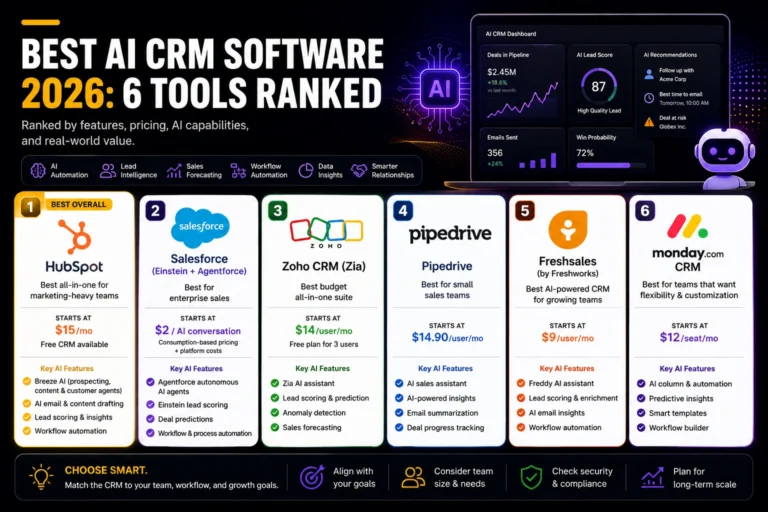
CRM Comparison Table
| CRM | Best For | Starting Price | AI Features | Key Limitation |
| HubSpot | Growing small businesses | Free; $20/seat/mo list | Breeze, credit-metered | Starter-to-Pro cliff |
| Zoho CRM | Feature depth on a budget | Free (3 users); ~$14/user/mo | Zia, agents from Standard | One edition for all seats |
| Pipedrive | Sales-first teams | $14/seat/mo annual | AI reports, AI email | Add-ons roughly double cost |
| Freshsales | AI scoring on a budget | $9/user/mo annual | Freddy; agent $49/100 sessions | 4.3x jump to Pro |
| Close | Phone-heavy sales | $9/user/mo annual | Chloe agent, all plans | Calling and SMS billed on usage |
| monday CRM | Existing Monday users | ~$12/seat/mo annual | AI Sidekick, credits | 3-seat minimum, separate SKU |
| Salesforce Starter | Planning to scale up | $25/user/mo | Agentforce costs extra | 4x jump to Pro Suite |
Best Overall CRM: HubSpot the only platform that takes you from $0 to a full stack without switching tools.
Best Free CRM: Zoho CRM three users, permanently, with workflow automation and real reports included.
Best AI CRM: Close Chloe is a working AI sales agent on the $9 plan, not a demo.
Best Value CRM: Pipedrive Growth at $39 automation, full email sync, and forecasting, with no seat minimum and no surprises.
Free CRM vs Paid CRM
Start free if you have three users or fewer and a short sales cycle. Upgrade the moment you can’t remember whether you followed up.
What free actually includes. HubSpot’s free tools have no expiry and cover contacts, deals, forms, live chat, and a shared inbox. Zoho’s free edition supports 3 users with leads, deals, workflow automation, standard reports, and the mobile app. Salesforce offers a Free Suite with a small user cap. Pipedrive, Close, and Monday CRM have no free plan at all trials only.
Three walls that force the upgrade. User caps hit first, usually the day you hire someone. Automation is second: most free tiers won’t run a follow-up sequence, which is the main reason to own a CRM in the first place. AI is third, no free tier includes any that’s worth using.
Who should pay from day one. Four or more people on the team, and you’re already past every free user cap except HubSpot’s. Selling by phone all day? Freshsales Growth costs $9 and replaces your phone system too. The one that really decides it is follow-up sequences; no free tier runs them, and chasing a sequence by hand costs more in a week than the plan costs in a month.
How to Choose the Best CRM for Your Business
Freelancers: Zoho CRM’s free edition. You’re one user with a modest pipeline, and paying before you have 50 open conversations is premature. If you sell by phone, Close Solo at $9 is the better $9.
Agencies: HubSpot Starter. You pitch, onboard, and retain, so you need marketing and sales in one place. Client-facing quotes and forms matter more here than pipeline sophistication.
SaaS companies: Pipedrive Growth at $39, or Close Growth if outbound calling drives pipeline. Both handle multi-stage deals cleanly without charging for marketing tools you won’t touch.
Ecommerce: Zoho CRM Professional. Built-in inventory management and CPQ tie orders to deals without bolting on another tool, which is rare at this price.
Consultants: Pipedrive Lite or Growth. Consulting sales are relationship-heavy and low-volume, so you need a visible pipeline and email sync, not automation depth.
Startups: HubSpot Starter, especially at the current promotional rate. One seat opens every hub, and that matters when three people are covering nine jobs.
Local businesses: Freshsales Growth at $9. The built-in dialer replaces a separate phone system, usually your second-biggest line item after the CRM.
What I’d Do Starting From Scratch Today
I’d pick two, not five. Run HubSpot’s free tools and Zoho’s free edition side by side for two weeks with real leads in both, not test data, actual prospects you’d otherwise be chasing through your inbox.
Then log ten follow-ups in each. The one you open on a Tuesday afternoon when you’re slammed is the one to buy. That’s the only test that predicts anything.
And buy monthly for the first three months, even though it costs more. The annual discount isn’t worth being locked into the wrong tool.
Frequently Asked Questions
What is the best CRM for small business?
HubSpot is the best CRM for small business overall, because its free tier is fully functional and one paid Starter seat opens every product. Zoho CRM is the better pick if budget is the deciding factor, and Pipedrive is stronger for teams that only need sales pipeline management. The right answer depends on whether you need marketing tools alongside your CRM.
Which CRM is easiest to use?
Pipedrive and Monday CRM are the easiest CRMs to learn. Pipedrive’s visual pipeline is understandable within minutes, and monday CRM uses the same board interface millions already know from monday Work Management. Zoho and Salesforce are the most powerful but take the longest to configure.
Is HubSpot CRM really free?
Yes. HubSpot’s free tools have no expiry date and no credit card requirement, covering contacts, deals, forms, live chat, meeting scheduling, and a shared inbox. The limits are on automation, reporting depth, and AI. HubSpot also states it doesn’t charge overage fees that exceed your limits and it upgrades you to a paid platform tier instead.
What CRM has the best AI features?
Close has the most usable AI for small businesses, because its Chloe agent is included on every plan from $9 per user per month and will call and qualify leads autonomously. Salesforce Agentforce is more powerful but costs substantially more. Zoho’s Zia offers the best AI-per-dollar if you’re already in the Zoho ecosystem.
How much does CRM software cost?
Small business CRM software costs between $9 and $59 per user per month for the tiers most small teams actually buy, with free plans available from HubSpot, Zoho, and Salesforce. Entry tiers run from $9 (Freshsales, Close) to $25 (Salesforce). Budget another 20% to 50% for add-ons, AI credits, and usage charges, which are rarely on the pricing page.
Which CRM is best for startups?
HubSpot Starter is the best CRM for startups because a single seat opens marketing, sales, service, content, and data tools at once. That matters when a three-person team is covering every function. Startups running outbound sales from day one should look at Close instead.
Is Salesforce worth it for small businesses?
Salesforce is worth it for small businesses that expect to become mid-market companies within a few years and want to avoid a migration later. For a team of five with no plans to scale past 20 people, Starter Suite at $25 per user costs more than Pipedrive and does less. Buy Salesforce for the destination, not the starting point.
Which CRM Should You Actually Buy?
The best CRM for small business is the cheapest one your team will open every day because more than half of CRM implementations fail to meet the objectives they were bought for, and features are rarely the reason.
For most small businesses that’s HubSpot: start on the free tools, upgrade to Starter when automation becomes the bottleneck. Sales-only teams of three to fifty should look at Pipedrive Growth at $39 a seat. Solo operators and phone-heavy teams get more from Close or Freshsales at $9. Companies planning a jump to mid-market should start on Salesforce and skip the migration entirely.
Your next step: pick two, put real leads in both this week, and see which one you reach for when you’re busy. Every platform here has a free tier or a trial, so the only thing this costs you is a week.