FluxGrowth is reader-supported. Some links in our guides are affiliate links — if you buy through one we may earn a commission, at no extra cost to you. It never changes which tools we recommend. How we test tools.
Yes, you can use ChatGPT for lead generation — I do it every morning. But not the way most people try it.
This guide is part of our AI Automation hub – everything we have published on automating a small business with AI, in one place.
Type “give me 50 leads” and you’ll get a list of businesses that may not exist, emails that bounce, and “pain points” nobody checked. I’ve seen it happen. What works is giving ChatGPT a clear job: research real businesses, show the evidence, score each one, and draft a short email you edit before it goes anywhere.
Below is the exact five-step workflow I use to find clients for my AI automation services — the prompts, the scoring system, the email template, and the tracker. Copy it and swap in your own niche.
What ChatGPT can (and can’t) do for lead generation
Quick reality check before the steps. ChatGPT is a fast research assistant and a decent first-draft writer. It is not a lead database like Apollo or Clay.
Where it earns its place
- Researching businesses in a niche and location when web search is on.
- Reading their public website and spotting a workflow you could improve — a booking form, a WhatsApp-only enquiry line, a contact page that asks five questions.
- Scoring and ranking prospects against rules you set.
- Drafting personalised outreach in seconds instead of 15 minutes each.
- Building a spreadsheet of everything above.
Where it falls over
It can guess. Ask for a decision-maker’s email and it may invent one that looks right. It also loves to sound finished — “I’ve updated your tracker!” — when it hasn’t. So every prompt in this workflow forces it to show sources and say plainly what it did and didn’t do.
That one rule saves more time than any prompt trick.
Step 1: Tell ChatGPT exactly who you sell to
Most bad AI leads come from a vague brief. “Small businesses” isn’t a target. “Tour operators in Mauritius that take bookings over WhatsApp and email” is.
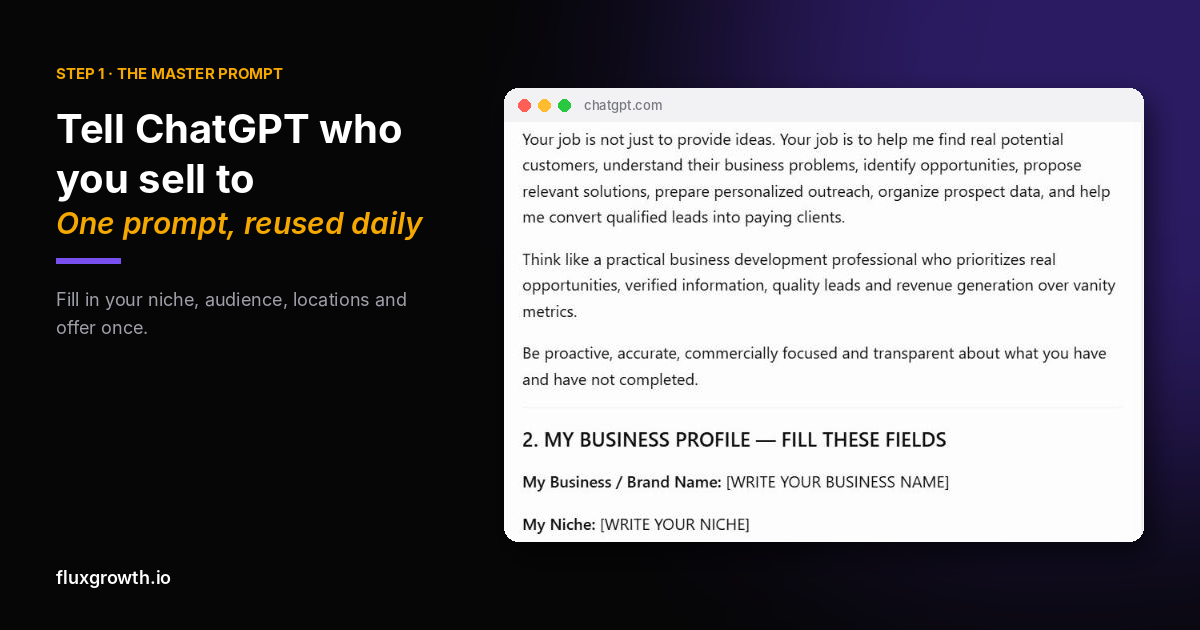
I keep one master prompt that sets up the whole job. It starts with my business profile.
The five fields that matter
- Niche: what you sell. Mine is AI automation — enquiry handling, lead qualification, follow-ups.
- Target audience: business type, size, and who decides. I go after owner-led businesses that get a steady flow of customer enquiries.
- Locations: I rotate between Mauritius, the UAE, India, and the USA.
- Offer: one small, paid starting project — not a giant custom build.
- Website for outreach: where interested people can check you out.
The opening of my master prompt
Act as my B2B lead researcher, sales strategist and outreach copywriter. Your job is to find real businesses that match my target audience, identify a specific problem using public evidence, propose a relevant solution, and draft a personalised first email. Never invent contact details, decision-makers or business problems. If you can’t verify something, write “Not found.”
That last line is doing a lot of work. Keep it.
Step 2: Ask for “today leads” — with evidence
Once the profile is saved, my daily prompt is two words: “today leads”. The master prompt already tells ChatGPT what that means.
What I ask it to return for every lead
- Business name, country, industry
- Public business email and phone (from the official site only)
- Observed workflow — what it actually saw on their site
- Automation offer — what I could build for them
- Source — the page it took this from
The “observed workflow” field is the heart of it. It turns a cold email from “I help businesses grow” into “I noticed your booking form asks for dates, group size and special requests.”
What a good lead looks like
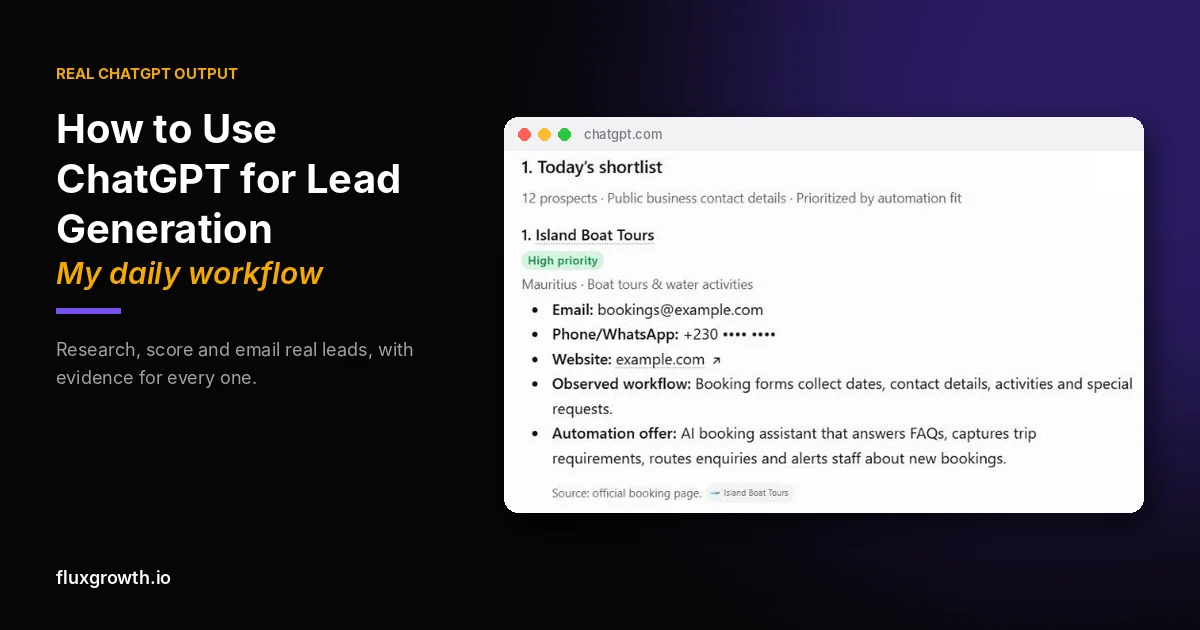
Here’s a real example from one batch, anonymised:
Boat-tour operator, Mauritius. Observed: the booking form collects dates, activities, contact details and special requests. Offer: an AI booking assistant that answers FAQs, captures trip details, and alerts staff about new bookings. Source: their official booking page.
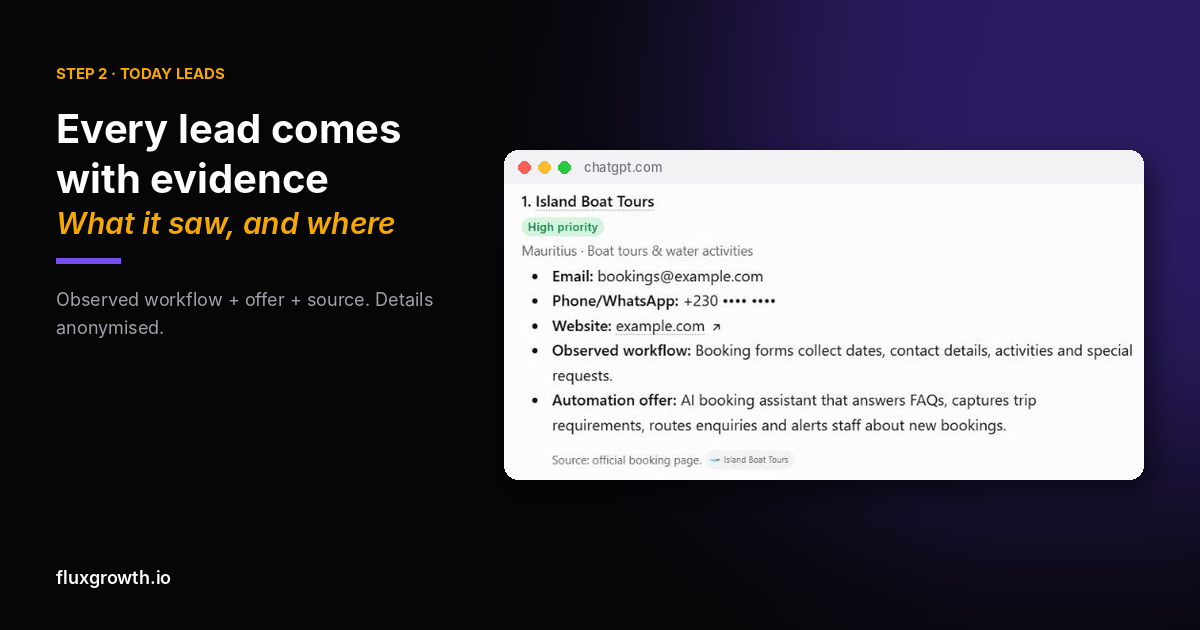
Compare that with what ChatGPT gives you without the rules: “XYZ Tours could benefit from AI to improve customer experience.” Useless. You can’t write an email from that.
One honest caveat. An observation is not a confirmed problem. A busy contact form doesn’t prove the owner is drowning in admin. I treat every observation as a hypothesis to test on a call — and so should you.
Step 3: Score every lead out of 100 (AI lead qualification)
Twelve leads a day sounds great until you have to choose who to email first. So ChatGPT scores each one with a fixed rubric.
My scoring rubric
| Criterion | Points |
|---|---|
| Fits my target audience | 25 |
| Evidence of a relevant problem | 25 |
| My service actually solves it | 20 |
| A real business contact is available | 15 |
| Commercial potential | 15 |
75–100 is high priority. 50–74 is medium. Under 50 gets dropped.
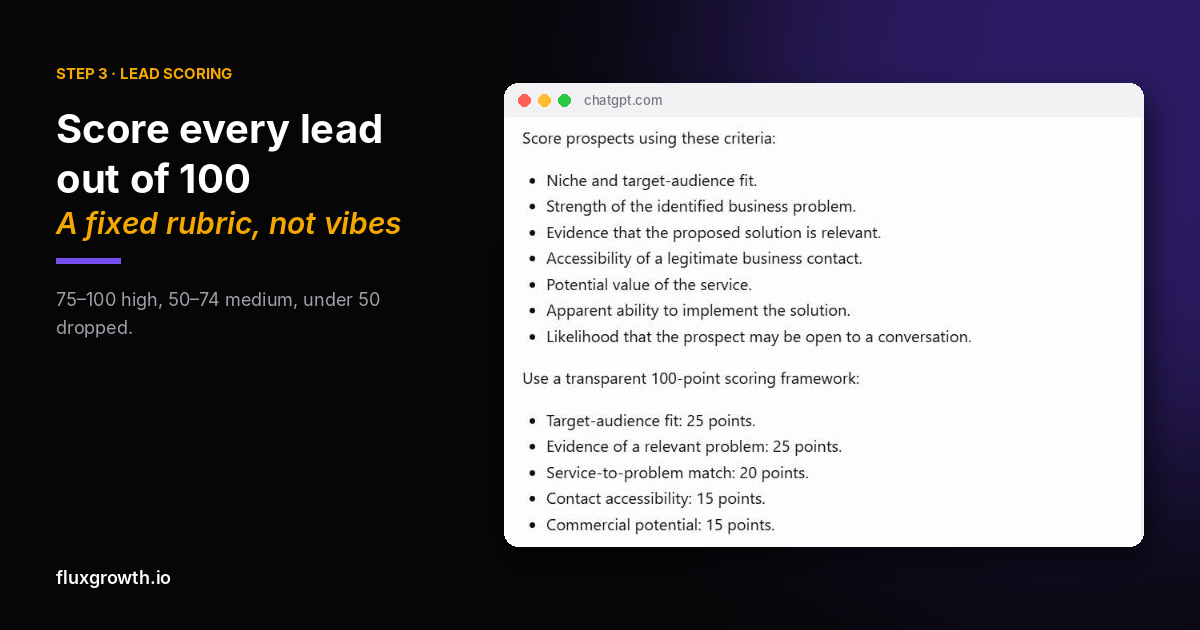
Why a fixed rubric beats “which leads are best?”
Ask ChatGPT for the “best” leads and the answer changes every time. A rubric makes it show its work. When it ranks a boat-tour company above a real-estate agency, I can see why — structured booking requests are easier to automate than open-ended property questions.
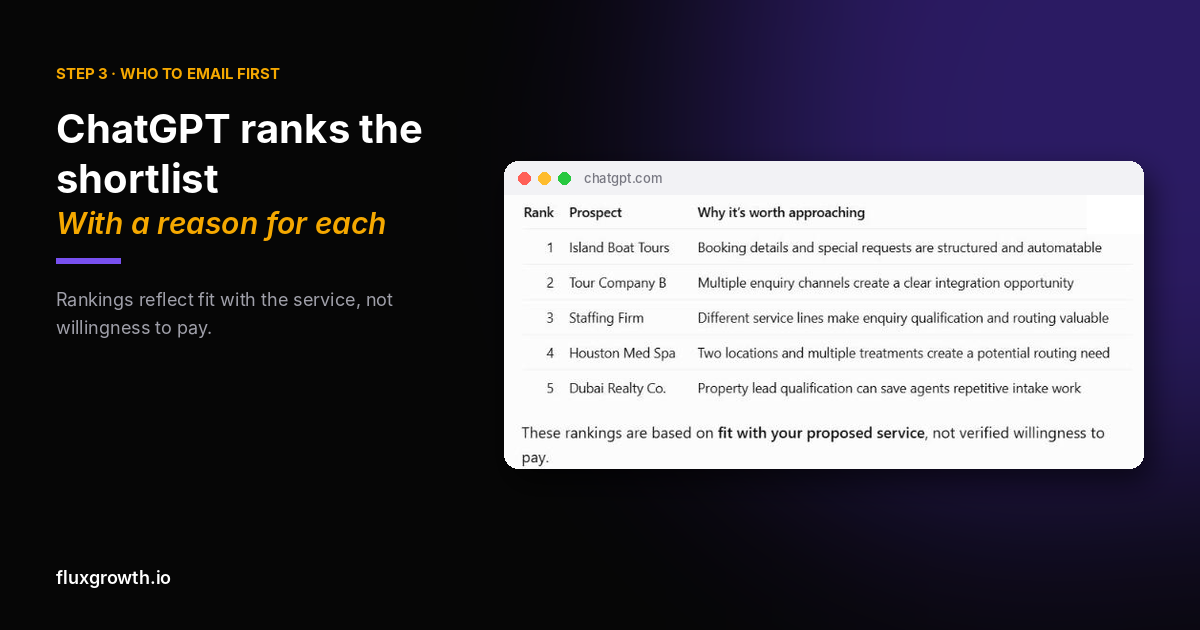
These scores are guesses, not conversion odds. Treat them as a to-do order.
Step 4: Let ChatGPT draft the cold email — then edit it
This is where most AI cold email goes wrong. People let the AI write and send, and the inbox fills with “I hope this email finds you well.”
My rule: ChatGPT drafts, I edit, I send.
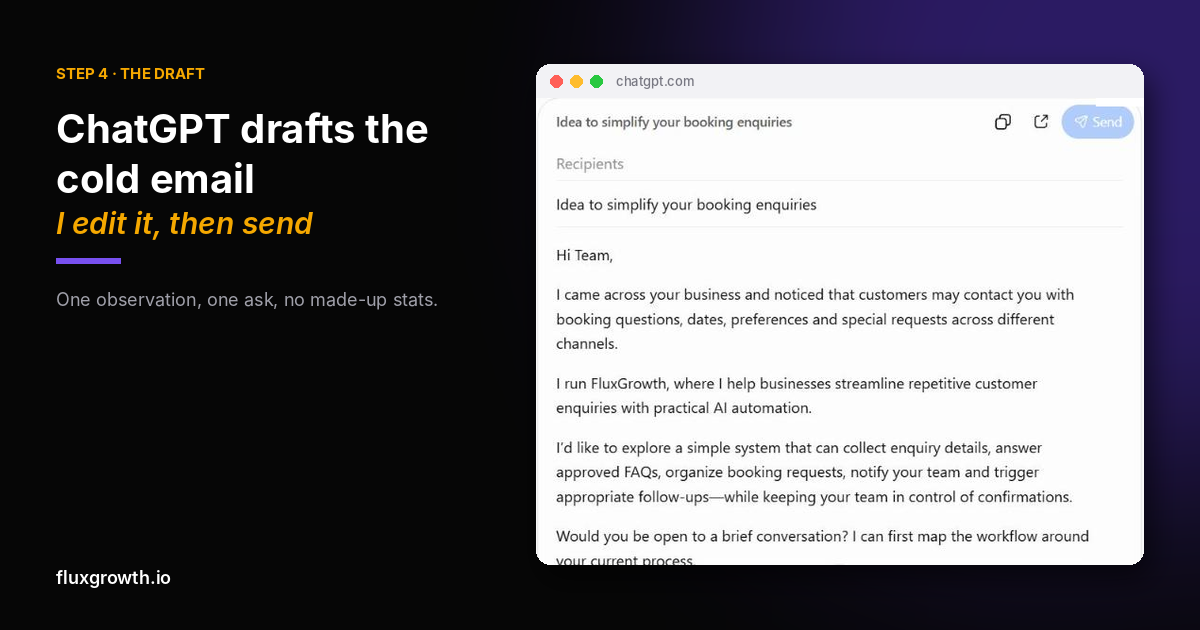
The email template I actually use
Subject: Idea to simplify your booking enquiries
Hi Team,
I came across your business and noticed that customers may contact you with booking questions, dates, preferences and special requests across different channels.
I run FluxGrowth, where I help businesses streamline repetitive customer enquiries with practical AI automation.
I’d like to explore a simple system that can collect enquiry details, answer approved FAQs, organise booking requests, notify your team and trigger follow-ups — while your team stays in control of confirmations.
Would you be open to a brief conversation? I can map the workflow around your current process first.
Best regards,
Shahid
Before it goes to a US contact, I add my business postal address and one opt-out line under the signature: “Not relevant? Reply ‘stop’ and I won’t email again.”
Short. One observation. One ask. No made-up stats about how much money they’re losing.
Three edits I always make
- Rewrite the first line so it mentions something specific to that business.
- Delete any claim I can’t back up — “save 20 hours a week” goes unless I can prove it.
- Check the address. The email must come from the business’s own website, not from ChatGPT’s memory.
Stay on the right side of spam rules
In the US, the CAN-SPAM Act covers business-to-business email too. You need an honest subject line, your physical postal address, and a clear way to opt out — and you have to honour opt-outs within 10 business days. The UK has its own rules (PECR and UK GDPR). If someone says “not interested,” mark them and never email again.
Step 5: Keep a tracker that doesn’t lie
ChatGPT can turn each day’s leads into an Excel file in one prompt: just type “sheet.” The trick is making it a tracker you trust.
The columns I keep
Date added · Country · Business · Industry · Email · Phone · Website · Observed workflow · Proposed solution · Score · Priority · Date contacted · Email status · Follow-up date · Response · Next action
Two rules that keep it clean
- No duplicates. Before adding a lead, ChatGPT checks business name, domain, email and phone against earlier batches.
- “Sent” means sent. A lead is only marked contacted after the email has actually gone out. Every daily sheet starts with all leads as “Not sent.”
That second rule sounds obvious. It isn’t. AI tools will cheerfully report work they never did unless you make honesty part of the brief.
The mistakes worth avoiding
- Chasing volume. Five well-researched leads beat 50 scraped ones. My master prompt literally says “don’t fill the list with weak entries to reach a number.”
- Pitching tools instead of outcomes. Nobody wants “n8n workflows.” They want fewer missed bookings.
- Building before getting paid. Offer a small, clearly scoped paid pilot. I ask for 50% upfront before any build starts.
- Trusting contact details blindly. If the email isn’t on their official site, it’s “Not found.”
FAQ
Can ChatGPT find leads for my business?
Yes, if web search is turned on and you give it a tight target audience. It can research public business websites and pull contact details from official pages. Always check each email and phone number against the business’s own site before you use it.
What are the best ChatGPT prompts for lead generation?
The best prompt is a reusable master prompt, not a one-liner. It should define your niche, target audience, locations and offer, then demand evidence, a source link and “Not found” when something can’t be verified. After that, short commands like “today leads” or “prepare outreach” do the rest.
Is ChatGPT better than Apollo or Clay for lead generation?
They do different jobs. Apollo and Clay are contact databases built for volume. ChatGPT is better at the research and personalisation layer — reading a business’s site and explaining why your offer fits. Many people use a database for the list and ChatGPT for the angle.
Can ChatGPT send cold emails for me?
It can draft them, and with a connected email tool it may be able to send them. I don’t let it. A human edit catches the generic opener, the unproven claim and the wrong address — the three things that get cold emails ignored or reported.
Is AI cold email legal?
Using AI to write an email doesn’t change the rules. In the US, CAN-SPAM applies to B2B email: honest subject lines, your postal address and a working opt-out. In the UK, PECR and UK GDPR apply, so check the ICO’s guidance before emailing UK businesses.
How many leads should I contact per day?
Start with five that score 75 or above. Personalise those properly, follow up after three to five business days, and log every reply. Five good conversations beat 50 ignored emails.
Conclusion
Using ChatGPT for lead generation isn’t about getting more names. It’s about getting better reasons to reach out — one real observation, one useful idea, one short email.
Set up your master prompt today. Fill in your niche and target audience, type “today leads,” and email the top five by hand. Then come back tomorrow and do it again.
Want the system built for your business instead? That’s what we do at GetFluxGrowth.