FluxGrowth is reader-supported. Some links in our guides are affiliate links — if you buy through one we may earn a commission, at no extra cost to you. It never changes which tools we recommend. How we test tools.
Most creators aren’t struggling with ideas they’re struggling with time. They’re jumping between five different apps just to get one post out the door. A design tool here, a caption writer there, a scheduler somewhere else.
This guide is part of our Social Growth hub – everything we have published on growing on social with AI, in one place.
That’s not a workflow. That’s chaos.
After running FluxGrowth and building content systems across multiple platforms, I’ve learned that the tools you choose matter less than how few you actually need. The right stack handles design, writing, and scheduling without burning your focus.
This guide breaks down the best social media content creation tools available right now free, paid, and AI-powered — so you can build a workflow that actually sticks.
What Are Social Media Content Creation Tools?
Social media content creation tools are platforms and apps that help you produce, design, write, edit, and publish content across Instagram, TikTok, LinkedIn, YouTube, and beyond.
They cover everything from graphic design and short-form video editing to AI caption writing and post scheduling. Some tools do one thing well. Others try to do everything. The best ones do a few things exceptionally.
Why Content Creation Matters for Social Media Growth?
You can have the best strategy in the world, but if your content looks like it took 4 minutes to make, nobody stops.
Instagram, TikTok, and LinkedIn all reward accounts that post consistently and look the part. Hitting both manually without tools is how creators burn out by week three.
How AI Is Changing Content Creation?
AI hasn’t replaced creators. It just killed the most tedious parts of the job.
CapCut auto-captions a 60-second Reel in under 10 seconds. ChatGPT drafts 5 caption variations before you’ve finished your coffee. Buffer’s AI Assistant suggests optimal posting times based on your actual audience data.
One person can now run a content operation that used to need three.

Why Social Media Content Creation Tools Are Important?
The social media landscape in 2026 is more competitive than ever. Every platform is pushing short-form video. Algorithms reward original content over recycled posts. Attention spans are shorter.
Without the right tools, keeping up is exhausting. With them, you can batch a week of content in a few hours.
Consistency Drives Algorithm Reach
Most platforms prioritize accounts that show up regularly. Not occasionally regularly. Content creation tools make it realistic to maintain a publishing schedule without hiring help or burning weekends.
Professional Visuals Build Brand Trust
Even on casual platforms like Instagram Reels, poorly designed content signals low effort. Canva, CapCut, and Adobe Express all let non-designers produce clean, on-brand visuals. No design degree required.
Analytics-Backed Decisions
Buffer shows you which posts drove the most clicks and reach. Canva Pro tells you how your published designs performed. That data loop post, measure, adjust is what separates accounts that compound over time from ones stuck at the same follower count for months.
Types of Social Media Content Creation Tools
Not all content tools are built the same. Here’s how they break down by category.
1.Graphic Design Tools
These help you create static posts, carousels, story graphics, and promotional banners. Canva and Adobe Express dominate this space between them, they cover the needs of most individual creators and small marketing teams.
2.Video Editing Tools
Short-form video is the highest-performing content format right now. Tools like CapCut and InShot make editing fast without the learning curve of software like Premiere Pro.
3.AI Writing and Caption Tools
Platforms like Buffer AI Assistant and ChatGPT help you write captions, hooks, Reel scripts, and content calendars in a fraction of the time. (ChatGPT alone can plan out a month of post ideas in about 15 minutes if you give it the right prompt.)
4.Social Media Scheduling Tools
Once your content is ready, schedulers like Buffer and Later handle publishing across multiple platforms automatically — so you batch on Sunday, post all week.
5.Content Planning Tools
These help you map out your content calendar, track ideas, and maintain a posting strategy. Notion and Trello work well for solo creators. Dedicated tools like SocialBee are better for teams managing multiple accounts.
Best Social Media Content Creation Tools in 2026

Here are the tools worth your time — each with a clear use case so you know exactly who they’re for.
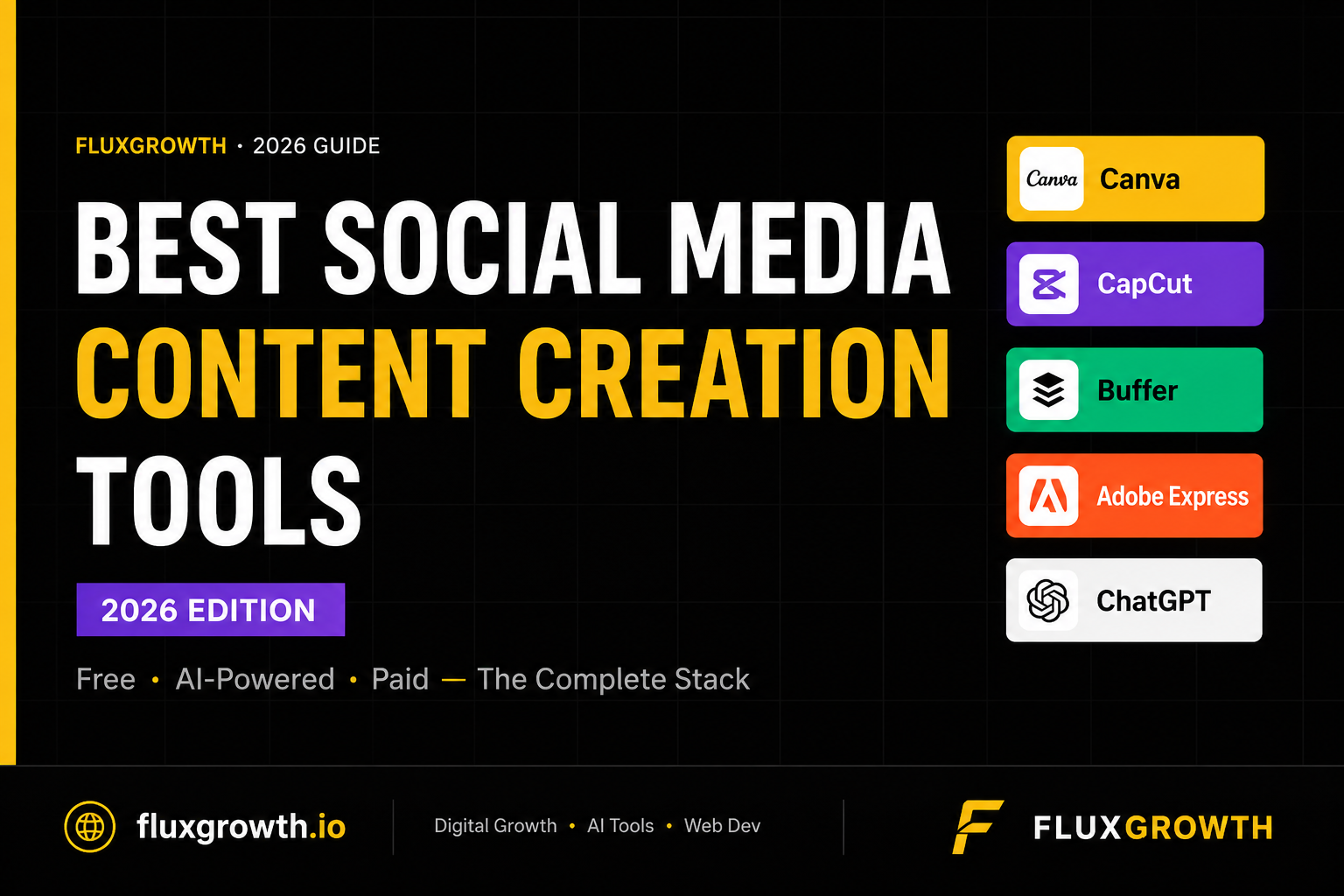
1. Canva : Best for Graphic Design
Canva is the most widely used design tool for social media, and it’s earned that spot. It’s built for marketers, small business owners, educators, and social media managers who need polished visuals without a design background.
The core appeal is accessibility. Drag-and-drop editing, over 600,000 templates, and a library of 100M+ stock photos, videos, and graphics mean you can go from blank canvas to finished Instagram post in under 10 minutes.
The AI layer makes it faster. Magic Write generates caption copy. Magic Edit modifies images with text prompts. Background Remover does in one click what used to mean an hour in Photoshop.
Pricing: Free plan available. Canva Pro starts at $15/month or $120/year. Canva Teams starts at $10/user/month (3-user minimum). In 2026, AI tools like Magic Write and Dream Lab are now bundled into Pro — no longer charged as separate credits.
Best for: Beginners, solo creators, and small business marketing teams.
2. CapCut : Best for Short-Form Video
CapCut is the default video editor for creators on TikTok, Instagram Reels, and YouTube Shorts. As of April 2026, it has surpassed 800 million monthly active users — more than any other mobile video editing app in the world.
The reason it took off: things like auto-captions, background removal, and text-to-speech that once required expensive desktop software are now on your phone, your browser, or your desktop. For free.
The free tier is genuinely capable. Multi-track timeline editing, keyframe animation, chroma key, AI voiceover, and 1080p export — without paying anything. The watermark on certain free exports is the main reason creators upgrade.
Pricing: Free plan covers most daily needs. Standard is ~$9.99/month (mobile-focused, removes watermarks). Pro is $19.99/month and unlocks the full AI toolkit — Camera Tracking, Vocal Isolation, and advanced effects.
Best for: Video creators, Reels-first Instagram accounts, TikTok marketers.
3. Buffer : Best for Scheduling + AI Captions
Buffer is one of those tools that just works without getting in the way. It’s built for creators and small businesses — not enterprise teams with six-figure software budgets.
The free plan covers up to 3 channels with no time limit. Paid plans start at $6/month per channel, which makes it one of the more affordable schedulers on the market.
Its built-in AI Assistant handles caption drafting, hashtag suggestions, and post ideas. Not perfect every time, but good enough to use as a starting draft which is all you need to cut writing time in half.
Best for: Creators managing multiple platforms who want scheduling and AI writing in one place, without paying for features they’ll never use.
4. Adobe Express : Best for Brand Consistency
Adobe Express is worth knowing if you’re already inside the Adobe ecosystem Photoshop, Illustrator, Premiere. It integrates cleanly with all of them.
It includes Firefly generative AI, which lets you create original images and custom text effects directly in your designs. The Firefly credits are commercially safe which matters if you’re producing content for clients or running paid campaigns.
The learning curve is slightly higher than Canva, but the output quality ceiling is higher too.
Best for: Designers, creative teams, and brands that need tight visual control and client-safe assets.
5. ChatGPT :Best for AI Content Writing
ChatGPT is the most flexible AI writing tool for social media. And it’s still the one most creators underuse.
It can generate 10 caption options for a single post, write a full 30-day content calendar, draft Reel scripts in your brand voice, repurpose a blog post into Instagram carousels, and brainstorm hooks by the dozen. All in one conversation.
It doesn’t replace your voice. But it kills the blank page problem completely.
Pricing: Free tier available. ChatGPT Plus starts at $20/month and includes access to the faster model and image generation via DALL·E.
Best for: Any creator or marketer who spends real time every week writing captions, scripts, or planning content.
Instagram Content Creation Tools
Instagram demands a specific combination — polished visuals, short-form video, and consistent branding across every post.
For static posts and carousels, Canva is the standard. The Magic Resize feature alone saves hours: design once, resize instantly for Stories, Feed, and Reels cover in one click.
For Reels, CapCut is what most creators are actually using. Its template library is built around trending formats, and auto-captions are accurate enough to use without heavy editing.
For planning and scheduling, Buffer or Later handle Instagram-first workflows without overcomplicating things. Later’s visual calendar is particularly useful if you care about how your grid looks before you publish.
How to Choose the Right Social Media Content Creation Tool?
With dozens of options available, the decision comes down to a few honest questions — not feature lists.
Match the Tool to Your Content Format
If you primarily post graphics and carousels, start with a design tool. If video is your format, start with an editor. Don’t pay $15/month for Canva Pro if 90% of your content is Reels.
Consider Your Skill Level
Canva and CapCut are both built for people who aren’t designers or editors. Adobe Premiere Pro and Figma are not. Start with what you’ll use daily. You can always move to more complex tools once your content volume demands it.
Evaluate Your Budget
Here’s the thing — free tools in 2026 are legitimately good. Canva’s free tier covers 80% of what most solo creators need. CapCut’s free tier handles most short-form video workflows. Start free, and upgrade only when you hit a real wall. Not a theoretical one.
Think About Workflow Integration
The best tool stack is a tight one. Canva integrates with Buffer. CapCut exports directly to TikTok and Instagram. Fewer handoffs between apps means faster publishing and fewer “where did I save that?” moments.
Free vs Paid Social Media Content Creation Tools
Benefits of Free Tools
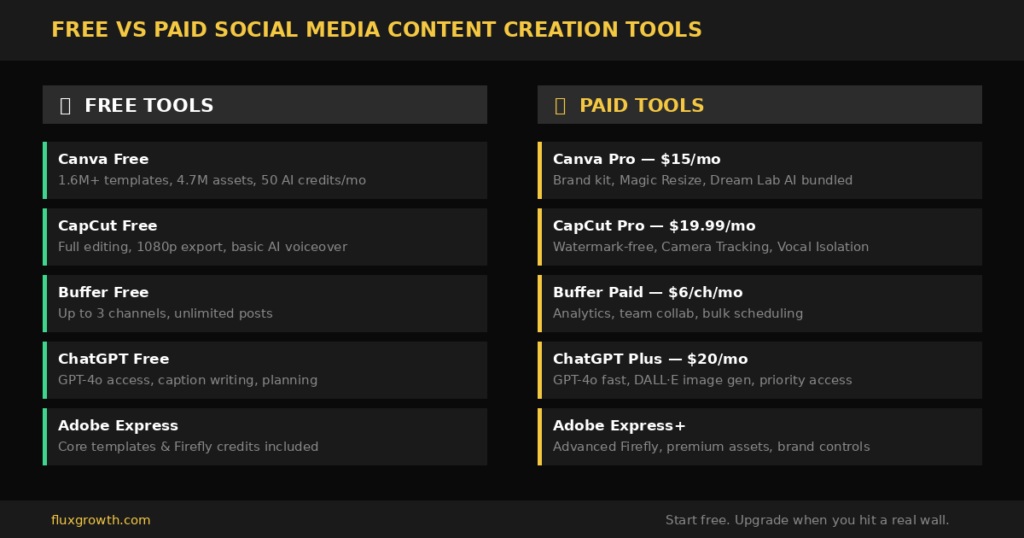
Free tools aren’t a consolation prize. Canva Free gives you access to 1.6M+ templates, 4.7M free assets, and AI tools with a monthly credit allowance — enough to produce professional-looking social graphics without spending a dollar.
CapCut’s free tier is equally capable for video. Full editing toolkit, 1080p exports, free music and sound effects. The watermark on certain exports is the main limitation.
Free tools work best when: You’re just starting out, you’re a solo creator with a focused content format, or you’re testing a new platform before committing to a full stack.
Benefits of Paid Tools
Paid tiers unlock what actually matters at scale: brand kits, bulk scheduling, advanced AI features, team collaboration, and higher export quality.
Worth noting: in 2026, Canva bundled Magic Write, Magic Edit, and Dream Lab into Pro and Teams plans — these used to be separately metered. That makes the Pro upgrade noticeably more valuable than it was two years ago.
Paid tools are worth it when: You’re managing multiple brand accounts, working with a content team, or publishing more than 15 pieces of content per week.
What Tools Do Social Media Managers Use?
Most social media managers aren’t running 10 tools. They’re running three, maybe four.
- Design: Canva or Adobe Express
- Video: CapCut or InShot
- Scheduling + Analytics: Buffer, Hootsuite, or Later
Here’s the thing — everything else is noise until you’ve maxed out those three. A shiny new AI platform won’t save a broken posting schedule. Get the core stack working first.
Frequently Asked Questions
What are social media content creation tools?
They’re platforms and apps that help you create, design, write, edit, and schedule content for social media — covering everything from graphic design and video editing to AI caption generation and post scheduling.
Which social media content creation tool is best for beginners?
Canva. No design experience needed, thousands of ready-to-use templates, and the free plan is genuinely useful for months before you need to upgrade.
Are social media content creation tools free?
Many of the best ones are — or have solid free tiers. Canva, CapCut, and Buffer all offer free plans that cover the basics. Paid plans unlock brand kits, AI tools, and bulk scheduling.
What is the best AI tool for social media content creation?
For writing and captions, ChatGPT is the most flexible. For AI integrated inside a design tool, Canva’s Magic Suite — Magic Write, Magic Edit — is the most accessible option for most creators.
Can AI create social media posts automatically?
Yes. Buffer AI Assistant drafts post copy, suggests hashtags, and recommends posting times. AI handles the mechanical parts. Your strategy and brand voice still need to be human.
Which tool is best for Instagram content creation?
Canva for graphics and carousels. CapCut for Reels. Buffer or Later for scheduling. Those three together cover the full Instagram workflow.
What tools do social media managers use?
Most rely on Canva for design, CapCut for video, and a scheduler like Buffer or Hootsuite. Many add ChatGPT for caption writing and content planning.
How do content creation tools improve engagement?
They make it faster to produce consistent, high-quality content. Consistency signals to the algorithm that your account is active. Better visuals and copy directly affect saves, shares, and click-through rates.
Is Canva good for social media content creation?
Yes. It’s used by over 190 million people for a reason. Fast to learn, generous free tier, and the AI features in Pro make it one of the best value tools available for creators.
Which social media content creation tool is best for businesses?
Canva Teams combined with Buffer or Hootsuite. Design consistency, team collaboration, and multi-platform scheduling in one connected stack.
Can I create social media videos using AI?
Yes. CapCut handles auto-captions, background removal, and text-to-speech. Tools like Runway and Pika Labs go further with full AI video generation from a text prompt.
What features should I look for in a content creation tool?
Ease of use, template variety, export quality, platform integrations, and AI assistance. For teams, add collaboration features and brand kit management to that list.
Are AI-generated social media posts effective?
When they’re edited before publishing, yes. AI is best used as a first draft. The posts that perform come from combining AI speed with human judgment about tone, timing, and brand voice.
Which tool is best for creating social media graphics?
Canva for most creators and small businesses. Adobe Express for teams already inside the Adobe ecosystem or producing client-facing work.
How much do social media content creation tools cost?
Most start free. Canva Pro is $15/month. CapCut Pro is $19.99/month. Buffer starts at $6/channel/month. A full working stack design, video, scheduling — costs under $30/month if you’re intentional about what you actually need.
Final Conclusion

The goal isn’t to use every tool available. The goal is a tight, repeatable system that produces content without friction.
Summary of Top Tools
| Tool | Best For | Starting Price |
| Canva | Graphic design | Free / $15/mo Pro |
| CapCut | Short-form video | Free / $9.99/mo Standard |
| Buffer | Scheduling + AI captions | Free / $6/mo per channel |
| Adobe Express | Brand-consistent design | Free / bundled with Adobe |
| ChatGPT | AI writing + strategy | Free / $20/mo Plus |
Best Tool for Beginners
Canva. Free to start, no design background required, and it handles everything from Instagram carousels to YouTube thumbnails. Once you have a posting rhythm, add CapCut for Reels and you have a complete setup for under $15/month.
Best Tool for Businesses
Canva Teams + Buffer. Design at scale, brand consistency across multiple team members, and multi-platform scheduling in one connected workflow. Add ChatGPT for captions and that’s a full content production system for a fraction of what an agency charges.
Final Recommendations
Start learning. One design tool, one video editor, one scheduler. Learn them properly before adding anything else.
Most creators don’t have a tool problem. They have a focus problem — too many tabs open, too many subscriptions, not enough output. The right stack isn’t the biggest one.