FluxGrowth is reader-supported. Some links in our guides are affiliate links — if you buy through one we may earn a commission, at no extra cost to you. It never changes which tools we recommend. How we test tools.
Last updated: September 2026 · Prices checked Sept 2026
Short answer: For most people, Claude is the best AI tool for content writing. It produces the most natural long-form drafts and follows a style guide well. ChatGPT is the best all-rounder if you also want research, images and brainstorming in one app. Gemini wins if you live in Google Docs and Gmail. Add Surfer only if ranking on Google is your job, and Grammarly for the final polish.
That’s the answer. The rest of this guide shows you which one fits the content you actually write, what it costs, and how to test it yourself in 30 minutes so you don’t have to trust anyone’s list, including ours.
This guide is part of our AI Marketing hub — everything we have published on AI marketing tools and content workflows, in one place.
Best AI Tool for Content Writing, by Task
Not all “content writing” is the same job. A 2,500-word blog post and a 40-word Instagram caption need different strengths.
| What you write | Best pick | Runner-up | Why |
| Long blog posts & articles | Claude | ChatGPT | Most natural tone, holds structure over long drafts |
| Social captions & hooks | ChatGPT | Claude | Fast variations, good at punchy short copy |
| SEO articles meant to rank | Claude/ChatGPT + Surfer | Frase | The writer drafts; Surfer checks coverage vs. top pages |
| Research-heavy posts | Perplexity → Claude | ChatGPT (search) | Perplexity shows sources you can check |
| Emails & newsletters | Claude | Gemini (in Gmail) | Tone control; Gemini if you draft inside Gmail |
| Docs-based team writing | Gemini | ChatGPT | Built into Google Workspace |
| Brand copy across a team | Jasper | ChatGPT Business | Brand Voice and team controls |
| Fiction & creative writing | Sudowrite | Claude | Built for scenes, characters and pacing |
| Grammar & final polish | Grammarly | — | Works everywhere you type |
Pick by the content you write, not by hype.
Quick summary: one strong general writer (Claude or ChatGPT) covers about 80% of content work. Specialist tools earn their price only for a specific bottleneck.
What Is an AI Content Writing Tool?
An AI content writing tool is software that uses a large language model (LLM) to draft, rewrite, outline or edit text from your instructions. (For video, design and social tools, see our roundup of AI content creation tools.)
There are two kinds, and mixing them up is where people waste money:
- Model makers — Claude (Anthropic), ChatGPT (OpenAI), Gemini (Google). They build the underlying AI.
- Wrappers — Jasper, Rytr, Copy.ai, Writesonic and most “AI writer” apps. They run on models from the companies above and add templates, workflows or team features.
A wrapper isn’t bad. You’re just paying for the workflow, not a smarter writer. If you don’t need that workflow, go straight to the source.
How we picked
We judged each tool on the things that matter to a solo creator or small business:
- Draft quality — how much editing does the first draft need?
- Instruction following — does it respect word counts, tone and “don’t say X”?
- Consistency — can it remember your style across sessions?
- Research & accuracy — can it cite sources, and how often does it make things up?
- Price for value — what do you get on the free and ~$20 plans?
Why we write with Claude ourselves: most FluxGrowth articles are drafted in Claude. The main reason is that its drafts read like a person wrote them, not a template, so our editing time goes into adding examples and proof instead of stripping out filler. It also handles research-heavy briefs well: give it your sources and notes and it turns them into a clear, logically ordered article. We still check every fact and price by hand, because no AI gets a free pass on accuracy.
Here is a real example: the opening of our guide to AI automation for agencies, drafted in Claude from our brief.
Every agency owner knows the new-client scramble. A contract gets signed, and the same 15 tasks fire off by hand: create the CRM record, send the welcome email, spin up a project workspace, chase brand assets, ping the team, book the kickoff.
No “in today’s fast-paced world” and no throat-clearing. It opens on a problem the reader already recognizes. That is the bar we used to judge every tool on this list.
The 9 Best AI Tools for Content Writing in 2026
1. Claude — Best overall for content writing
Price: Free · Pro $20/month ($17/month billed yearly) · Max from $100/month
Claude is the one to beat for long-form. Its drafts read less like a template and it’s good at following a detailed brief (tone, banned phrases, structure) without drifting halfway through.
Why it wins for writers:
- Projects let you store your style guide, past articles and brand notes, so every chat in that project starts with your context.
- Styles let you set a custom writing style from samples of your own writing.
- Strong at editing: paste your draft and ask it to tighten, restructure or critique — it gives useful, specific feedback.
Where it falls short:
- Free-plan usage limits run out fast on long drafts.
- No native image generation for blog graphics.
Best for: bloggers, freelancers, newsletter writers, anyone writing 1,000+ words. Our Claude for marketing guide has ready-made prompts.

Claude’s plans as of September 2026 (claude.com/pricing).
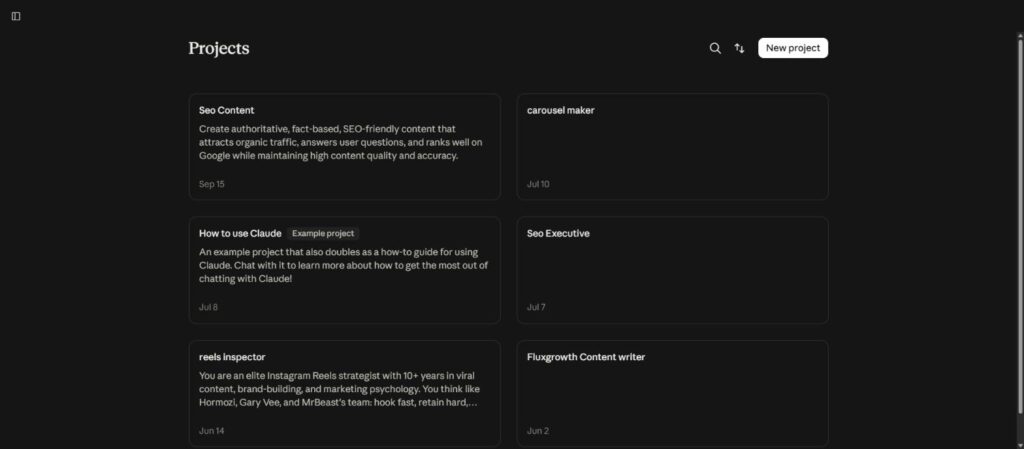
My own Claude Projects — one per content job, each with its own instructions.
2. ChatGPT — Best all-rounder
Price: Free · Go (low-cost tier; price varies by country — $6–8/month) · Plus $20/month · Pro from $100/month
ChatGPT does a bit of everything: drafting, brainstorming, web search, image generation, file analysis. If you want one app for the whole content process, this is it.
Why writers like it:
- Projects, memory and custom instructions keep your tone and audience in place.
- Canvas gives you a side-by-side editor for revising drafts.
- Excellent at variations: “give me 15 hooks for this post” is where it shines.
Where it falls short:
- Default tone can sound generic until you give it examples of your writing.
- The Go plan is ad-supported and doesn’t include every model and feature Plus has.
Best for: social media managers, marketers who also need images and research, beginners.

ChatGPT’s plans as shown on chatgpt.com/pricing (Go pricing varies by country).
3. Gemini — Best if you work in Google Docs
Price: Free · Google AI Plus $4.99/month · Google AI Pro $19.99/month · Google AI Ultra from $99.99/month (US prices)
Gemini’s edge isn’t the prose, it’s the placement. It sits inside Docs, Gmail and Drive, so you can draft, summarize a Drive folder or reply to email without switching tabs. Weighing the paid tier: see whether Google Workspace with Gemini is worth it.
Where it fits:
- Small teams already on Google Workspace.
- Turning notes and docs in Drive into a first draft.
- Gems (saved custom assistants) work like a reusable brief.
Where it falls short: for pure long-form voice, most writers still prefer Claude’s first drafts. Run the 30-minute test below and judge for yourself.

Google AI plans (US pricing), September 2026.
4. Perplexity — Best for research before you write
Perplexity isn’t a draft writer. It’s an answer engine that shows its sources. That’s exactly what AI writers are weakest at. (Full breakdown in our Perplexity review.)
How to use it: research the facts, stats and current details in Perplexity, open and check the sources, then paste the verified notes into Claude or ChatGPT to draft.
Why it matters: every chatbot can state wrong facts with full confidence. A source you can click is your cheapest insurance.
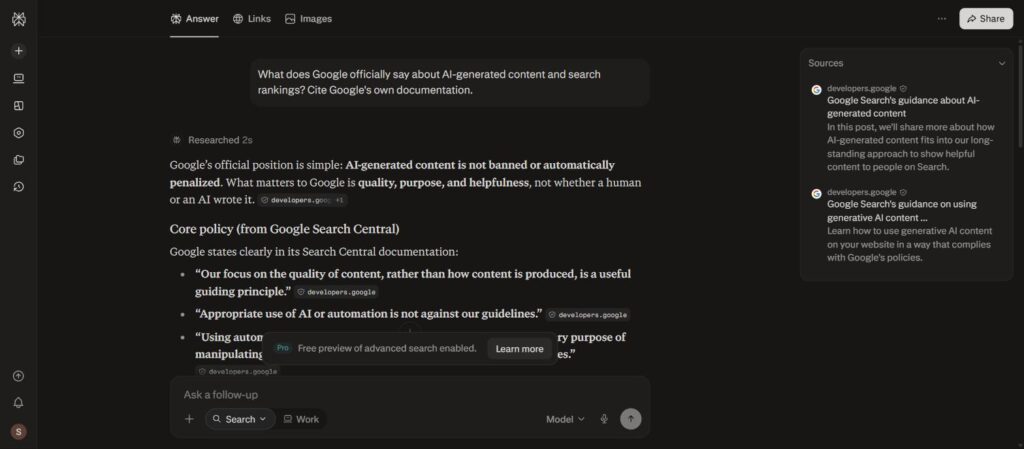
Perplexity pulls Google’s own documentation as sources — check them before you write.
5. Surfer SEO — Best for SEO content that has to rank
Price: Standard from $99/month (billed yearly); Pro $182/month; a separate AI Search Analytics plan is $82/month
Surfer won’t write better than Claude. What it does is compare your draft against the pages already ranking and score your topic coverage: terms, headings, length.
Use it if: you publish several SEO articles a month and rankings pay your bills. Skip it if: you post a few times a month. A manual check of the top 3 results gets you most of the way.

Surfer’s current plans (billed yearly).
6. Jasper — Best for marketing teams and brand voice
Price: Pro $59/month per seat (billed yearly, ~20% off monthly); Business is custom; 7-day free trial
Jasper is built for teams: Brand Voice, style rules, campaign workflows and admin controls. For a solo creator it’s overkill. For a 5–20 person marketing team keeping 10 writers on-brand, it can be worth it.
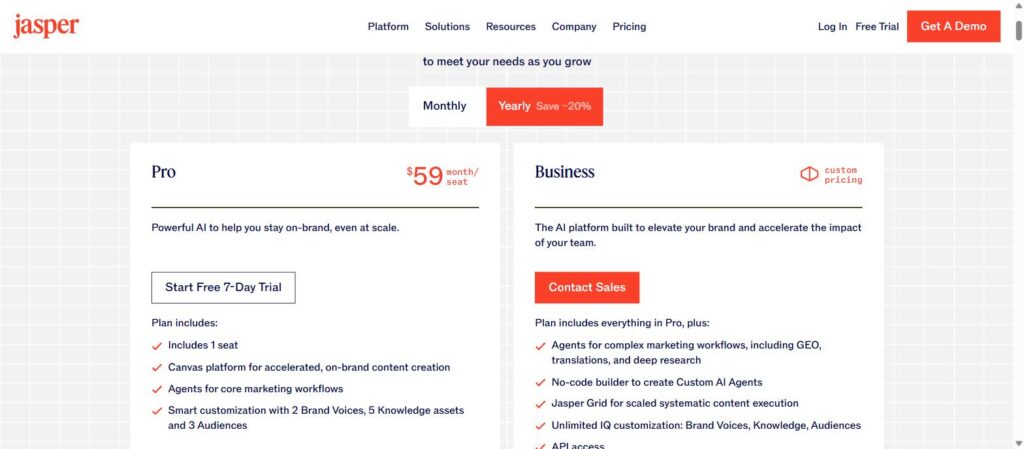
Jasper’s Pro and Business plans (yearly billing).
7. Grammarly — Best for editing and polish
Price: Free · Pro $12/month billed yearly ($30 month-to-month) · 7-day free trial
Grammarly doesn’t replace your writer; it catches what your writer (and you) missed. It works in the browser, Docs, Gmail and WordPress, which is why it stays useful after you pick your main AI.
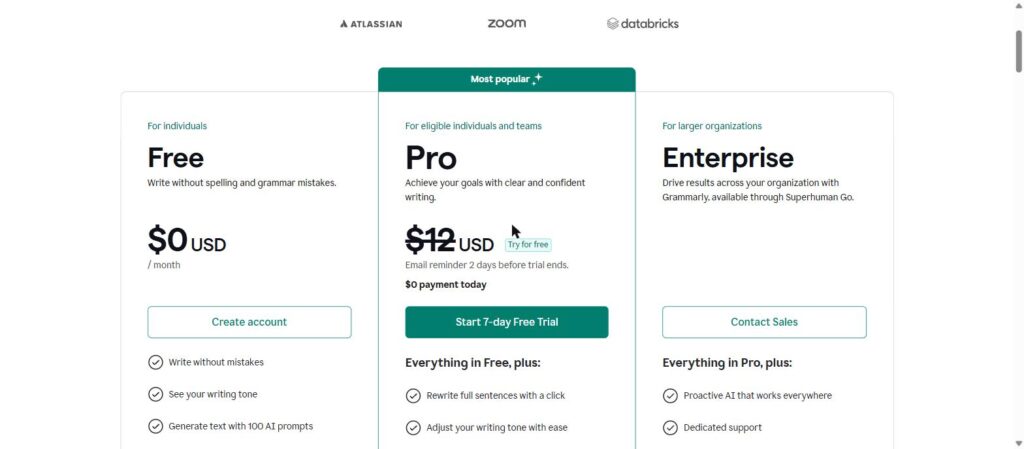
Grammarly’s Free and Pro plans.
8. Sudowrite — Best for fiction
Built for novelists: scene expansion, character tools, “describe” and brainstorming for plot. Not for blog posts or marketing copy. If you write stories, it’s the specialist; if you don’t, skip it.
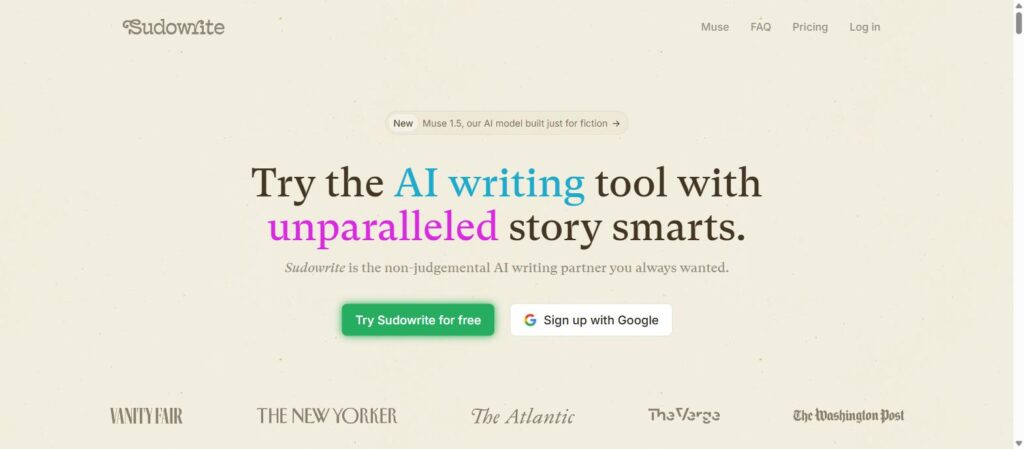
Sudowrite is built for fiction, not blog posts.
9. Rytr / Copy.ai — Budget templates (honest take)
Cheap and quick for short template copy like product blurbs or ad variations. But the free plans of Claude and ChatGPT usually produce stronger drafts, so try those first before paying.
Quick summary: start with Claude or ChatGPT. Add Perplexity for research and Grammarly for polish. Pay for Surfer or Jasper only when a clear bottleneck shows up.
Claude vs ChatGPT for Writing: Which Should You Pick?
This is the real decision for most readers, so here it is side by side. For the full comparison beyond writing, see our ChatGPT vs Claude verdict.
| Claude | ChatGPT | |
| Long-form drafts | Stronger, more natural | Good, needs more voice guidance |
| Short social copy | Good | Stronger, faster variations |
| Style consistency | Projects + Styles | Projects + memory + custom instructions |
| Web research | Yes | Yes |
| Image generation | No | Yes |
| Cheapest paid plan | Pro, $20/month ($17 yearly) | Go, $6–8/month (varies by country) |
Pick Claude if writing is most of your work and tone matters. Pick ChatGPT if you want one app for writing, images, research and brainstorming. Pick both on free plans for two weeks, then pay for the one you kept opening.
Test It Yourself in 30 Minutes (Free)
Lists including this one can’t know your niche or your voice. Here’s a quick bake-off you can run on free plans.
- Pick one real brief. Something you actually need to publish this week.
- Write one prompt (use the template below) and paste the same prompt into Claude, ChatGPT and Gemini.
- Score each draft 1–5 on: sounds like me, follows the brief, needs fewest edits, facts are correct.
- Ask for one revision in each (“make it 20% shorter and more direct”). Some tools follow edits much better than others.
- Time your editing. The tool whose draft you finish fastest is your winner.
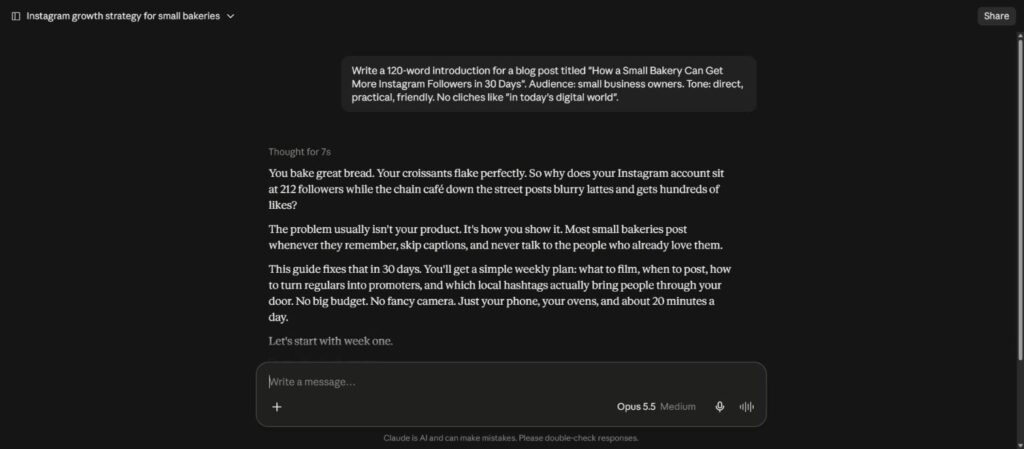
Claude — same prompt. Most specific and conversational, but it invented a follower number (212) I’d need to edit out.
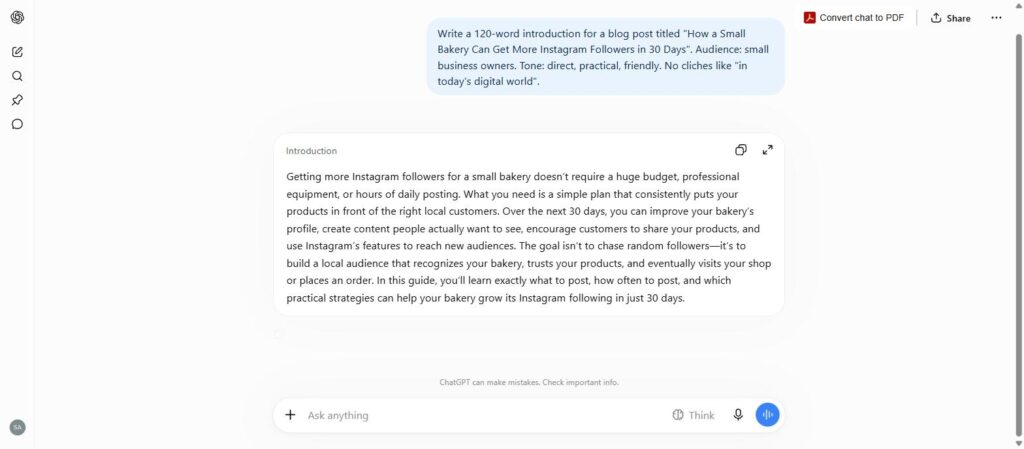
ChatGPT — same prompt. Clean and on-brief, but more generic.
Gemini (Flash) — same prompt. Warm, story-style opening that fits a bakery owner’s day.
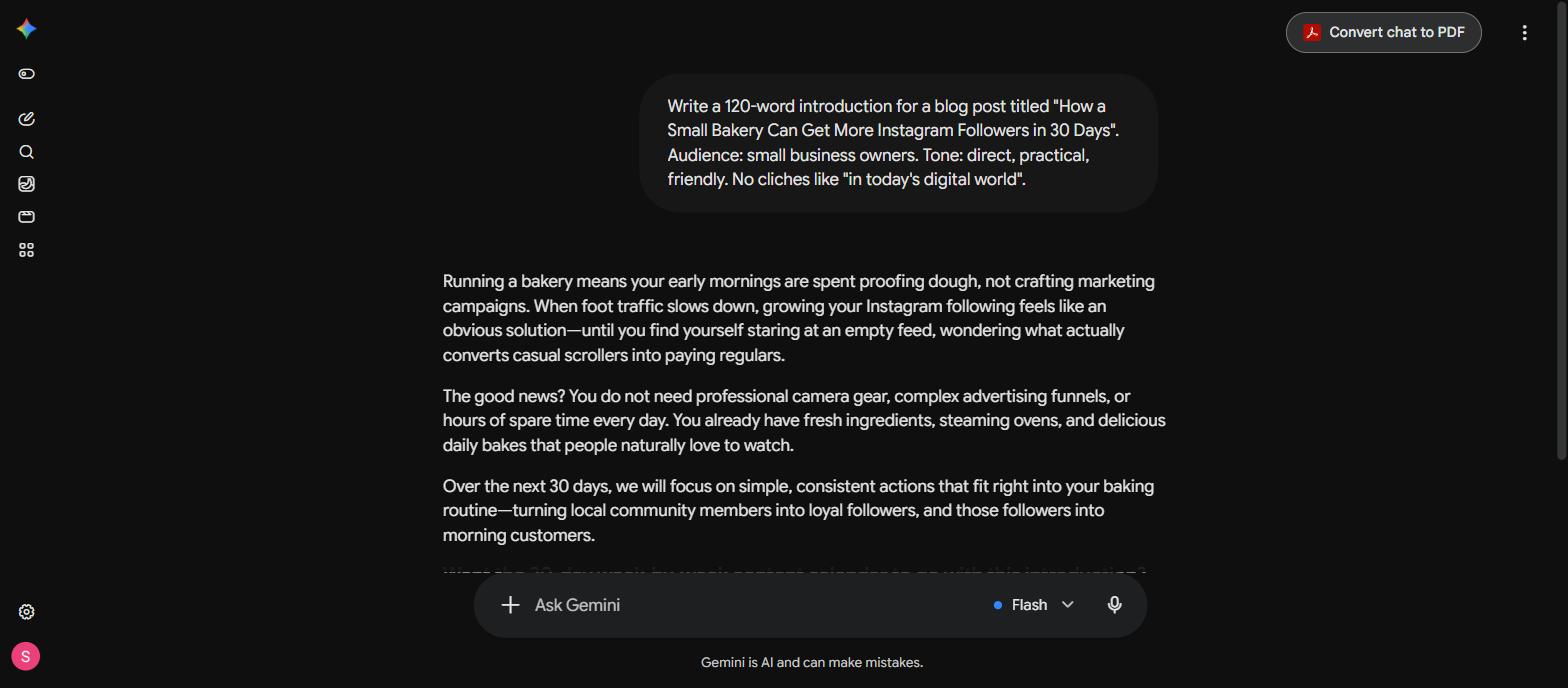
Our scorecard. We gave all three the same brief: a 120-word introduction for “How a Small Bakery Can Get More Instagram Followers in 30 Days”, for small business owners, direct and friendly, no clichés like “in today’s digital world”. Word counts are from the actual outputs in the screenshots above.
| Criterion (1–5) | Claude | ChatGPT | Gemini (Flash) |
|---|---|---|---|
| Sounds like a person | 5 · vivid, specific hook | 3 · generic, reads like a template | 4 · warm story opening, one stock phrase |
| Follows the brief | 5 · 120 words, no clichés | 4 · 129 words, 9 over | 5 · 116 words, no clichés |
| Needs fewest edits | 4 · one fix (the made-up number) | 3 · needs a voice rewrite | 4 · light trims only |
| Facts are correct | 4 · invented “212 followers” | 5 · nothing invented | 5 · nothing invented |
| Total (out of 20) | 18 | 15 | 18 |
What the scores mean: Claude and Gemini tie on points, but for different reasons. Claude wrote the hook we would actually publish, and it cost one fix: it invented a follower count. Gemini was the safest draft, warm and accurate but a little softer. ChatGPT followed the rules and needed the most rewriting to sound like a person. One short intro is a small sample, so run this test on your own brief before you pay for anything.
Copy-Paste Prompts That Make Any AI Write Better
The tool matters less than the brief. A vague prompt gets a vague post from every model.
Blog post prompt
You are writing for [audience, e.g. small-business owners in the US].
Topic: [topic]. Primary keyword: [keyword].
Goal: the reader should be able to [outcome] after reading.
Length: [X] words. Use H2/H3 headings and short paragraphs.
Tone: direct, practical, slightly opinionated. Write like a person, not a brochure.
Avoid: “in today’s digital world”, “unlock”, “leverage”, “delve”, filler intros.
Include: one real example per section and a short summary after complex sections.
Here are 2 paragraphs of my writing to match: [paste]
Write the outline first. Wait for my OK before drafting.
Social caption prompt
Write 10 Instagram captions for this post: [describe post].
Audience: [who]. The first line must stop the scroll in under 8 words.
Mix: 3 question hooks, 3 bold statements, 4 mini-stories.
Max 60 words each. End with one clear CTA. No hashtag spam — 3 max.
Editing prompt
Edit my draft below. Don’t rewrite my voice.
1. List the 3 weakest paragraphs and why.
2. Flag every factual claim I should verify.
3. Cut filler and repeated ideas.
Then give me the edited version with changes in bold.
Tip: save these inside a Claude Project or ChatGPT custom instructions so you never retype them. For Instagram posts, our free Instagram caption generator drafts five caption structures in one click.
A Simple 5-Step AI Content Workflow
This is the workflow that keeps AI fast without making your content generic.
- Research (Perplexity or ChatGPT search): collect facts and sources. Open the sources.
- Outline (Claude/ChatGPT): ask for an outline based on the search intent. Fix it yourself; this is where your expertise shows.
- Draft section by section: shorter asks = better quality than “write 3,000 words”.
- Human edit: add your examples, screenshots, opinions and results. Cut anything you wouldn’t say out loud.
- Polish & check: Grammarly for errors; Surfer (optional) for SEO coverage; one last read the next day.
Quick summary: AI does the first 60%. The last 40% (experience, proof and judgment) is what ranks and what readers trust.
AI does the first 60%. You do the part that ranks.
Budget Stacks: What to Pay For
| Budget | Stack | Good for |
| $0/month | Claude Free + ChatGPT Free + Perplexity Free + Grammarly Free | Beginners, occasional posts |
| ~$20/month | Claude Pro or ChatGPT Plus + free tools above | Freelancers, weekly publishing |
| ~$120/month | Claude Pro or ChatGPT Plus + Surfer | SEO-driven blogs and agencies |
| Team | ChatGPT Business or Claude Team + Jasper (optional) | Marketing teams needing brand control |
Most solo creators never need more than the ~$20 stack.
Is AI-Written Content Bad for SEO?
No — not by itself. Google’s own guidance says it rewards helpful, original content no matter how it’s produced, and treats content made mainly to manipulate rankings as spam, whether a human or AI wrote it. For practical tools that help optimize AI-assisted content, see our guide to AI SEO tools.
What that means in practice:
- AI detector scores don’t decide rankings. Stop optimizing for them. Detectors often disagree with each other on the same text.
- Experience does. Your screenshots, results, opinions and examples are what a model can’t produce for you.
- Accuracy does. One wrong price or fake stat can sink trust. Verify every number.
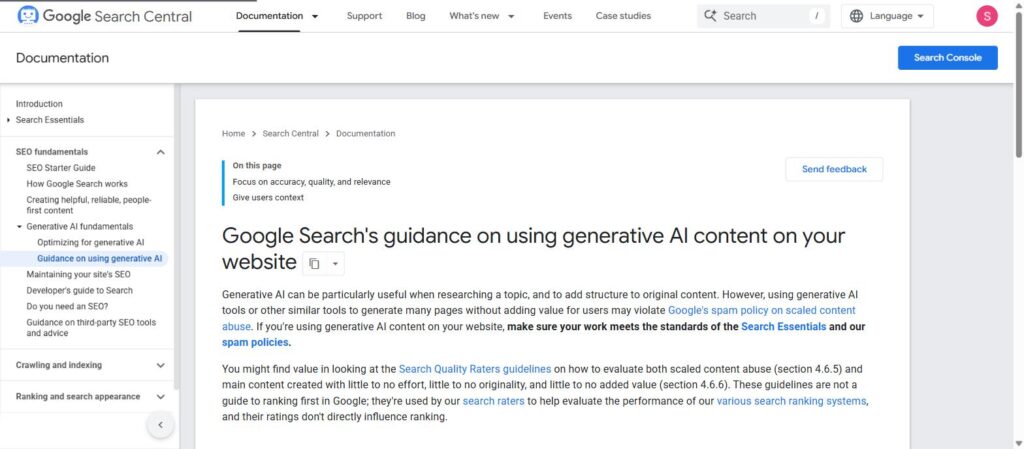
Google’s own guidance: AI is fine; low-value scaled content is not.
- AI search is a new audience. Clear definitions, tables, and short answer blocks (like the ones in this post) make it easier for AI Overviews and chat-bots to quote you. More in our guide to getting found in ChatGPT and Perplexity.
Honest Limitations
No AI writing tool will make a weak idea good. They all make things up sometimes, they all drift toward safe, bland phrasing, and plans and limits change often; prices in this post were checked in September 2026 and will move. Treat any AI tool as a fast first-draft partner, not an author you can publish without reading.
FAQ
Which AI tool is best for content writing for free?
Claude’s free plan gives the most natural long-form drafts; ChatGPT’s free plan is the most versatile. Use both for two weeks and keep the one you edit least.
Is ChatGPT or Claude better for writing?
Claude usually wins for long-form articles, emails and editing where tone matters. ChatGPT wins for short social copy, brainstorming lots of variations, and when you also need images or file analysis.
Can I rank on Google with AI-written content?
Yes, if it’s helpful, accurate and shows real experience. Google targets low-value content made to game rankings, not AI use itself. Edit heavily and add your own proof.
Do I need a paid AI writing tool like Jasper?
Probably not if you’re solo. Jasper makes sense for teams that need brand voice control across many writers. A $20 Claude or ChatGPT plan covers most individual needs.
What’s the best AI tool for SEO blog writing?
Draft with Claude or ChatGPT, research with Perplexity, and use Surfer only if you publish SEO content at volume. The writer and the optimizer are different jobs.
Should I use an AI humanizer to avoid detection?
We don’t recommend it. Detectors are unreliable and Google doesn’t rank by detector scores. Editing in your own voice and adding real experience does more for quality and rankings.
The Bottom Line
So, which AI tool is best for content writing? Start with Claude if writing is your main job, ChatGPT if you want one tool for everything, and Gemini if you work inside Google Docs. Add Perplexity for facts and Grammarly for polish, and only pay for specialists when a real bottleneck appears.
Your next step: grab the blog prompt above, run the 30-minute test on your next post, and keep the tool whose draft you finish fastest.